CHAPTER 2: ASSEMBLY GUIDE
Truetness.com / 800.426.6570 / 636.272.7100
28 of 62
TREADMILL ASSEMBLY STEPS:
Step 15B Safety Key (E-Stop) Usage:
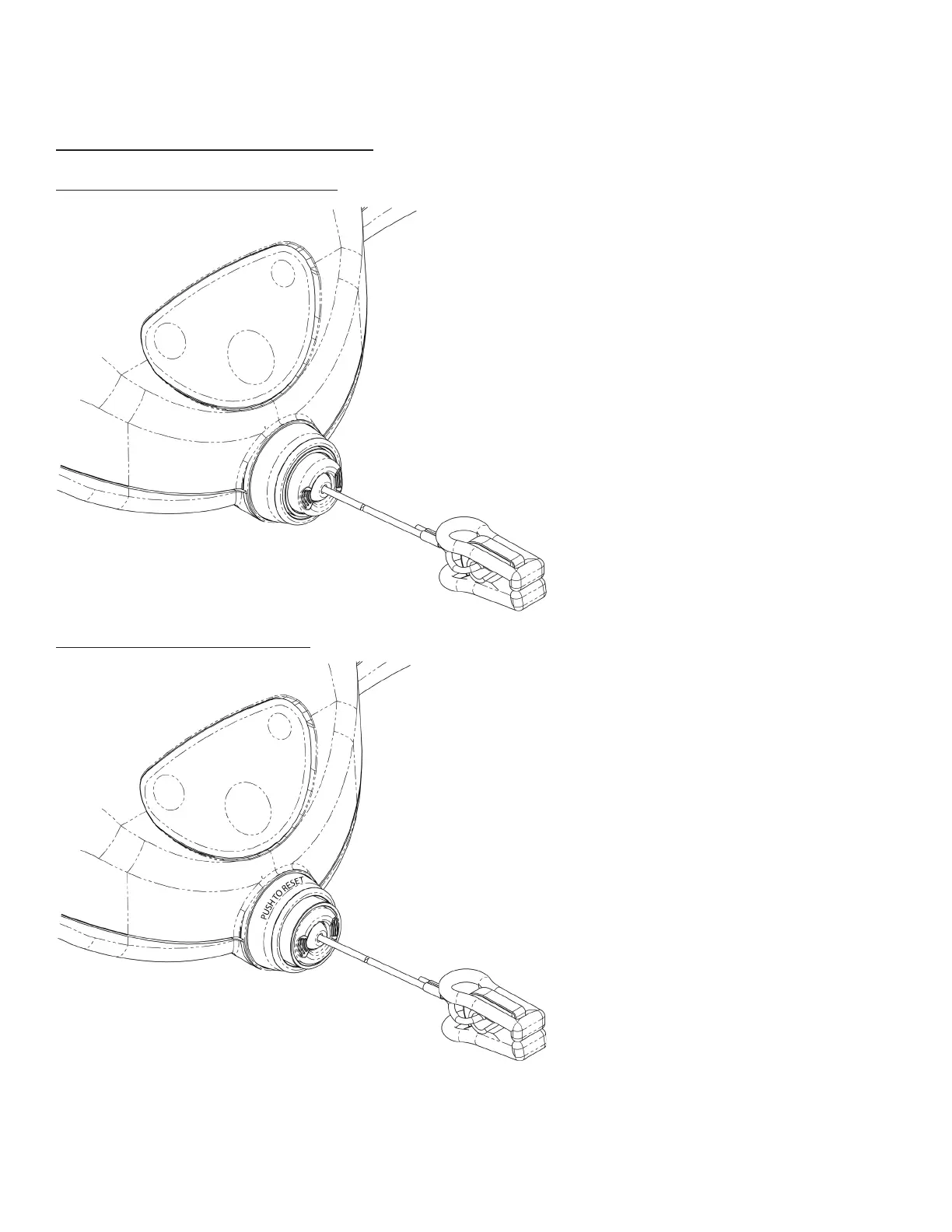
Safety Key (E-Stop) Engaged:
Safety Key (E-Stop) Disengaged:
Shown to the le is the disengaged position
of the safety key (e-stop).
When the equipment is in use or the user
is standing on the belt not in use, the safety
key clip must be attached to the user’s
clothing. is allows the safety stop to be
engaged if the safety clip attached to the
user pulls the safety key pull cord taught,
thus immediately halting all treadmill belt
activity.
Note: e safety key pull cord length allows
free range of motion for the user within
the normal workout parameters identied
within this owner’s manual.
Shown to the le is the engaged position of
the safety key (e-stop). Note the safety stop
outer sleeve that covers the safety stop to
denote the engaged position.
When the safety stop is engaged, all
treadmill belt activity will cease and the
following error message will appear on the
console advising the safety stop is engaged
“INSERT SAFETY KEY.”
To remove the console error message and
place the safety stop back in the disengaged
position, push the safety stop in once.
Note: You will be taken to the workout
conclusion screen once the safety stop is
switched back to the disengaged position.



 To Next Page