EasyManua.ls Logo

TSC TC300 Series - User Manual

TSC TC300 Series
41 pages
Print Icon
To Next Page IconTo Next Page
Loading...
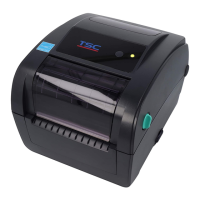
TC200/ TC210/ TC300/ TC310 Series
SERVICE
MANUAL
THERMAL TRANSFER / DIRECT THERMAL
BAR CODE PRINTER

Questions and Answers

  • D
    Don MedinaAug 19, 2025
    What to do if I can’t download files to memory of my TSC TC300?
    • C
      chadnelsonAug 19, 2025
      If you can't download files to the memory (FLASH / DRAM / CARD) of your TSC Barcode Reader, it's likely that the memory is full. Delete any unused files to free up space.
  • J
    James DonaldsonAug 21, 2025
    Why is my TSC Barcode Reader not printing?
    • N
      Natasha McdonaldAug 21, 2025
      If your TSC Barcode Reader isn't printing, first ensure the interface cable is securely connected; reconnect it or try a new cable. If using a wireless or Bluetooth connection, verify that the device is properly connected between the host and the printer. If you're using a serial cable, replace it with a pin-to-pin connected cable. Also, check that the correct printer port is selected in the Windows driver settings.
  • C
    Curtis FranklinAug 25, 2025
    How to fix poor print quality on my TSC Barcode Reader?
    • S
      shawnjarvisAug 25, 2025
      To resolve poor print quality on your TSC Barcode Reader, start by reloading the ribbon and media to ensure they are correctly installed. Clean the print head to remove any dust or adhesive accumulation. Then, adjust the print density and print speed settings to optimize the print quality.
  • P
    penglishAug 26, 2025
    Why does my TSC TC300 Barcode Reader skip labels when printing?
    • A
      Alexander WellsAug 26, 2025
      If your TSC Barcode Reader is skipping labels during printing, ensure the label size is correctly specified in your settings. Then, calibrate the sensor using either the Auto Gap or Manual Gap options. Finally, clear any dust from the GAP/Black mark sensor using a blower.
  • S
    Stacey AndersonAug 28, 2025
    What to do if there is no print on the label from my TSC Barcode Reader?
    • L
      Luis HahnAug 28, 2025
      If there's no print on the label from your TSC Barcode Reader, ensure the label and ribbon are loaded correctly by following the loading instructions. Verify you're using the correct type of paper and ribbon, paying attention to the ribbon-inked side. Additionally, clean the print head, as the print density setting may be incorrect.
  • J
    James MataAug 30, 2025
    How to resolve irregular printing on my TSC TC300?
    • N
      Nathan LeeAug 30, 2025
      To address irregular printing on your TSC Barcode Reader, try turning the printer off and then on again to exit the dump mode. Also, verify and reset the RS-232 settings to ensure they are correct.
  • G
    Gregory SinghSep 1, 2025
    How to resolve wrinkle issues on my TSC TC300?
    • M
      Molly FlowersSep 1, 2025
      If you're experiencing wrinkle issues with your TSC Barcode Reader, adjust the printhead pressure to achieve optimal print quality. Also, ensure that the ribbon is installed correctly and that the label guides touch the edge of the media guide.
  • A
    aprilwoodSep 3, 2025
    What to do if the cutter is not working on my TSC TC300?
    • J
      Joseph SmithSep 3, 2025
      If the cutter on your TSC Barcode Reader is not functioning, first ensure that the connector cable is properly plugged in. If the cutter is jammed, remove the label causing the jam. If these steps don't resolve the issue, the cutter PCB might be damaged, requiring a replacement of the cutter driver IC board.
  • B
    browntravisSep 6, 2025
    How to fix a gray line on the blank label from my TSC TC300?
    • A
      arnoldtoddSep 6, 2025
      If your TSC Barcode Reader is showing a gray line on the blank label, the print head or the platen roller may be dirty. Try cleaning both the print head and the platen roller.
  • N
    Nicole WrightSep 8, 2025
    Why is label feeding unstable on my TSC TC300 Barcode Reader?
    • S
      Sydney PetersonSep 8, 2025
      If the label feeding on your TSC Barcode Reader is unstable, causing skew during printing, adjust the media guides so they touch the edge of the media. If the label is moving to the right, move the label guide to the left, and vice versa.

Summary

Printer Overview

Front View

Details the front view of the TC210 and TC200 series printers, including component labels.

Interior View

Illustrates and labels internal components of the printer for maintenance.

Rear View

Shows and labels the rear interfaces of the TC210 and TC200 series printers.

Printer Electronics

Main Board Connectors Summary

Lists and identifies connectors on the main board for TC200/TC300 series.

Interface Pin Configurations

Details pin configurations for RS-232C, USB, and Centronics interfaces.

Printer Mechanism Procedures

Replace LED or LCD Module

Step-by-step guide to replacing the LED or LCD module.

Replace Main Board

Detailed instructions for replacing the main board of the printer.

Replace Head Open Sensor

Guide for replacing the head open sensor component.

Replace Platen Roller Assembly

Steps to remove and replace the platen roller assembly.

Replace Print Head Assembly

Instructions for replacing the print head assembly.

Replace Stepping Motor

Guide on how to replace the stepping motor.

Replace Black-mark Sensor Module

Steps to replace the black-mark sensor module.

Replace Gap Sensor Transmitter

Instructions for replacing the gap sensor (transmitter).

Replace Media Holder

Detailed steps to remove and replace the media holder.

Install Peel-off Module Option

Guide for installing the optional peel-off module.

Install Cutter Module Option

Steps for installing the optional cutter module.

Printer Troubleshooting Guide

Printer Maintenance Procedures

Manual Update History

TSC TC300 Series Specifications

General IconGeneral
BrandTSC
ModelTC300 Series
CategoryBarcode Reader
LanguageEnglish

Related product manuals