EasyManua.ls Logo

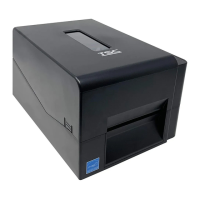
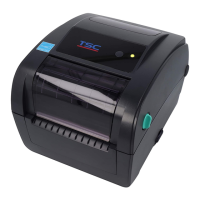
TSC TE310 Series - User Manual

TSC TE310 Series
48 pages
Print Icon
To Next Page IconTo Next Page
Loading...
i
USERS
MANUAL
TE200/TE210/TE300/TE310 Series
THERMAL TRANSFER/DIRECT THERMAL
BAR CODE PRINTER

Other manuals for TSC TE310 Series

Questions and Answers

  • W
    William EdwardsAug 3, 2025
    Why is my TSC TE310 not printing?
    • S
      Shannon DukeAug 3, 2025
      Several factors can cause a TSC Barcode Reader to stop printing. Check the following: * Ensure the cable is securely connected to the serial, USB interface, or parallel port. * Verify the serial port cable has the correct pin configuration. * Confirm that the ribbon and media are compatible. * Reload the ribbon. * Clean the print head. * Adjust the print density setting. * Reconnect the print head's harness connector. * Ensure your program includes a PRINT command at the end of the file and CRLF at the end of each command line.

Summary

Important safety instructions

Safety Warnings and Cautions

Covers hazardous moving parts, battery risks, and general operational warnings.

CE Statement

RF Exposure Information

Details on radiation exposure limits for Wi-Fi and Bluetooth wireless technologies.

3. Setup

3.3 Loading the Media

4. LED and Button Functions

4.3 Power-on Utilities

Details power-on utilities for printer setup, testing, and calibration.

5. Diagnostic Tool

5.3 Calibrating Media Sensor by Diagnostic Tool

5.3.1 Auto Calibration

Steps for performing automatic calibration of the media sensor using the tool.

6. Troubleshooting

6.1 Common Problems

Lists common issues, their causes, and recovery procedures for the printer.

7. Maintenance

TSC TE310 Series Specifications

General IconGeneral
Resolution203 dpi / 300 dpi
Print MethodThermal transfer / Direct thermal
InterfaceEthernet
Power SupplyAC 100-240V, 50/60Hz
Operating Temperature41°F to 104°F (5°C to 40°C)
Storage Temperature-40 ~ 60°C (-40 ~ 140°F)
Humidity20% to 85% (non-condensing)

Related product manuals