D-2 Series 3080 Electrostatic Classifiers
software by double-clicking on the Electrostatic Classifier software
icon.
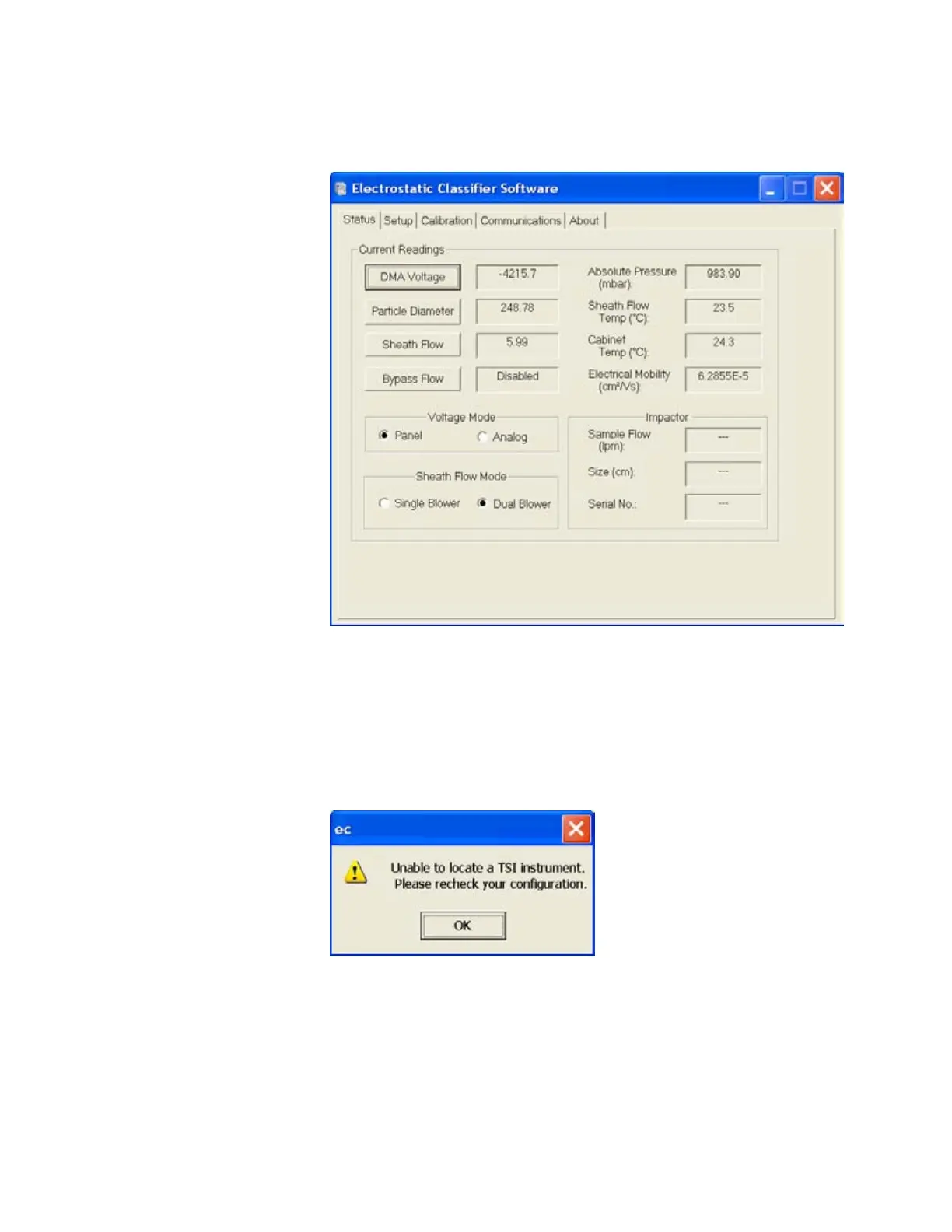
Figure D-1
Electrostatic Classifier Calibration Software Startup Screen
When the software starts, you should see a screen similar to that
shown in
316HFigure D-1. If you get an error message like that shown in
317HFigure D-2, check the serial cable connection or try setting the
software to another available serial port using the tab shown in
318HFigure D-3.
Figure D-2
Connection Error
Artisan Technology Group - Quality Instrumentation ... Guaranteed | (888) 88-SOURCE | www.artisantg.com









 To Next Page