2–10 Series 3080 Electrostatic Classifiers
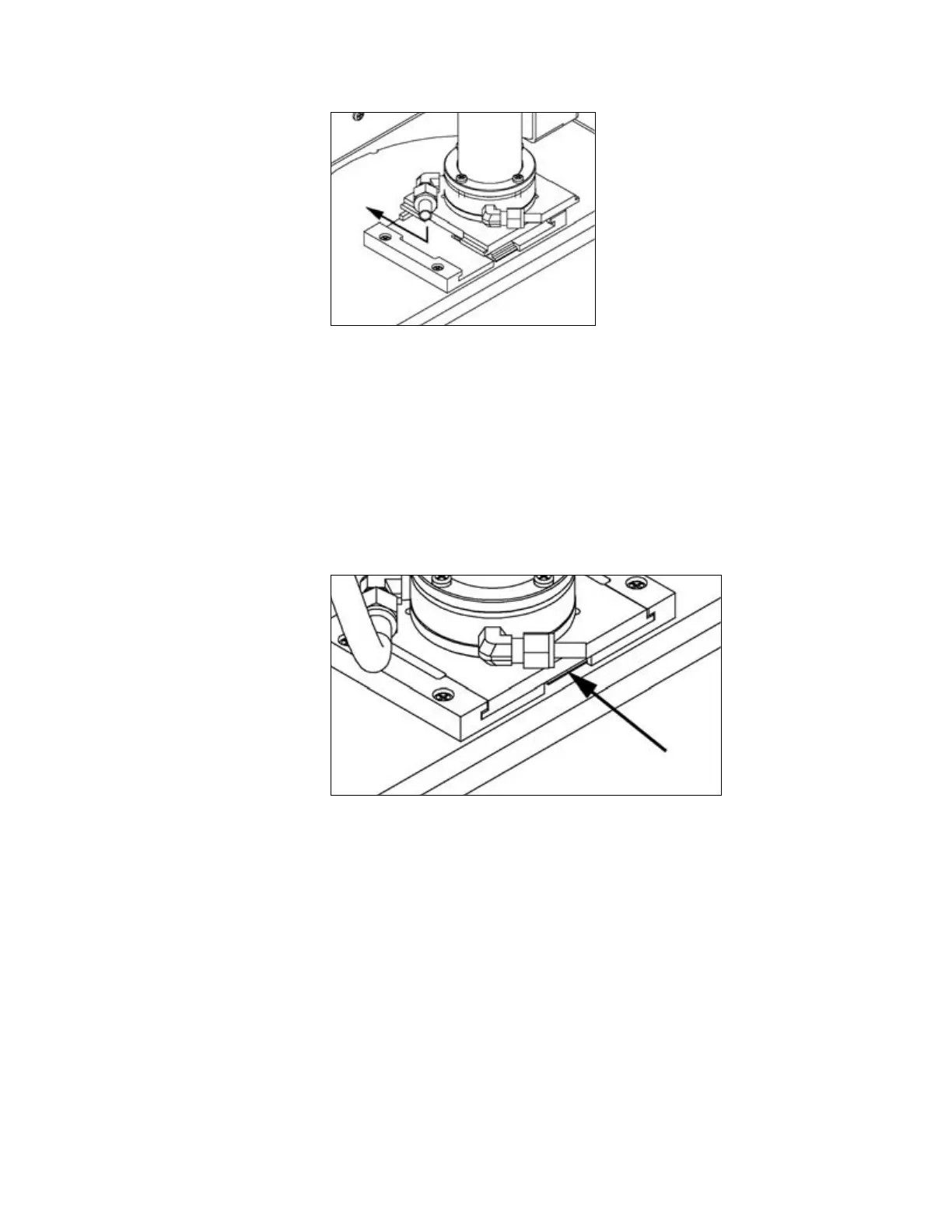
Figure 2-6
Installing Long DMA in Mounting Bracket. Push down and toward cabinet until
spring locks in place.
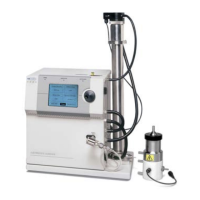
To remove the DMA refer to
250HFigure 2-7 and use the following steps:
1. Place a flat-bladed screwdriver between the DMA base plate and
the mounting plate locking spring.
2. Push the screwdriver in about
1
⁄8-inch [3-mm] and twist the
screwdriver to unlock the spring.
3. Pull the DMA away from the cabinet and then up to release it.
Figure 2-7
Releasing the Long DMA Base Bracket
Side-Support Bracket
Although the locking base is acceptable for most mounting
applications, if the Classifier is to be transported or used in an
environment with vibration (such as an aircraft), the side-support
bracket from the accessory kit should be used to further mount the
Long DMA. Refer to
251HFigure 2-8 and follow the steps below to install
the side-support bracket:
1. Insert the two 6-32 × ¾-inch screws in the holes of the
V-shaped bracket.
Artisan Technology Group - Quality Instrumentation ... Guaranteed | (888) 88-SOURCE | www.artisantg.com









 To Next Page