Unpacking and Setting up the System 2–13
Nano DMA Mounting
The Classifier uses a quick-connect bracket to mount any of the
two TSI DMAs. This mount provides physical support for the DMA
as well as electrical grounding for safety.
!
Caution
If, for any reason, you operate the Classifier with a DMA that is not
installed in the mounting bracket, you must connect the base of the
DMA to the chassis of the Classifier with a ground strap or provide
independent earth grounding to the DMA for safety.
The mounting bracket has a spring-loaded locking mechanism that
holds the base of the DMA securely. To install the DMA use the
following steps:
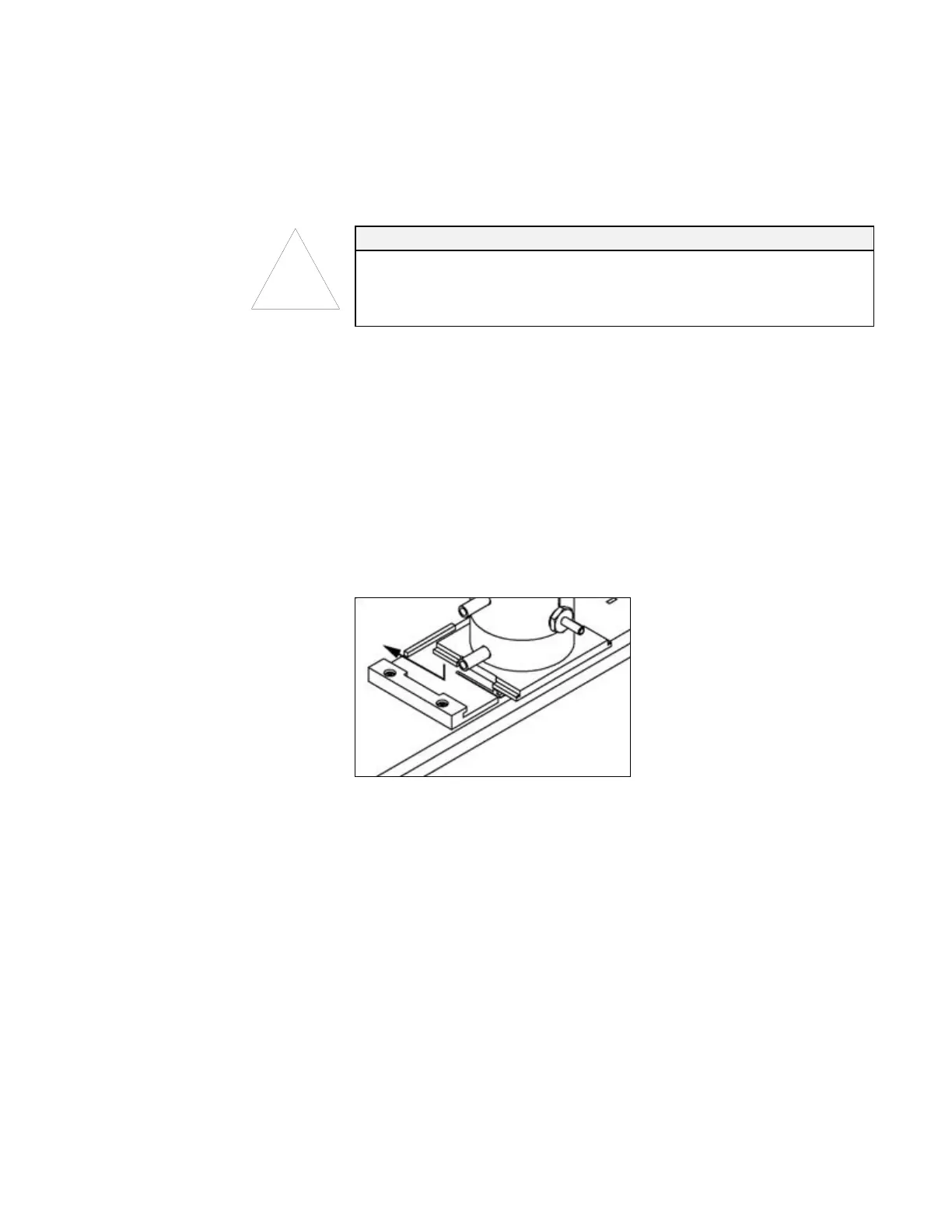
1. Place the base of the DMA down into the middle of the
mounting plate on the Classifier as shown in
255HFigure 2-10.
2. Slide the base toward the cabinet of the Classifier until you hear
a click. If you have trouble getting the plates to slide, try
wiggling the DMA plate from side to side slightly as you push or
try a little grease on intersecting parts of the plates.
Figure 2-10
Installing Nano DMA in Mounting Bracket. Push down and toward cabinet until
spring locks in place.
To remove the DMA refer to
256HFigure 2-11 and use the following
steps:
1. Place a flat-bladed screwdriver between the DMA baseplate and
the mounting plate locking spring.
2. Push the screwdriver in about
1
⁄8 inch [3 mm] and twist the
screwdriver to unlock the spring.
3. Pull the DMA away from the cabinet and then up to release it.
Artisan Technology Group - Quality Instrumentation ... Guaranteed | (888) 88-SOURCE | www.artisantg.com









 To Next Page