Classifier Calibration D–3
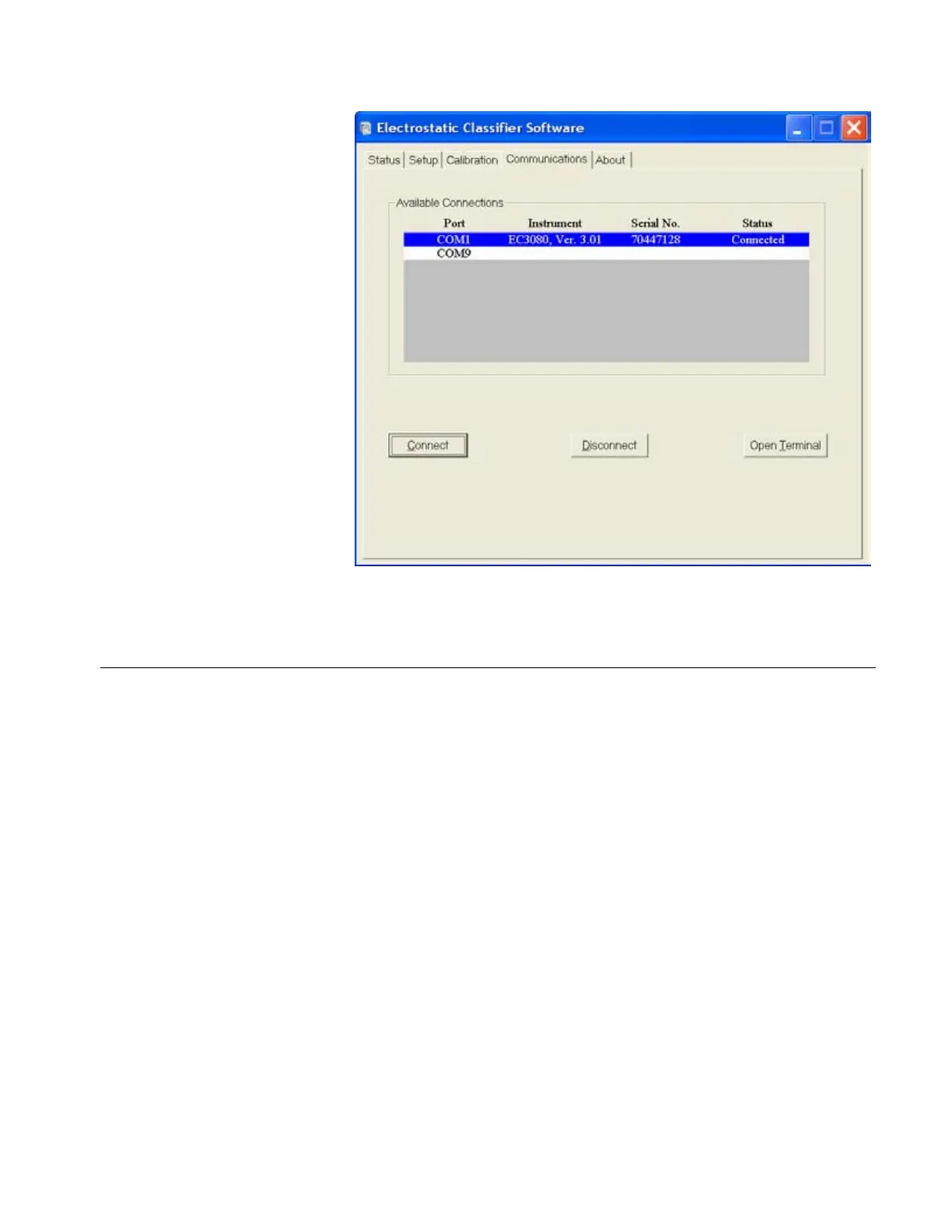
Figure D-3
Communications Settings for Serial Port
Using the Calibration Software
The first tab in the calibration software, shown in 319HFigure D-4, gives
instrument status information. This can be used to remotely
monitor the instrument or even to set some parameters. It can be
useful for troubleshooting and checking on calibration settings.
When the program is first started, all the settings are read from the
instrument and the fields are updated regularly (once per second).
The leftmost fields have buttons next to them allowing you to enter
a value by clicking on the button. Press
Enter after the value is
input. For DMA voltage, input a positive value and the software
converts it into negative voltage automatically.
Artisan Technology Group - Quality Instrumentation ... Guaranteed | (888) 88-SOURCE | www.artisantg.com









 To Next Page