3
Range Selector
The Range Selector (A) allows you to switch to one of two velocity
ranges or a static pressure range by means of a switch plate (B).
A switch button (C) is provided for changing the Velometer
®
Anemometer
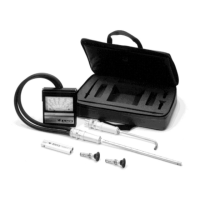
from use with a Pitot Probe to use with either a Diffuser Probe or a Static
Pressure Probe.
When using the Pitot Probe, turn this button and allow it to spring out;
when using either the Diffuser Probe or a Static Pressure Probe, push
the button in and turn to lock it in position. In this position the switch
button slot must be vertical (aligned with arrows on label) for proper
instrument operation.
Do not block switch button during operation.
The plug-in port (D) accepts the various probes and allows you to rotate
them 360. (+) and (–) ports (E) are for hose connections to the meter.
Your set will include two Range Selectors that are identified by red or
black lettering. This color coding relates to the same colored scales on
the meter.
F Take-up
Adjustment
Screw

 To Next Page
 Loading...