English
Own Trainings
- Turn the jog wheel and select
- Press the jog wheel to confirm and enter the Setting
Ꮭ127(
•
•
- Turn jog wheel to select item
- Press the jog wheel button to confirm and to open
-
Choose “Replay”
-
Enter workout screen and continue the previous
training
Choose “Edit”
- Press jog wheel to confirm
- Enter and edit the range setting
- Press jog wheel button to confirm and to enter
workout screen
Choose “Delete”
- Turn jog wheel to select item
- Press the jog wheel button to confirm and to open
-
-
Fitness test
- Turn the jog wheel and select
- Press the jog wheel to confirm and enter the Setting
Ꮭ127(
• User interface needs the user’s data to process
Fitness test, if no any user data available Fitness
• Press jog wheel to go back to main menu
- Turn jog wheel to select item
-
- Press the jog wheel button to confirm and to open
- Turn jog wheel set up user’s target heart rate within
default: 85% of Max HR and shows user’s Max HR
- Press the jog wheel button to confirm and to open
- Press the jog wheel button to confirm and to open
Workout screen:
The screen shows
”Test Failed ! if:
- The workout time is too short
- RPM value is too low
- HR target is not reached
- HR is less than 110 bpm
”No Heart Rate detected”if:
- It doesn’t detect the user’s heart rate
workout screen
“Target HR reached! Stop test or Continue”
-
- Press the jog wheel button to end the test and
show workout data screen
Press jog wheel to go to VO2 Max test result screen
- Press jog wheel to go back to main menu
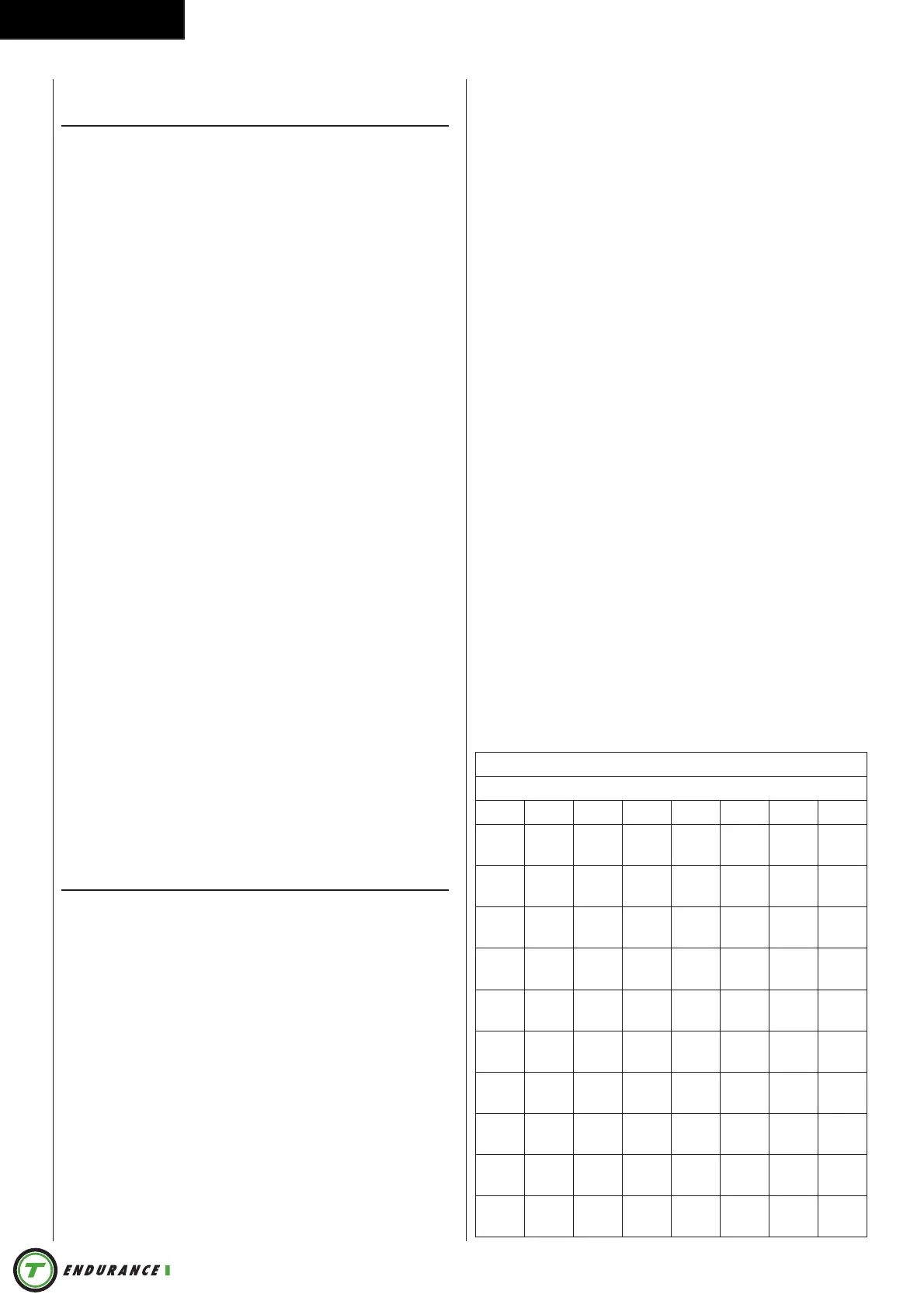
VO2 Max test result table.
1 2 3 4 5 6 7
18-
19
<33 33-
38
39-
44
45-
51
52-
57
58-
63
20-
24
<32 32-
37
38-
43
44-
50
51-
56
57-
62
25-
29
<31 31-
35
36-
42
43-
48
49-
53
54-
59
30-
34
<29 29-
34
35-
40
41-
45
46-
51
52-
56
35-
39
<28 28-
32
33-
38
39-
43
44-
48
49-
54
40-
44
<26 26-
31
32-
35
36-
41
42-
46
47-
51
45-
49
<25 25-
29
30-
34
35-
39
40-
43
44-
48
50-
54
<24 24-
27
28-
32
33-
36
37-
41
42-
46
55-
59
<22 22-
26
27-
30
31-
34
35-
39
40-
43
60-
65
<21 21-
24
25-
28
29-
32
33-
36
37-
40


 To Next Page