EasyManua.ls Logo

Tuttnauer 2340E - Service Manual

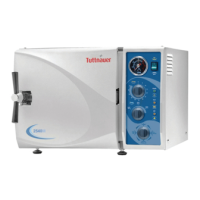
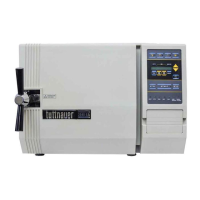
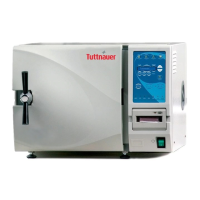
Tuttnauer 2340E
57 pages
Print Icon
To Next Page IconTo Next Page
Loading...
OPERATION
&
MAINTENANCE
MANUAL
Electronic Tabletop Autoclaves
Models 1730, 2340, 2540, 3140, 3850, 3870
E, EK, EA & EKA

Other manuals for Tuttnauer 2340E

Questions and Answers

  • L
    Laura SavageSep 14, 2025
    Why are wraps burned after using Tuttnauer 2340E Laboratory Equipment?
    • C
      Chelsea ZamoraSep 14, 2025
      To address wraps coming out burned from your Tuttnauer Laboratory Equipment, check if the water sensor is dirty. Also, verify that the wall outlet voltage is not too high and ensure items are not touching the chamber walls or bottom. Load the autoclave according to the instructions.
  • P
    Philip AveryAug 25, 2025
    What to do when my Tuttnauer 2340E displays ‘High Temp’?
    • S
      Sara CampbellAug 25, 2025
      If your Tuttnauer Laboratory Equipment displays ‘High Temp’, clean the air jet and check for proper voltage at the wall outlet.
  • W
    wreynoldsAug 25, 2025
    What does ‘Low Heat’ mean on my Tuttnauer 2340E Laboratory Equipment?
    • L
      Lauren RoachAug 26, 2025
      If the message ‘Low Heat’ is displayed during heat up on your Tuttnauer Laboratory Equipment, it indicates a bad temperature sensor. If heating elements are remaining on instead of cycling on and off, call for a technician.
  • M
    Michele MosleyAug 26, 2025
    How to clean a very dirty chamber in my Tuttnauer 2340E Laboratory Equipment?
    • B
      Brian HarrisAug 27, 2025
      If the chamber of your Tuttnauer Laboratory Equipment is very dirty, use Chamber Brite ™ to clean the autoclave; very dirty machines may require two cleanings.
  • B
    Breanna HooperSep 14, 2025
    Why are instruments rusting in my Tuttnauer Laboratory Equipment?
    • S
      Stacy MitchellSep 14, 2025
      If instruments are rusting after sterilization in your Tuttnauer Laboratory Equipment, first determine if it's true rust by using a pencil eraser to remove the brown spot. If there is no pitting, the instrument is just dirty. Use distilled water for sterilizing and ensure dissimilar metals are not in contact with each other.
  • E
    Elizabeth WatkinsSep 23, 2025
    Why does Tuttnauer 2340E printer feed paper constantly?
    • R
      Rodney RobertsonSep 23, 2025
      If the printer on your Tuttnauer Laboratory Equipment gives paper feeds all the time when the machine is switched on, make sure the ‘feed button’ on the printer is not stuck.
  • L
    lbenderSep 7, 2025
    What to do if the keyboard of my Tuttnauer 2340E does not respond?
    • S
      Shawn RodriguezSep 7, 2025
      If the keyboard of your Tuttnauer Laboratory Equipment does not respond, press the STOP key for 2 seconds to abort any program that may still be running.
  • D
    debbie71Sep 8, 2025
    How to troubleshoot a Tuttnauer Laboratory Equipment system that shows no response when turned on?
    • A
      Amy HarrisSep 8, 2025
      If your Tuttnauer Laboratory Equipment does not respond when you turn it on, try the following: First, check and fix all connections. If the issue persists, replace any faulty cables, connectors, or the power switch.
  • S
    Steve RodriguezSep 23, 2025
    Why is my Tuttnauer Laboratory Equipment making a loud noise?
    • R
      rgouldSep 23, 2025
      If you hear a loud noise coming from the reservoir of your Tuttnauer Laboratory Equipment, the sterilization temperature may be set too high. The maximum setting is 274ºF (134ºC).
  • M
    mcdonalddavidAug 31, 2025
    How to clean a very dirty Tuttnauer Laboratory Equipment chamber?
    • A
      abigailleeAug 31, 2025
      To clean a very dirty chamber in your Tuttnauer Laboratory Equipment, use Chamber Brite ™. Very dirty machines may require two cleanings.

Summary

GENERAL

Incoming Inspection

Inspecting the autoclave for damage upon arrival and unpacking.

Warranty Information

Details of the warranty coverage, limitations, and activation process.

TECHNICAL DATA

Introduction and Operating Modes

Overview of autoclave purpose, standby mode, and environmental emissions.

Operating Conditions and Utilities

Environmental requirements, power supply, construction materials, and symbol explanations.

Electrical Specifications

Details on circuit breakers, fuses, and power ratings for various models.

Physical Dimensions

Detailed physical dimensions of the autoclave models.

Technical Specifications Summary

Comprehensive table of chamber, reservoir, weight, and shipping specifications.

Regulatory Compliance Standards

Autoclave compliance with technical and quality standards, including FDA clearance.

Water Quality Requirements

Guidelines for acceptable physical and chemical characteristics of water for autoclave use.

Front Panel Component Identification

Component Identification Diagrams

Labeled diagrams of front panel components for different model series.

Control Panel Design Variations

Visual differences between old (gray) and new (blue) control panel layouts.

Rear Panel Component Identification

Rear Panel Identification

Diagram identifying key components and connections on the rear of the autoclave.

Keyboard and Display Layouts

Keyboard Layout Illustrations

Illustrations of old (gray) and new (blue) front panel keyboard layouts.

Indicator Light Meanings

Explanation of the operational meaning of indicator lights on the control panel.

Control Panel Functions and Keys

Program Selection and Parameter Adjustment Keys

Description of program keys and parameter adjustment keys (TEMP, STE. TIME).

Operation Control Keys

Explanation of keys for CLOCK, Water Inlet, START, and STOP functions.

Display Messages and Troubleshooting

Low Heat and Low Pressure Error Messages

Causes and solutions for 'Low Heat' and 'Low Pres' error messages.

Low;High Temperature and Low Water Error Messages

Causes and solutions for 'Low Temp', 'High Temp', and 'Low Water' error messages.

Operational Status and Power Interruption Messages

Explanations for Door Unlock, High Pres, Man. Stop, Add Water, Power Dn, and Cycle Finish messages.

Sterilization Programs Overview

Program Descriptions and Settings

Details and nominal parameters for Unwrapped Instruments, Wrapped Instruments, and Glassware programs.

Program 2: Wrapped Instruments and Porous Loads

Specifics on settings and operation sequence for wrapped instruments and porous loads.

Program 3: Glassware and Program 4: Dry Only

Details for Glassware program and the Accessory (Dry Only) program.

Printer Functionality and Operation

Printer Data Recording

How the optional printer records cycle data, including software version and parameters.

Printer Handling and Test Procedures

Instructions for loading paper, performing tests, and handling the printer.

Installation Requirements and Procedures

Placement, Load Capacity, and Electrical Connection

Guidelines for placement, load capacity, and safe electrical connection.

Initial Unit Setup Procedures

Steps for initial setup, including chamber pitch adjustment for different models.

Automatic Water Filling Adjustment

Procedures for adjusting the automatic water fill level for various model ranges.

Safe Lifting, Carrying, and Draining

Safety guidelines for moving the autoclave and draining the water reservoir.

Loading, Unloading, and Water Filling

Loading, Unloading, and Reservoir Filling

Procedures for loading, unloading, and filling the water reservoir with distilled water.

Sterilization Preparation Guidelines

Instrument Preparation and Packaging

Steps for cleaning, rinsing, packaging, and preparing instruments for sterilization.

Packaging Methods and Tray Arrangement

Verification of packaging, tray spacing, and optimal pack orientation in the chamber.

Instrument Spotting and Discoloration

Addressing instrument spotting, discoloration, and preventing contact with chamber walls.

Operating the Autoclave

Initial Setup, Program Selection, and Operation

Steps for initial setup, program selection, and starting a sterilization cycle.

Cycle Stages and Post-Operation Notes

Details on drying stage, cycle completion, and important post-operation considerations.

Maintenance and Scheduled Care

Daily and Weekly Maintenance Tasks

Routine daily and weekly cleaning tasks for optimal autoclave performance.

Periodic Maintenance Tasks

Periodic maintenance activities including safety valve check and filter replacement.

Replacing the Air Filter (Models EA, EKA)

Step-by-step guide for replacing the HEPA air filter on specific EA and EKA models.

Draining the Water Reservoir

Procedure for safely draining the autoclave's water reservoir.

Cleaning the Air Jet

Instructions for cleaning the air jet to ensure proper sterilization and prevent errors.

Replacing the Door Gasket

Procedure for removing and installing a new door gasket for proper sealing.

Checking the Safety Valve

Monthly procedure to check the safety valve for blockages and ensure it functions correctly.

Replacing the Fuse

Instructions for safely replacing blown fuses and identifying correct fuse types.

Cleaning the Water Outlet Strainer

Steps for cleaning the water outlet strainer, including important safety warnings.

Autoclave Cleaning Procedures

Cleaning with Chamber Brite

Procedure for cleaning the autoclave using Chamber Brite cleaner for descaling.

Chamber Brite Usage and Safety Precautions

Safety precautions and correct usage amounts for Chamber Brite cleaner.

Cleaning the Water Sensor

Procedure for cleaning the water sensor to ensure accurate water level reporting.

Troubleshooting Common Problems

Machine Unresponsive and Low Heat Issues

Solutions for machine unresponsiveness and 'Low Heat' error messages.

Low Water, Low Pressure, and High Temperature Issues

Solutions for 'Low Water', 'Low Pres', and 'High Temp' error messages.

Printer and Door Leak Troubleshooting

Solutions for printer malfunctions and door leaks.

Clogged Drain and Sterilization Failure Troubleshooting

Solutions for drain clogs, failed spore tests, and wet/burned wraps.

Instrument Rusting and Slow Heat-Up Troubleshooting

Addressing instrument rusting and slow autoclave heat-up times.

Drying Issues and Chamber Maintenance

Troubleshooting for long drying times and chamber cleaning requirements.

Tuttnauer 2340E Specifications

General IconGeneral
TypeAutoclave
Heating Element1400W
Number of Trays2
Frequency50/60Hz
Chamber MaterialStainless steel
Power Supply230V, 50/60Hz
Sterilization Cycle Time20-30 minutes
Standard Cassettes Capacity3 cassettes
Tray Dimensions6.7" x 16.3" x 0.8"
Power1.5 kW
Temperature Range105°C to 137°C
Power Consumption1.5 kW

Related product manuals