
 Need help?
Do you have a question about the Tuttnauer 2840 EL-D and is the answer not in the manual?
Check for mechanical damage upon receipt and retain packing materials.
Instrument guaranteed free from defects for one year, excluding heaters.
Warranty registration must be completed within 14 days of purchase.
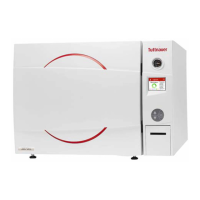
Overview of the Model 2840 ELC sterilizer and its features.
Requirements for storing the packed or unpacked autoclave indoors.
Specifies indoor use, temperature limits, altitude, and proper operation.
Details chamber dimensions, volume, external dimensions, weight, and shipping dimensions.
Power requirements, voltage, amperage, protection, and enclosure degree.
Requirements for mineral-free water, power supply, and circuit breaker.
Details sound level and heat transmission by the autoclave.
Materials used for chamber, door, trays, and reservoirs.
Specifies quantities of Erlenmeyer and Medium Flasks that can be loaded.
Lists built-in safety features like door locking, pressure measurement, and water level safety.
Explains common symbols used in the manual and on the device.
Details acceptable contaminant levels for distilled or mineral-free water.
Lists applicable directives and technical/quality standards the autoclave complies with.
Illustrates the front panel components with numbered labels.
Explains the display screen, keypad buttons (UP, DOWN, START/STOP), and printer.
Categorizes failures occurring before or after the sterilization stage.
Lists operational messages, their descriptions, and required actions.
Process of injecting water into the chamber until the required level is reached.
How steam is produced and temperature/pressure increase during cycle initialization.
Details sterilization temperatures for instruments and liquids, and the start of the timed cycle.
Stage where steam is removed from the chamber, reducing internal pressure.
Describes the two types of liquid cooling cycles.
Explains the cooling process for sealed bottles using compressed air.
Describes the cooling process for unsealed bottles without compressed air.
Outlines the step-by-step process of a typical sterilization cycle.
Displays the sequence of screen messages for a successful cycle.
Shows messages for cycles that completed sterilization but were aborted.
Illustrates screen messages when a cycle fails before completion.
Details the information printed by the autoclave's thermal printer.
Instructions for printer maintenance, setting paper, and notes on thermal paper.
Guidelines for placing the autoclave on a suitable surface and ensuring ventilation.
Safety precautions and methods for moving the autoclave.
Step-by-step instructions for filling the water reservoir with distilled water.
Procedures for cleaning, preparing, and loading instruments for sterilization.
Guidance on how to correctly place tubing in a tray for sterilization.
Instructions for sterilizing liquids in heat-proof glass containers.
Steps to start the autoclave system by turning on the main switch.
Procedure for safely opening the autoclave door.
Proper methods for loading the autoclave with compatible materials and correct weight.
Steps for selecting, verifying, closing the door, and starting a sterilization cycle.
How to safely remove the load after a cycle, checking for dryness and indicators.
Procedures for stopping an ongoing cycle or canceling error messages.
Enables setting a delayed start time for the sterilization cycle.
Overview of accessible directories and subdirectories for settings and data.
Details default, unit, range, and resolution for various cycle parameters.
Step-by-step guide to access the main menu via user selection and code entry.
Directory for viewing and changing custom program cycle parameters.
Instructions for setting pulse parameters for custom programs.
Instructions for setting the sterilization temperature for custom programs.
Instructions for setting cooling parameters like mode and temperature.
Instructions for setting exhaust parameters like mode.
Instructions for setting ending parameters like end temperature.
Instructions for setting global parameters like F0 Mode.
Settings for print rates and screen saver.
Options for viewing, exporting, and clearing cycle history.
Access to settings for date/time, printer tests, and pressure resets.
Options for setting cycle start times and exporting settings.
Details for viewing current, factory default, and previous version information.
Outlines periodic maintenance tasks to keep the device in good condition.
Step-by-step instructions for draining and refilling the water reservoirs.
Procedure for cleaning the air jet, a critical component for spore test success.
Instructions for replacing the door gasket while the autoclave is cold.
How to check the safety valve monthly to prevent blockage.
Steps to clean the water outlet strainer, including caution for hot parts.
Instructions for cleaning the water sensor weekly to ensure accurate water level reporting.
 General
| Brand | Tuttnauer |
|---|---|
| Model | 2840 EL-D |
| Category | Laboratory Equipment |
| Language | English |






 To Next Page