Page 55 of 77
In order to exit this screen press START/STOP key
12.13 Maintenance
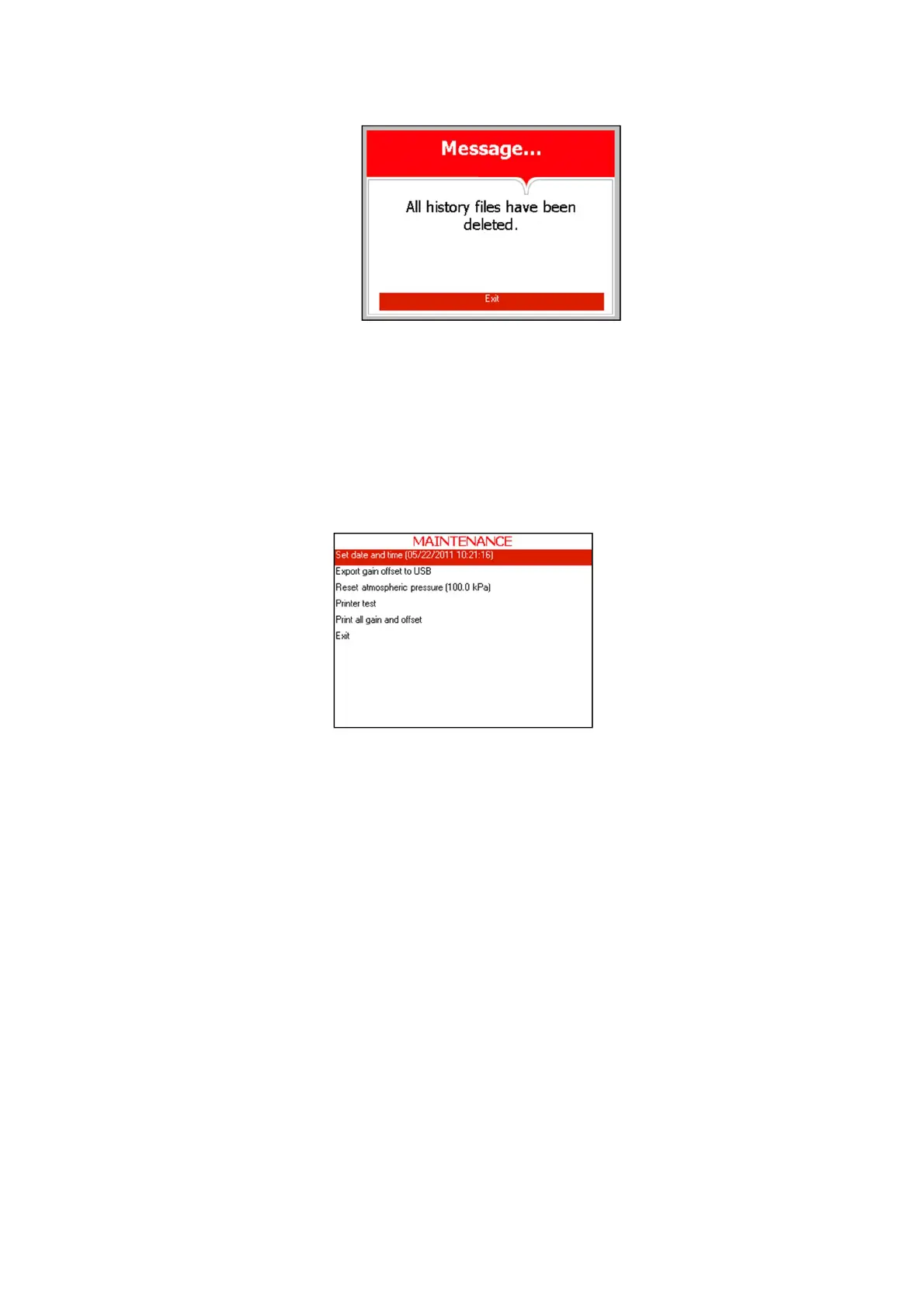
This directory includes five subdirectories
The following screen will be displayed when entering MAINTENANCE
directory:
1. In order to enter the sub directories move the cursor by pressing UP
or DOWN keys to the required item and press START/STOP key
2. In order to exit this screen:
· Move the cursor to Exit with the UP or DOWN keys and select it
by pressing the START/STOP key.
- or -
· Press the UP and DOWN keys simultaneously.
12.13.1 Set date and time
This subdirectory enables the operator to set the date and time.
This SET DATE AND TIME screen will be displayed when
entering the subdirectory:



 To Next Page