EasyManua.ls Logo

Tuttnauer 3870 ELV - Service Manual

Tuttnauer 3870 ELV
105 pages
Print Icon
To Next Page IconTo Next Page
Loading...
Operation &
Maintenance
Manual
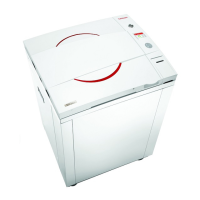
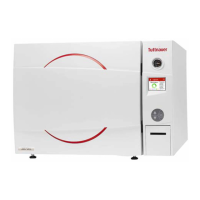
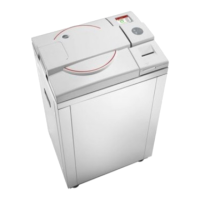
Laboratory Vertical Steam Sterilizers
Including Fast Cooling System
models 3840, 3850, 3870
ELV/WR/C/PV/BH/F-D
Cat. No. MAN205-0448002EN Rev F
Tuttnauer Europe b.v., Hoeksteen 11, 4815 PR, Breda, P.O. Box 7191, 4800 GD
Breda, Netherlands. +31/76-5423510, Fax: +31/76-5423540

Table of Contents

Questions and Answers

  • M
    mark35Aug 19, 2025
    What to do if 'Low Vacuum' is displayed on Tuttnauer 3870 ELV Laboratory Equipment?
    • J
      Jeffery SnyderAug 19, 2025
      If the Tuttnauer Laboratory Equipment displays 'Low Vacuum', this indicates that a vacuum level of 15kPa was not reached within 20 minutes after the cycle started during the air removal stage. To resolve this, try performing a new cycle. If the issue persists, it may be necessary to call a technician, or the bio-hazard filter may be clogged.
  • D
    dixontaraAug 21, 2025
    What does 'Supplied Distilled Water Error' mean on Tuttnauer Laboratory Equipment?
    • C
      Cody LeeAug 21, 2025
      If the Tuttnauer Laboratory Equipment displays the message "Supplied Distilled Water Error", it means the mineral-free water reservoir is empty. To fix this, simply fill the mineral-free water reservoir.
  • J
    Jason SantanaAug 25, 2025
    What to do if Tuttnauer Laboratory Equipment displays 'No Water'?
    • J
      Jeffrey RileyAug 25, 2025
      If the Tuttnauer Laboratory Equipment displays 'No Water', first check and fix the mineral-free water supply. Then, inspect and clean the water inlet filter, and finally, clean the water level electrode.
  • G
    Guy WoodAug 26, 2025
    What to do when Tuttnauer Laboratory Equipment displays 'Cycle counter exceeded -'?
    • G
      gravesbradleyAug 26, 2025
      If the Tuttnauer Laboratory Equipment displays 'Cycle counter exceeded -', call for service. This is because the number of cycles since the last periodical maintenance has exceeded the preset number.
  • N
    Nicole RogersAug 28, 2025
    What to do if Tuttnauer 3870 ELV displays 'Cycle Failed'?
    • W
      William WilliamsAug 28, 2025
      If the Tuttnauer Laboratory Equipment displays 'Cycle Failed', perform a new cycle.
  • M
    Michael BookerAug 30, 2025
    How to troubleshoot a Tuttnauer Laboratory Equipment when the display is not activated?
    • T
      Thomas ThomasAug 30, 2025
      If the display of your Tuttnauer Laboratory Equipment is not activated, first, check the power source to ensure it meets the required specifications. Next, verify that the ON/OFF switch is in the ‘On’ position. Also, make sure the power cord is properly connected to both the machine and the mains. Check the reset button on the cut-out thermostat and reset it if necessary. Finally, check if the circuit breaker has tripped and reset it if needed.
  • P
    Patrick BarajasSep 1, 2025
    What to do if my Tuttnauer 3870 ELV Laboratory Equipment is leaking at the door?
    • S
      Shannon SolisSep 1, 2025
      If your Tuttnauer Laboratory Equipment is leaking at the door, ensure that the door is tightened sufficiently. If the leakage persists, consider replacing the door gasket.
  • C
    Catherine YorkSep 3, 2025
    How to troubleshoot a Tuttnauer Laboratory Equipment machine that is not responding?
    • T
      tgomezSep 3, 2025
      If the Tuttnauer Laboratory Equipment machine isn't responding, first ensure the main switch is in the ‘On’ position. Then, check that the power cord is properly connected to both the machine and the mains. Finally, lift the circuit breaker lever if it has tripped. These issues may be caused by the main switch being off, a disconnected power cord, or a tripped circuit breaker.
  • D
    Deanna SandersSep 5, 2025
    What to do if my Tuttnauer 3870 ELV printer does not print?
    • R
      Richard GriffinSep 5, 2025
      If the Tuttnauer Laboratory Equipment printer isn't printing, make sure the paper roll is correctly inserted. If there's still no printing, switch the machine off and then back on to restart it. This could be happening because no paper is inserted or for no obvious reason.
  • A
    Austin HughesSep 7, 2025
    Why is my Tuttnauer Laboratory Equipment leaking at the door?
    • K
      Kimberly TuckerSep 8, 2025
      If the Tuttnauer Laboratory Equipment is leaking at the door, the door gasket may be dirty or damaged. Try cleaning the door gasket. If the leaking continues, call for service.

Summary

1. General Information

2. Safety Instructions

3. Technical Data and Specifications

3.6 Specifications

Presents detailed physical and operational specifications for different autoclave models.

3.10 Description of Operation

Explains the step-by-step operational process of the autoclave.

4. Control Panel

4.1 Front Panel Keyboard Functions

Details the display screen, keypad, and printer functions of the control panel.

4.2 Displayed Error Messages

Categorizes and describes potential error messages and symbols displayed by the autoclave.

5. Sterilization Programs

6. Parameters and Data Management

6.2 Entering the Main Menu

Procedure to access the primary menu and user login options.

6.3 Directories and Subdirectories

Outlines the navigable directories and subdirectories for system settings and parameters.

6.4 Cycle Parameters Management

Details how to customize and duplicate sterilization cycles.

6.5 System Parameters

Manages system-wide settings such as print rates and screen saver.

6.6 Maintenance Procedures

Provides instructions for routine maintenance tasks and checks.

8. Printer Operations

8.1 Printer Output Details

Details the information printed by the autoclave's thermal printer during and after cycles.

9. Preparation for Sterilization

9.1 Instrument Preparation

Guidelines for preparing instruments, including cleaning and placement, for sterilization.

9.2 Liquid Preparation

Instructions for preparing liquids for sterilization, including container type and sensor placement.

9.3 Loading Procedures

Procedures for loading instruments and materials into the autoclave baskets.

10. Operation Procedures

10.6 Starting a Cycle

Steps to initiate a sterilization cycle, including user selection.

10.7 Unloading the Load

Procedure for safely unloading the autoclave after a cycle.

11. Door Safety System

12. Service and Maintenance

12.1 Preventive Maintenance Schedule

Outlines routine maintenance tasks to ensure optimal autoclave performance.

13. Troubleshooting Guide

Tuttnauer 3870 ELV Specifications

General IconGeneral
Voltage220-240V
Frequency50/60 Hz
Door TypeAutomatic
Control SystemMicroprocessor
DisplayLCD
CategoryLaboratory Equipment
Power Supply230V
Power3000 W
Sterilization Pressure Range0.22-0.27 MPa
Power Consumption3000 W
Standard AccessoriesTrays
Temperature Range105-138°C

Related product manuals