EasyManua.ls Logo

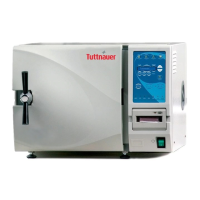
Tuttnauer 5075 HSG - User Manual

Tuttnauer 5075 HSG
34 pages
Print Icon
To Next Page IconTo Next Page
Loading...
Operation and
Maintenance Manual
Pre-vacuum Steam Sterilizer
with SUSSMAN Generator
Model 5075 HSG
Cat. No. MAN205-0446002EN Rev F
Tuttnauer U.S.A. Co, Ltd. 25 Power Drive Hauppauge, NY, 11788, USA.
Tel (631) 737 4850, (800) 624 5836, Fax: (631) 737 0720

Table of Contents

Questions and Answers

  • J
    Jose WilsonAug 16, 2025
    What to do if my Tuttnauer Laboratory Equipment shows an Air Error?
    • R
      Robert KimAug 16, 2025
      An Air Error message appears at the end of the cycle if the autoclave does not reach atmospheric pressure after 10 minutes. Wait until the autoclave reaches atmospheric pressure, and then perform a new cycle.
  • D
    Dorothy RamosAug 18, 2025
    How to fix a Tuttnauer Laboratory Equipment RTC Error?
    • A
      Andrew AndersonAug 18, 2025
      To address the RTC Error, set the current date and time on your equipment. If the problem continues, it is recommended to call a technician for assistance.
  • M
    michaeldorseyAug 22, 2025
    What to do if Tuttnauer 5075 HSG chamber temperature is not in range?
    • S
      Stacy MillerAug 22, 2025
      Wait until the chamber reaches the normal range temperature.
  • T
    Tara HurstAug 25, 2025
    What to do if Tuttnauer 5075 HSG chamber pressure is not in range?
    • W
      Wayne ButlerAug 26, 2025
      Wait until the chamber reaches the normal range pressure.
  • J
    Julie FergusonAug 28, 2025
    What to do if my Tuttnauer Laboratory Equipment displays 'I/O Card Failed'?
    • M
      Mark NolanAug 28, 2025
      If the 'I/O Card Failed' message appears, turn the autoclave off and then on again. If the problem persists, call for service.
  • C
    Chase McguireAug 31, 2025
    What to do if my Tuttnauer 5075 HSG says 'I/O card is not connected'?
    • H
      hortonkyleAug 31, 2025
      If the message 'I/O card is not connected' is displayed, turn the autoclave off and then on again. If the problem continues, call for service.
  • D
    David SpencerSep 3, 2025
    How to fix a Tuttnauer Laboratory Equipment display that is not activated?
    • M
      Matthew McbrideSep 3, 2025
      If the display is not activated, it may be due to the main switch being off, the power cord not being properly connected, or a lack of electrical power. Turn the main switch on and ensure the power cord is securely connected to both the machine and the power source.
  • K
    kaylafoleySep 5, 2025
    Why is my Tuttnauer 5075 HSG printer not printing correctly?
    • L
      Laura JohnsonSep 5, 2025
      If the printer isn't printing or the paper is blank, the paper may not be inserted correctly. Make sure the paper is properly inserted into the printer. If the printer prints the date and time after switching the machine off and on, the printer is working correctly.
  • F
    fwatsonSep 9, 2025
    What to do if the Tuttnauer 5075 HSG Laboratory Equipment says 'Door is open' during the cycle?
    • A
      Anthony CoxSep 9, 2025
      If the message 'Door is open' appears during the cycle, close the door and initiate a new cycle.
  • L
    Lisa WilsonSep 12, 2025
    What should I do if my Tuttnauer 5075 HSG Laboratory Equipment experiences a Power Down?
    • A
      Alan KempSep 12, 2025
      If the autoclave powers down, turn it back on and wait until it reaches a safe condition before starting a new cycle.

Summary

General Autoclave Information

Incoming Inspection

Inspect shipping crate and autoclave for damage upon receipt.

Warranty Details

Tuttnauer's warranty terms for new autoclaves, covering parts and labor.

Warranty Activation Statement

Procedure to activate the autoclave warranty and contact information.

Safety Instructions

Autoclave Safety Features

Describes the autoclave's safety mechanisms protecting personnel from hazards.

Operating Safety Guidelines

Essential safety guidelines for operating the autoclave and handling loads.

Operating Conditions

Specifies the environmental and usage requirements for the autoclave.

General Information and Specifications

Introduction to the Autoclave

Overview of the HSG horizontal autoclave's design and purpose.

Specifications and Technical Data

Technical specs, electrical data, utilities, and dimensions of the autoclave.

Environmental, Construction, and Compliance Details

Emission info, construction, stickers, water quality, and standards.

Control Panel Functions

Control Panel Description and Operation

Details on the display, keypad, and their operations.

Error Messages and Symbols

Explanation of error messages and symbols that appear on the control panel.

Operational Messages and Symbols

Overview of operational messages and symbols shown on the control panel.

Sterilization Programs Overview

Program Parameters

Table listing sterilization programs, temperatures, and times.

Cycle Process Description

Step-by-step explanation of the sterilization cycle stages.

Vacuum Test Process Description

Procedure and interpretation of the vacuum test cycle.

Bowie and Dick Test Process Description

Description of the Bowie and Dick test procedure and results.

Installation Instructions

Autoclave Placement

Guidelines for positioning the autoclave in its intended location.

Initial Setup Procedures

Initial setup procedures after placing the autoclave.

Utilities Connection Guide

How to connect the autoclave to water and electrical utilities.

Moving the Autoclave Unit

Safety precautions and steps for relocating the autoclave.

Generator Preparation and Checkout

Preparation and checkout procedures for the steam generator.

Preparation and Loading for Sterilization

General Rules for Preparation

Key considerations for preparing and loading items for sterilization.

Packing Instruments and Materials

Guidelines for packing instruments and materials for sterilization.

Tubing Preparation for Sterilization

Specific instructions for rinsing and placing tubing for sterilization.

Wrapped Instruments Sterilization

Recommendations for packaging and sterilizing wrapped instruments.

Operating Instructions

Water Supply Management

How to connect and manage the water supply for the autoclave.

Turning on the Autoclave

Steps for powering on the autoclave unit.

Opening the Autoclave Door

Procedure for safely opening the autoclave door.

Starting a Sterilization Cycle

Steps to load the autoclave and initiate a sterilization cycle.

Ending the Cycle and Unloading

How to properly end a cycle and unload the sterilized items.

Manual Process Stopping

How to manually stop an ongoing sterilization cycle.

Stopping Due to Cycle Failure

Procedures when the cycle stops automatically due to a detected problem.

Maintenance Instructions

Preventive and Scheduled Maintenance

Routine maintenance tasks for the operator to perform.

Cleaning the Water Outlet Strainer

Step-by-step guide for cleaning the water outlet strainer.

Replacing the HEPA Air Filter

Instructions for replacing the HEPA air filter.

Troubleshooting Guide

Spare Parts List

Tuttnauer 5075 HSG Specifications

General IconGeneral
BrandTuttnauer
Model5075 HSG
CategoryLaboratory Equipment
LanguageEnglish

Related product manuals