EasyManua.ls Logo

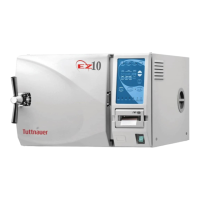
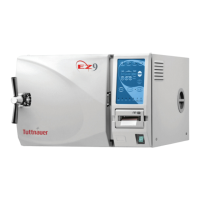
Tuttnauer EZ9 - Service Manual

Tuttnauer EZ9
54 pages
Print Icon
To Next Page IconTo Next Page
Loading...
OPERATION
&
MAINTENANCE
MANUAL
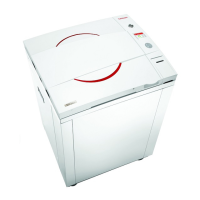
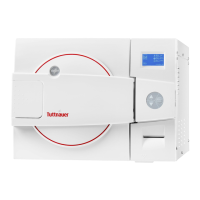
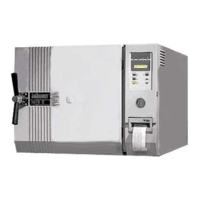
Electronic Tabletop Autoclaves
Models EZ9, EZ10, EZ10K
Cat. No. MAN205-0263001EN Rev. E
Tuttnauer USA Co., Ltd., 25 Power Drive Hauppauge, NY 11788 USA, : (800) 624 5836, (631) 737 4850, Fax: (631) 737 0720
e-mail: info@tuttnauerUSA.com

Questions and Answers

  • S
    Steven BeckerAug 28, 2025
    What to do if my Tuttnauer EZ9 displays ‘Low Temp’?
    • J
      Jonathan PhelpsAug 28, 2025
      If your Tuttnauer Laboratory Equipment displays ‘Low Temp’, refer to the solutions for the ‘Low Water’ problem. Also, the sterilization time may have been set for too long, causing the chamber to run dry.
  • R
    Richard BarberAug 27, 2025
    What to do if my Tuttnauer EZ9 displays ‘Low Pres’?
    • G
      ghudsonAug 27, 2025
      If your Tuttnauer Laboratory Equipment displays ‘Low Pres’, clean the water level electrode inside the vessel. Also, check that the door is fully closed, the door gasket is seated, and there is no steam leakage; replace the door gasket if necessary. Finally, check the leveling of the machine.
  • J
    jessica61Aug 26, 2025
    What to do if my Tuttnauer EZ9 Laboratory Equipment displays ‘High Temp’?
    • A
      Austin JohnstonAug 27, 2025
      If your Tuttnauer Laboratory Equipment displays ‘High Temp’, clean the air jet. If this doesn't resolve the issue, it could be that the heating elements are remaining on instead of cycling on and off, or the temperature sensor (PT100) is faulty or dirty, in which case call for a technician.
  • T
    Thomas DyerAug 25, 2025
    What to do if my Tuttnauer Laboratory Equipment displays ‘Low Water’?
    • C
      Chase BeanAug 26, 2025
      If your Tuttnauer Laboratory Equipment displays ‘Low Water’, clean the water level electrode inside the vessel. Check that the door is fully closed, the door gasket is seated, and there is no steam leakage. Replace the door gasket if necessary. Also, check the leveling of the machine.
  • M
    mistytorresAug 25, 2025
    What to do if my Tuttnauer EZ9 Laboratory Equipment displays ‘High Pres’?
    • W
      William GreenAug 25, 2025
      If your Tuttnauer Laboratory Equipment displays 'High Pres', clean the air jet. Also, ensure the sterilization time and temperature are set correctly; if unsure, use the default settings. Verify that the autoclave is not overloaded.

Summary

GENERAL

Incoming Inspection

Checks for damage to the shipping carton and autoclave upon receiving the unit.

TECHNICAL DATA

Water Quality

Specifies physical characteristics and acceptable contaminant levels for water.

KEYBOARD (Keys and Display)

Description and Functions of the Control Panel Keyboard

Details the functions of program keys, other keys, and their operation.

STERILIZATION PROGRAMS

PROGRAM 1. Unwrapped Instruments

Details settings and operations for sterilizing unwrapped instruments.

PROGRAM 2. Wrapped Instruments and Porous Loads

Details settings and operations for wrapped instruments and porous loads.

PROGRAM 3. Glassware

Details settings and operations for sterilizing glassware with slow exhaust.

INSTALLATION INSTRUCTIONS

Electrical

Covers electrical connection requirements, safety relays, and grounding.

PREPARATION BEFORE STERILIZATION

OPERATING INSTRUCTIONS

MAINTENANCE INSTRUCTIONS

Preventive and Scheduled Maintenance

Outlines daily, weekly, and periodic maintenance tasks for optimal performance.

Cleaning the Air Jet

Procedure for cleaning the air jet to ensure proper sterilization.

Cleaning Tabletop Autoclaves with Chamber Brite

Procedure for cleaning the autoclave chamber using Chamber Brite.

TROUBLESHOOTING FOR THE OPERATOR

Machine Response & Power Issues

Solutions for unresponsive machine, power connection, circuit breakers, and thermostats.

Error Messages: Heat, Pressure, Temperature, and Water Levels

Troubleshooting common error messages like 'Low Heat', 'Low Water', 'High Temp', etc.

Tuttnauer EZ9 Specifications

General IconGeneral
BrandTuttnauer
ModelEZ9
CategoryLaboratory Equipment
LanguageEnglish

Related product manuals