EasyManua.ls Logo

Tuttnauer E Series - User Manual

Tuttnauer E Series
111 pages
Print Icon
To Next Page IconTo Next Page
Loading...
www.shanghaidelan.com
TECHNICIAN
MANUAL
E-type
Electronic
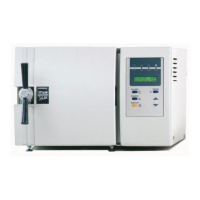
Table -Top Autoclaves
models
1730, 2340, 2540, 3140, 3850, 3870
E, EK, EA & EKA
Cat. No. MAN205-0064000EN Rev. H
Tuttnauer Europe b.v., Paardeweide 36, 4824 EH, Breda, P.O. Box 7191, 4800 GD Breda, Netherlands. +31/76-5423510, Fax:
+31/76-5423540

Table of Contents

Questions and Answers

  • J
    Jennifer AllenAug 3, 2025
    What to do if Tuttnauer E Series process fails during heating stage with a HIGH TEMP message?
    • T
      Thomas LunaAug 3, 2025
      If your Tuttnauer Laboratory Equipment process fails while initiating the heating stage and displays a HIGH TEMP message, try changing the setting of the thermostat.
  • S
    Sonia MayerAug 10, 2025
    How to troubleshoot a Tuttnauer E Series Laboratory Equipment system that shows no response when turned on?
    • M
      millercarolynAug 10, 2025
      If your Tuttnauer Laboratory Equipment does not respond when you turn it on, try the following: First, check and fix all connections. If the issue persists, replace any faulty cables, connectors, or the power switch.
  • R
    Rachel WebbAug 15, 2025
    What to do if water does not enter Tuttnauer E Series during the 'FILL WATER' stage?
    • M
      Mary CarpenterAug 15, 2025
      If water isn't entering your Tuttnauer Laboratory Equipment during the 'FILL WATER' stage, several issues could be the cause. Check the following: * The float might be stuck due to a shifted heat exchanger or dirt; ensure it moves freely. * The float itself could be faulty and need replacement. * Verify the voltage at Test Point TP9 from the electronic box, as there may be no voltage at the solenoid input. * The solenoid may be faulty, requiring replacement of the plunger or the entire solenoid. * The water inlet pipe may be clogged and require cleaning. * The water inlet valve or the air release valve might be faulty and need replacement.
  • Z
    Zachary WeeksAug 21, 2025
    Why is steam leaking from my Tuttnauer E Series door even when it's tightly closed?
    • M
      Michael GriffinAug 21, 2025
      If steam leaks through the door of your Tuttnauer Laboratory Equipment, even when tightly closed, it's likely that the gasket is faulty and needs to be replaced.
  • J
    Jose PooleAug 27, 2025
    Why is the door lock always on in my Tuttnauer Laboratory Equipment?
    • N
      Nancy McclainAug 27, 2025
      If the door lock is always on in your Tuttnauer Laboratory Equipment, check and fix the connections. If the issue continues, repair or replace the locking mechanism.

Summary

1. INTRODUCTION

2. SYMBOL DESCRIPTION

3. TESTS

3.1 Installation Tests

Preliminary checks performed before initial autoclave operation.

3.2 Periodical Tests

Scheduled tests to ensure ongoing functionality and safety.

4. WATER QUALITY

4.1 Water quality

Specifies acceptable contaminant levels for sterilizer water.

4.2 Reverse Osmosis

Use of RO systems to enhance water purity for steam generation.

5. DESCRIPTION OF THE CONTROL SYSTEM

5.1 Digital Board DIG - T2

Details the digital board, microcontroller, and its memory components.

5.2 Analog Board ANL-T2

Explains the analog board's role in sensor processing and device drivers.

5.3 AC - Board - AC-T1

Describes the AC-T1 board for receiving commands and activating AC devices.

6. CALIBRATION OF TEMPERATURE AND PRESSURE

6.1 Method of Calibration

Outlines the digital calibration process using gain and offset.

6.2 Temperature Calibration Procedure

Step-by-step instructions for calibrating temperature readings.

6.3 Pressure Calibration Procedure

Step-by-step instructions for calibrating pressure readings.

7. TEST POINTS

8. SOFTWARE PROGRAMMING PROCEDURES

8.1 General

Overview of software versions and the function of programming parameters.

8.2 Changing Cycle Parameters

Instructions for modifying sterilization temperature, time, drying, and other cycle settings.

9. REPLACEMENT OF COMPONENTS

9.1 Safety Tests after Repair

Essential electrical safety tests required after component replacement.

9.2 Dismantling the Outer Covers of the Autoclave

Steps for safely removing the autoclave's outer casing.

9.3 Replacing the Safety Valve

Procedure for replacing the safety valve to ensure proper pressure release.

9.4 Replacing the Air Jet

Instructions for replacing the air jet component.

9.5 Replacing the Air Relief-safety relief Valve block

Guide for replacing the air relief and safety valve block assembly.

9.6 Replacing the electronics board (control panel)

Steps to replace the main control panel's electronic board.

9.7 Replacing the Electronics Box

Procedure for replacing the entire electronics housing.

9.8 Replacing Heating elements

How to replace heating elements ensuring proper connection and heat dissipation.

9.9 Replacing the Temperature Safety Thermostat

Steps for replacing the thermostat that protects against overheating.

9.10 Replacing the Cut-Off Thermostat

Procedure for replacing the thermostat that cuts off power in safety failures.

9.11 Cleaning and Replacing the Water Level Electrodes

Instructions for cleaning and replacing the electrodes that monitor water level.

9.12 Replacing the Drain Valve

Guide for replacing the valve responsible for draining the system.

9.13 Replacing the Pressure Gauge

Steps for replacing the instrument's pressure gauge.

9.14 Replacing the Locking Solenoid

Procedure for replacing the solenoid that controls the door locking mechanism.

9.15 Replacing the Printer

Instructions for replacing the printer unit.

9.16 Replacing the Door Switch

Steps for replacing the microswitch that detects door closure.

9.17 Cleaning water inlet strainer

Procedure for cleaning the filter for the water inlet.

9.18 Replacing the circuit breaker

Guide for replacing the main circuit breaker.

9.19 Fuses and Circuit Breaker Data

Specifications for fuses and circuit breakers used in different autoclave models.

9.20 Replacing the water pump

Steps for replacing the autoclave's water pump.

9.21 Replacement of the Door Cover

Instructions for replacing the autoclave's door cover.

9.22 Replacing the Locking Device

Procedure for replacing the door locking mechanism components.

9.23 Validation

Steps for performing system validation using the validation port.

9.24 Emergency Door Opening

Procedure for manually opening the door in emergencies.

10. IN-OUT TEST

11. TROUBLESHOOTING

11.1 Displayed Messages and Reference to Trouble Shooting

Table correlating error messages with troubleshooting section references.

11.2 Pre-process malfunction

Diagnosing issues that occur before the sterilization process starts.

11.3 In Process Malfunction

Troubleshooting problems that arise during the sterilization cycle.

11.4 Mechanical malfunction

Diagnosing and resolving mechanical issues like valve or pump problems.

11.5 Water pump malfunction

Identifying and fixing issues related to the water pump's operation.

12. LIST OF SPARE PARTS

13. PRESSURE VS TEMPERATURE FOR SATURATED STEAM

14. XPCS Manual

15. VALVES NUMBERING

Tuttnauer E Series Specifications

General IconGeneral
TypeAutoclave
DimensionsVaries by model
WeightVaries by model
MaterialStainless Steel
Sterilization TypeSteam
Chamber MaterialStainless Steel
Chamber Volume23 liters
Temperature Range105°C - 137°C
Sterilization TimeVaries by program
Power Supply230V
DisplayTouch screen
ProgramsPre-set programs
Data LoggingUSB
Safety FeaturesDoor lock, over-temperature protection

Related product manuals