Need help?
Do you have a question about the TV Logic LVM-171S and is the answer not in the manual?
Provides essential safety guidelines and warnings for operating the monitor.
Highlights the monitor's compatibility with various signals and advanced functions.
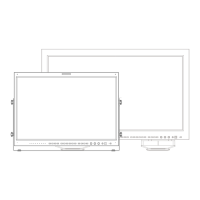
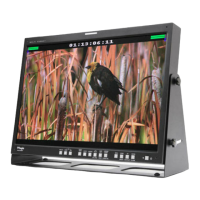
Describes the buttons, knobs, and indicators on the front of the monitor.
Details all input and output terminals located on the rear panel.
Explains how to activate, navigate, and adjust settings within the OSD menu.
Lists supported resolutions and formats for SDI (SD, 3G, HD) and HDMI inputs.
Details supported resolutions and frequencies for DVI-Analog and DVI-Digital modes.
Provides detailed technical data on the monitor's hardware and capabilities.
 General
| Resolution | 1280x1024 |
|---|---|
| Panel Type | LCD |
| Brightness | 250 cd/m² |
| Contrast Ratio | 1000:1 |
| Viewing Angle | 178° (H) / 178° (V) |
| Power Consumption | 45 W |
| Screen Size | 17 inches |
| Input Connectors | HDMI, DVI, VGA |
| Output Connectors | 3G-SDI |
| Response Time | 8 ms |

 To Next Page