91
Adjust resolutions
Note: You MUST set the 'Image to adjust' value to the correct value first, and only
then change the other values - otherwise you may be adjusting the wrong entry. The
user should not adjust the 'Image to adjust' entry using the front panel whilst also
accessing it via RS232
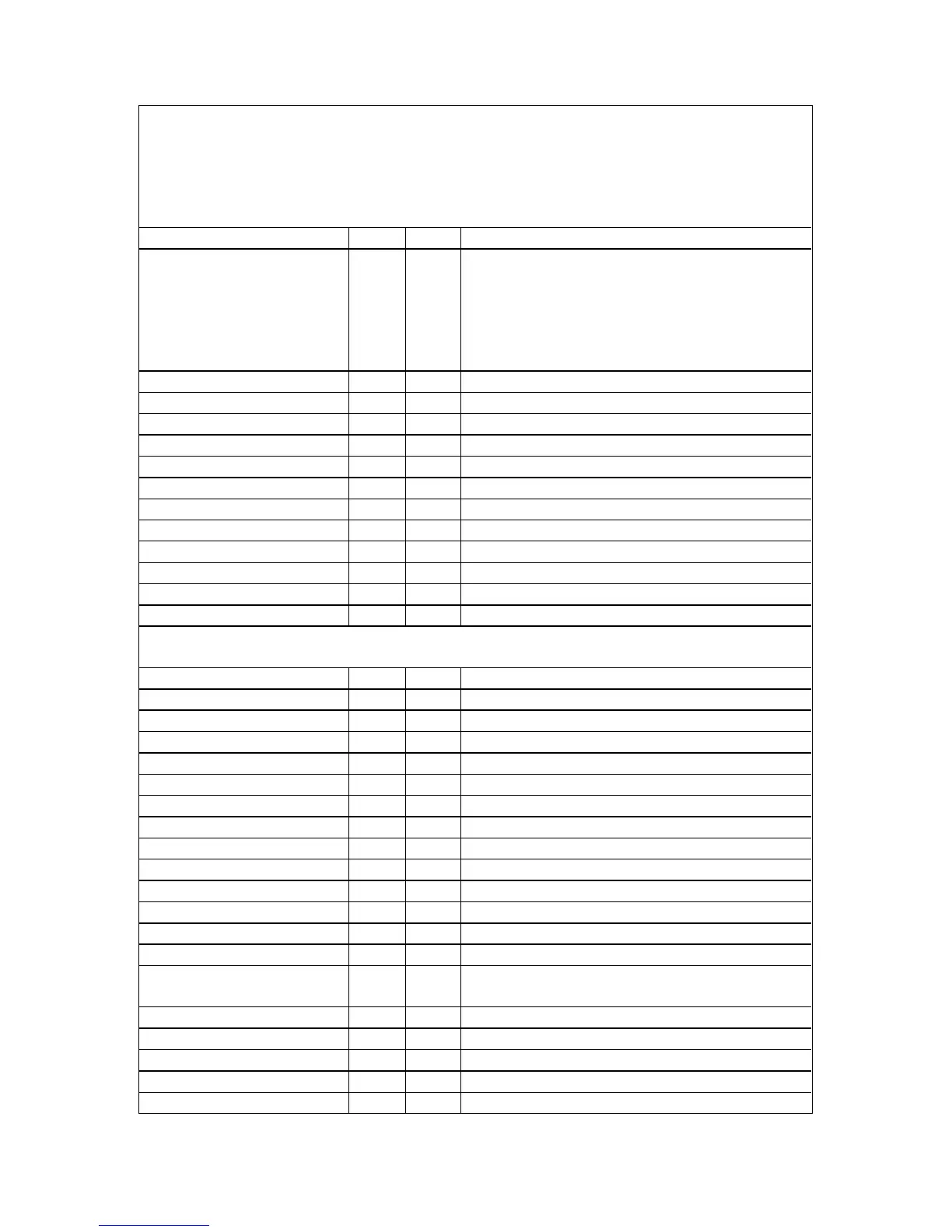
Image to adjust 081 1..1000
Output image type 0E2 0 = RGBHV
1 = RGBS
2 = RGsB
3 = YUV
4 = tlYUV
7 = tlRGB
Interlaced 0CA 0..1 = Off, On
H.freq.crse 0BE 10000..200000
H.freq.fine 0BF 10000..200000
H/V active (H) 096 64..2047
H/V active (V) 097 64..2047
H/V start (H) 08B 0..1023
H/V start (V) 08C 0..1023
Clks/l 08D 64..4095
Lines/f 08E 64..2047
H/V sync (H) 08F 8..1023
H/V sync (V) 090 1..1023
Sync polarity 094 0..3 = ++, +-, -+, --
System
SW (Software version) 0D2 Read only
PT (Product type) 0C4 Read only
BT (Board type) 0C2 Read only
Advanced menus 11D 0..1, Off, On
Autoset Sense 0FF 0..3 = Low, medium, high, v.high
OSD on Power up 189 0..1, Off, On
RGB1 termination 199 0..2, Off, On, Auto
Store 0C8 Set to 1 to store
Buzzer 0CB 0..1 = Off, On
CC-300 A/B bus enable 202 0..1 = Off, On
Power cycles 0D6 Read only
Firmware updates 0DD Read only
Hours in use 0D7 Read only
Resolutions 0D8 Read only
Number of Still Images /
Testcards
0D9 Read only
Number of logos 14F Read only
Board temp. (deg.C) 0CD Read only
Air temp. (deg.C) 148 Read only
Regulators temp.(deg.C) 147 Read only
PLD temp. (deg.C) 111 Read only


 To Next Page