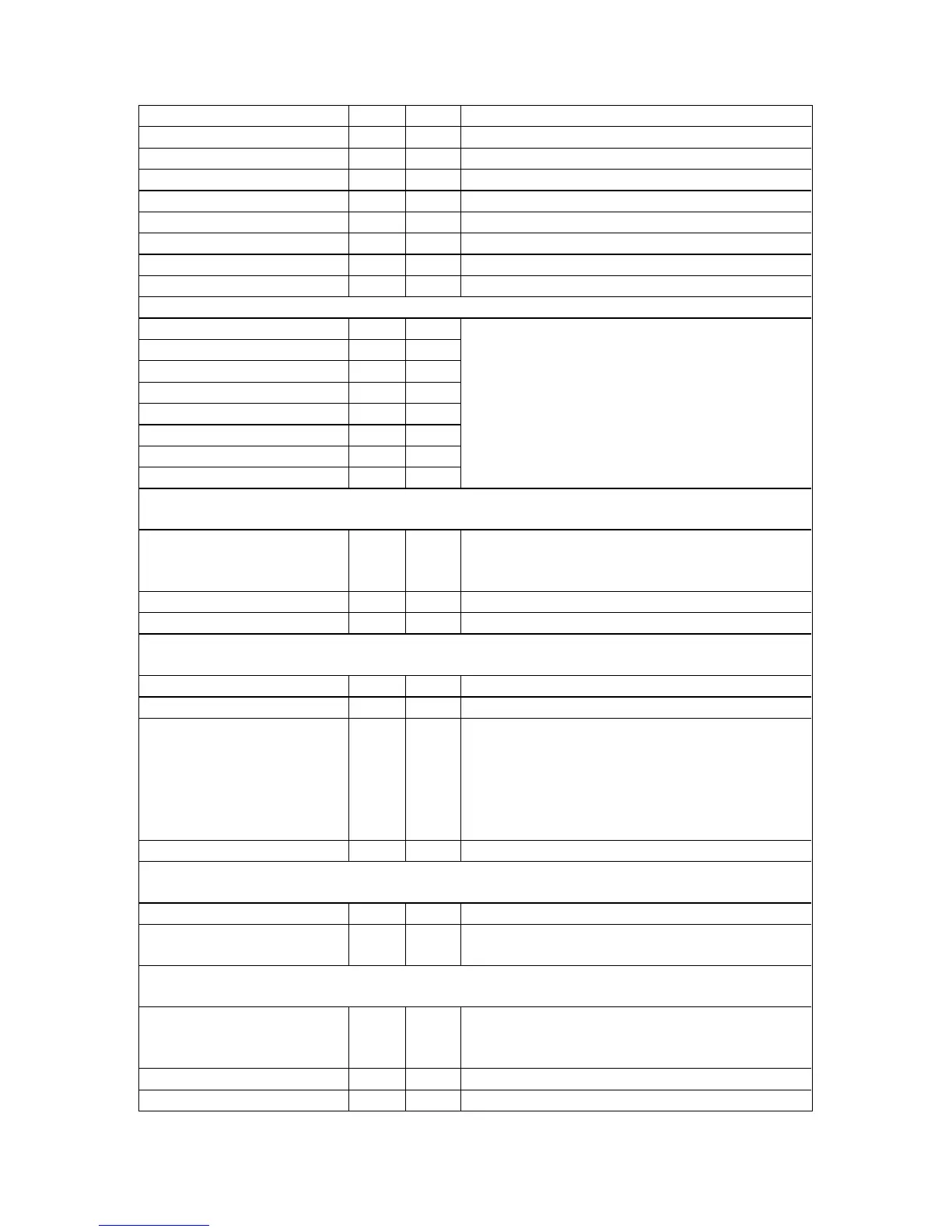
90
Noise reduction 10..5F 23F 0..1 = Off, On
Bright 30..5F 0BB 0..180
Contrast 30..5F 0BC 0..180
Saturation 30..5F 0B9 0..180
Hue 30..5F 0BA -180..180
Sharpness 30..5F 080 -7..+7
Luma delay 30..5F 0BD -4..3
Field swap 10..FF 0C9 0..1 = Off, On (swaps odd/even fields)
Field Offset 10..FF 196 0..7 = -4..+3 (defaults to 4 = 0)
For units with digital audio processing:
Audio channel 1 10..FF 213
Audio channel 2 10..FF 214
Audio channel 3 10..FF 215
Audio channel 4 10..FF 216
Audio channel 5 10..FF 217
Audio channel 6 10..FF 218
Audio channel 7 10..FF 219
Audio channel 8 10..FF 21A
0x00 to 0x07 = SDI1-1 to SD1-8
0x08 to 0x0F = SDI2-1 to SDI2=8
0x10 to 0x1F = AES1 to AES16
Adjust audio (on certain models only)
Source to adj 203 0x00 to 0x07 = SDI1-1 to SD1-8
0x08 to 0x0F = SDI2-1 to SDI2=8
0x10 to 0x1F = AES1 to AES16
Volume trim 205 -128 to 127
Delay adjust 204 -100 to 5000
Adjust transitions (on certain models only)
Transition type 112 0..3 = Cut, Fade, Wipe, Push
Switching fade time 0F5 0 (off) to 50 (5.0 seconds)
Wipe type 145 0 = Left -> Right
1 = Right -> Left
2 = Up -> Down
3 = Down -> Up
4 = Diagonal
5 = Diamond
Wipe Size 146 10..2000
Audio Control (S2-106AD Only)
Sample frequency 191 0..4 = Bypass, 32, 44.1, 48, 96kHz
Audio delay 192 0..999 = delay in ms (restricted depending
on Sample frequency)
Adjust tally (on certain models only)
Tally mode 260 0 = Disabled
1 = Normal
2 = Presets
Tally input number 261 1 to 8
Tally preset to load 262 1 to 50


 To Next Page