3. PREPARATION
3. PREPARATION3. PREPARATION
3. PREPARATION
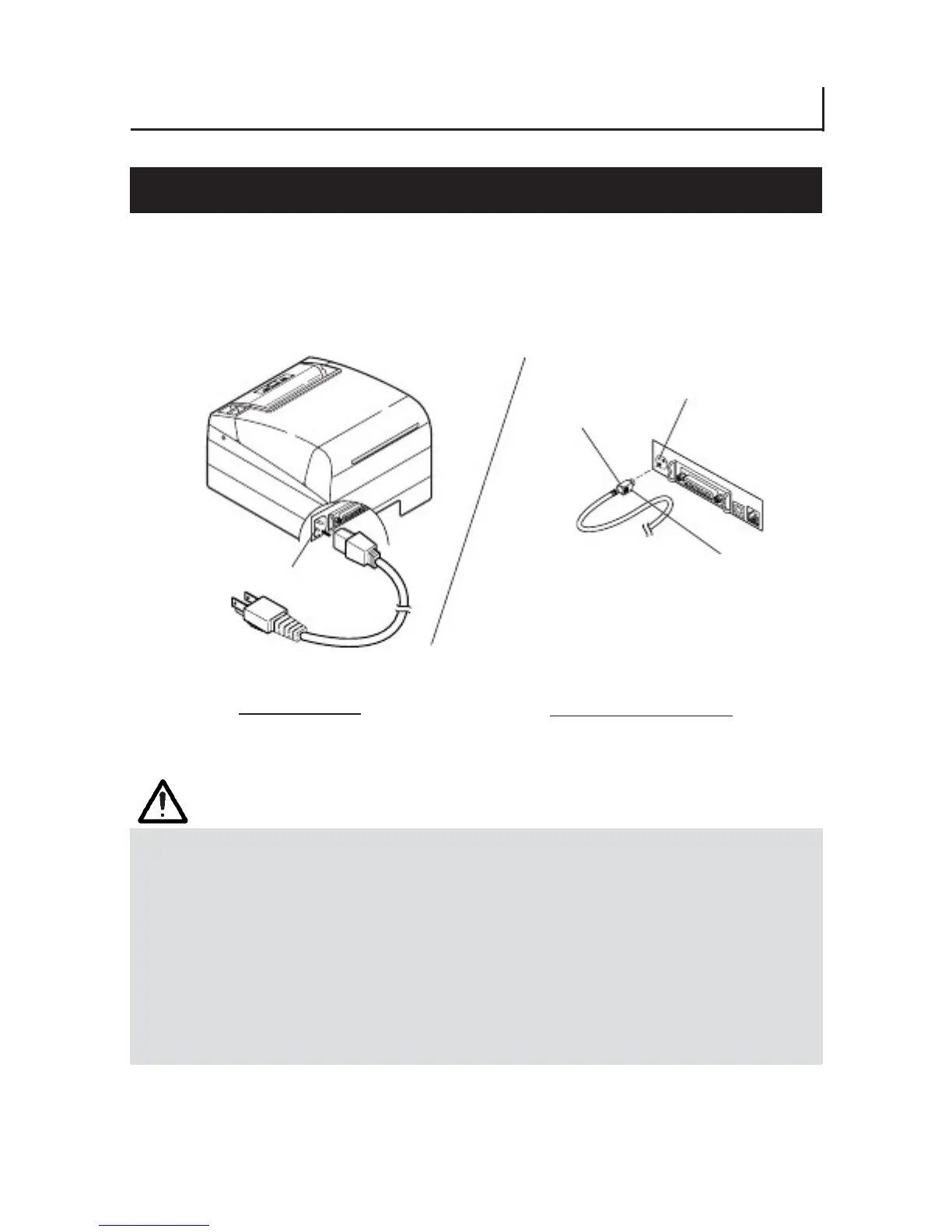
3.1 Connecting the AC Power Cord
3.1 Connecting the AC Power Cord3.1 Connecting the AC Power Cord
3.1 Connecting the AC Power Cord
1. Turn off the printer power switch.
1. Turn off the printer power switch.1. Turn off the printer power switch.
1. Turn off the printer power switch.
2. For AC power type (with built
2. For AC power type (with built2. For AC power type (with built
2. For AC power type (with built-
--
-in power supply), connect the AC power cord
in power supply), connect the AC power cordin power supply), connect the AC power cord
in power supply), connect the AC power cord
to the AC inlet
to the AC inlet to the AC inlet
to the AC inlet at the back of the printer and plug the AC power cord into the
at the back of the printer and plug the AC power cord into theat the back of the printer and plug the AC power cord into the
at the back of the printer and plug the AC power cord into the
wall outlet.
wall outlet.wall outlet.
wall outlet.
Power connector
Cable connector
Flat side
AC inlet
AC power cord
AC power type
DC power supply type
(built-in power supply)
CAUTION!
CAUTION!CAUTION!
CAUTION!
■ When disconnecting a cable, DO NOT pull out by the cable. Always hold the plug.
■ Always keep the printer away from other noise generating equipment.
■ DO NOT pull the AC power cord. Otherwise fire, electric shock, or power disconnection
may result.
■ If lightning is approaching, unplug the AC power cord from the wall outlet. Otherwise
fire or electric shock may result.
■ Keep the power cord away from heat generating appliances. Otherwise the shield of
power cord may be fused resulting in a fire or electric shock.
■ If the printer will not be used for a long time, leave it disconnected from its supply
outlet.
■ Avoid locating the AC power cord in places which may cause tripping or falling.
— 15 —



 To Next Page