3.2 Connecting Interface Cables
3.2 Connecting Interface Cables3.2 Connecting Interface Cables
3.2 Connecting Interface Cables
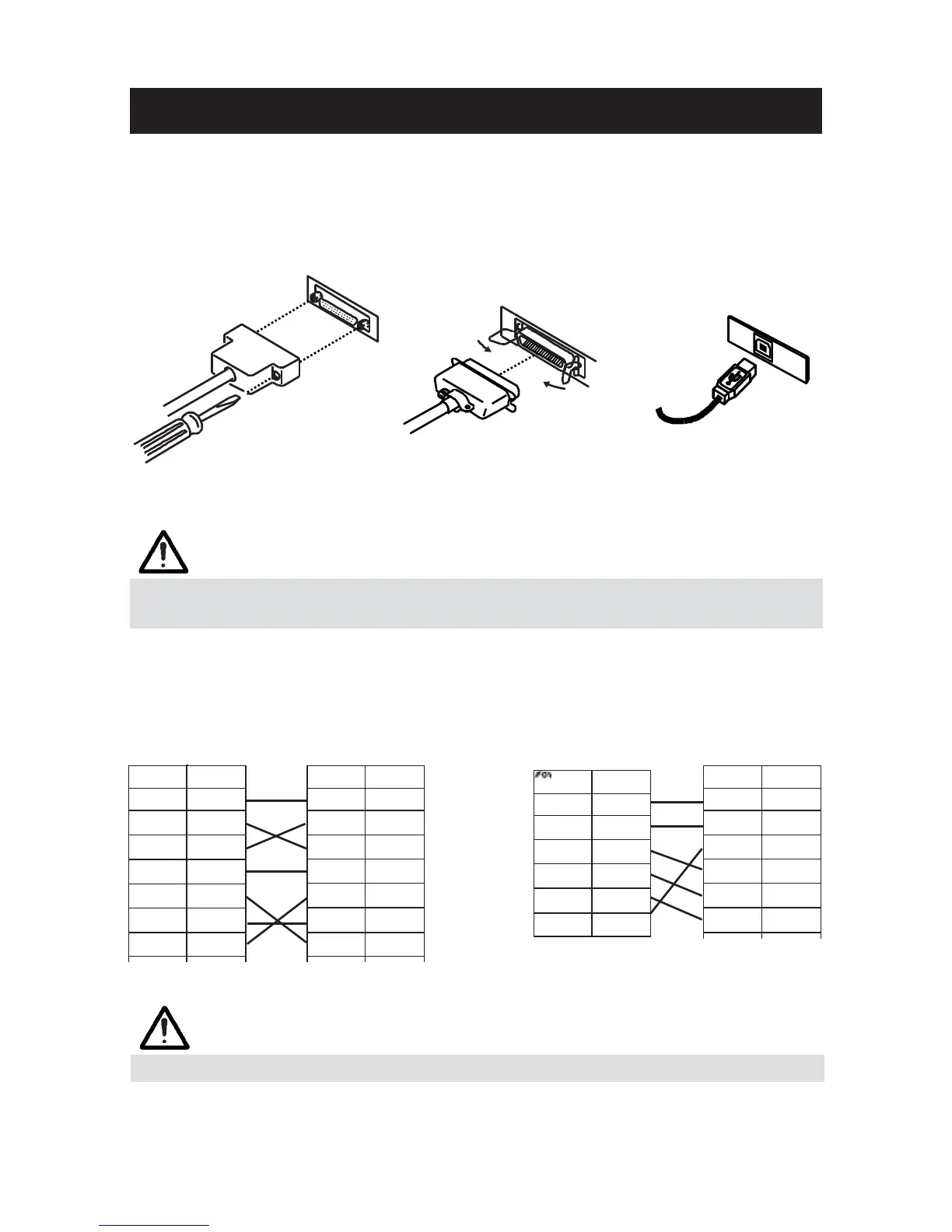
Confirm that the power switch is OFF and connect the interface cable.
Orient the interface cable terminal correctly and insert it into the interface
connector.
Serial Interface
Parallel Interface
USB Interface
CAUTION!
CAUTION!CAUTION!
CAUTION!
■ When disconnecting the cable, always hold the connector.
■ Be careful not to insert the USB interface cable into the cash drawer kick-out connector.
For serial interface cable, use the one with the following connection.
25-pin - 25-pin cable
9-pin - 25-pin cable
PC
Printer
PC
Printer
CAUTION!
CAUTION!CAUTION!
CAUTION!
Avoid locating the interface cable in places which may cause tripping or falling.
— 16 —



 To Next Page