Function
FunctionFunction
Function
ON
ONON
ON
OFF
OFFOFF
OFF
Initial
InitialInitial
Initial
Settings
SettingsSettings
Settings
1
Communication condition
setting method
DIP switch setting Memory switch
setting
OFF
2 Hand shake XON/XOFF DTR/DSR OFF
3 Bit length 7 bits 8 bits OFF
4 Parity check With parity None OFF
5 Parity selection Even parity Odd parity OFF
6
Switc
SwitcSwitc
Switch No.
h No.h No.
h No.
Function
FunctionFunction
Function
ON
ONON
ON
OFF
OFFOFF
OFF
Initial
InitialInitial
Initial
Settings
SettingsSettings
Settings
1
Communication condition
setting method
DIP switch setting Memory switch
setting
OFF
2 Hand shake XON/XOFF DTR/DSR OFF
3 Bit length 7 bits 8 bits OFF
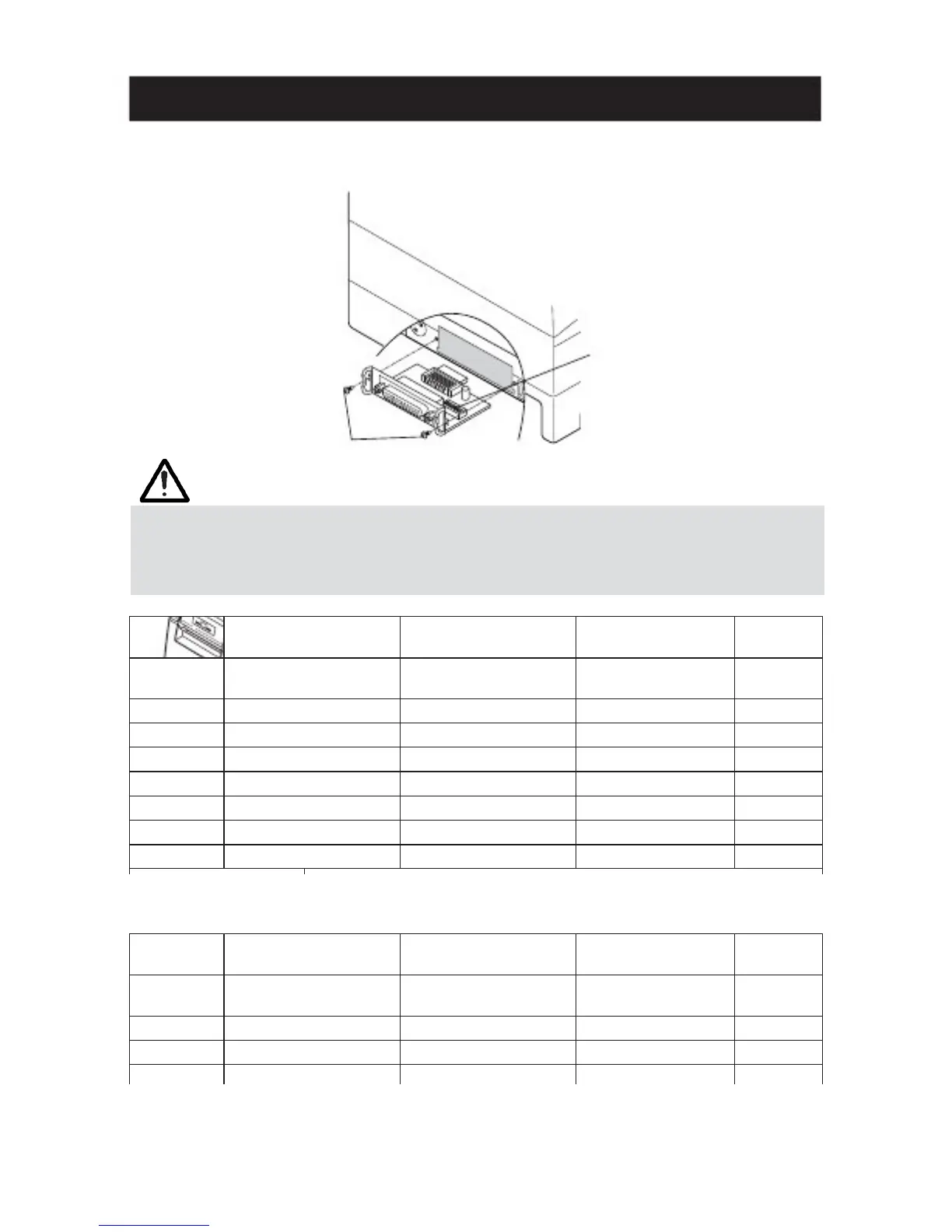
3.6 Setting DIP Switch
3.6 Setting DIP Switch3.6 Setting DIP Switch
3.6 Setting DIP Switch
The DIP switch is present on the serial interface board.
The function of each switch is as shown below.
DIP switch
Interface board
mounting screws
CAUTION!
CAUTION!CAUTION!
CAUTION!
■ As for the setting of the serial interface, it gives priority to the setting of the memory
switch rather than the DIP switch as the factory default.
■ Consult with the dealer where the printer was purchased when the change of the DIP
switch setting is necessary.
Selecting baud rate
Selecting baud rateSelecting baud rate
Selecting baud rate
38400, 57600 and 115200 bps can also be selected by a command, etc.
— 19 —



 To Next Page