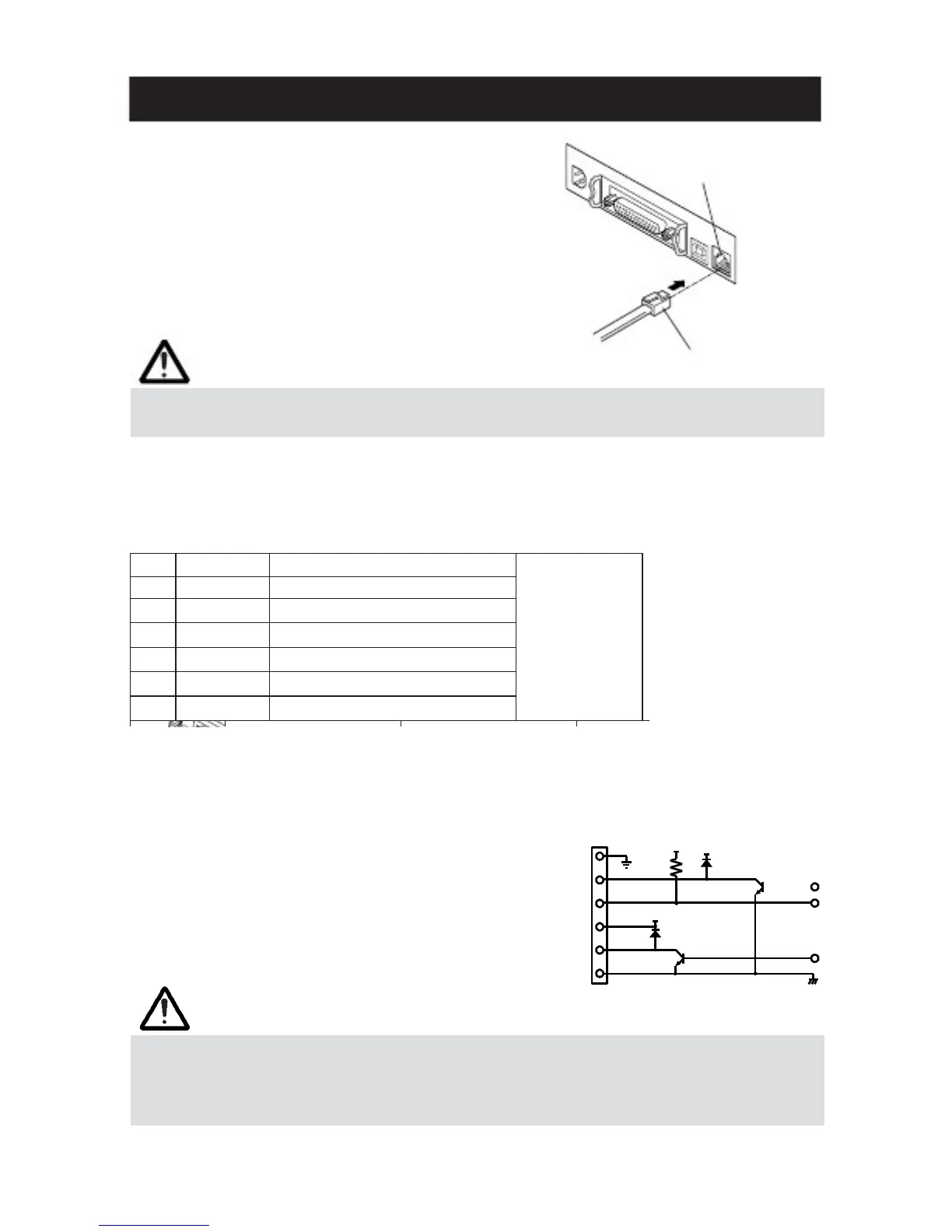
3.3 Connecting the Cash Drawer
3.3 Connecting the Cash Drawer3.3 Connecting the Cash Drawer
3.3 Connecting the Cash Drawer
1. Confirm that the power switch is OFF.
1. Confirm that the power switch is OFF.1. Confirm that the power switch is OFF.
1. Confirm that the power switch is OFF.
2. Confirm the top and bottom of the cash
2. Confirm the top and bottom of the cash2. Confirm the top and bottom of the cash
2. Confirm the top and bottom of the cash
drawer cable connector and insert it into
drawer cable connector and insert it intodrawer cable connector and insert it into
drawer cable connector and insert it into
the cash drawer kick
the cash drawer kickthe cash drawer kick
the cash drawer kick-
--
-ou
ouou
out connector at the
t connector at thet connector at the
t connector at the
back of the printer.
back of the printer.back of the printer.
back of the printer.
3. Screw the cash drawer's ground wire to the
3. Screw the cash drawer's ground wire to the3. Screw the cash drawer's ground wire to the
3. Screw the cash drawer's ground wire to the
body of the printer.
body of the printer.body of the printer.
body of the printer.
CAUTION!
CAUTION!CAUTION!
CAUTION!
Cash drawer
kick-out connector
Cash drawer cable connector
DO NOT connect any other device than the specified cash drawer to the cash drawer
kick-out connector. (Also DO NOT connect a telephone line.)
(1) Connector Pin Configuration
(2) Electrical characteristics
1) Driving voltage: 24 VDC
Connector used:
TM5RJ3-66 (Hirose)
or equivalent
Applicable connector:
TM3P-66P (Hirose) or
equivalent
2) Driving current: Approx. 1A max. (shall not exceed 510 ms.)
3) DRSW signal: Signal levels: “ L” = 0 to 0.5 V, “ H” = 3 to 5 V
(3) DRSW signal
DRSW signal status can be tested with
the DLE+EOT, GS+a, or GS+r command or
at pin 34 on the parallel interface port.
(4) Drive Circuit (printer side)
1
2
3
V D R
5V
VDR
4
5
6
CAUTION!
CAUTION!CAUTION!
CAUTION!
■ No output is produced while printing.
■ The cash drawers 1 and 2 cannot be driven simultaneously.
■ A solenoid used for the cash drawer should be of 24 & or more. The output current
should be kept at 1A or less; otherwise, breakdown or burning could occur.
— 17 —



 To Next Page