2.
2.2.
2.
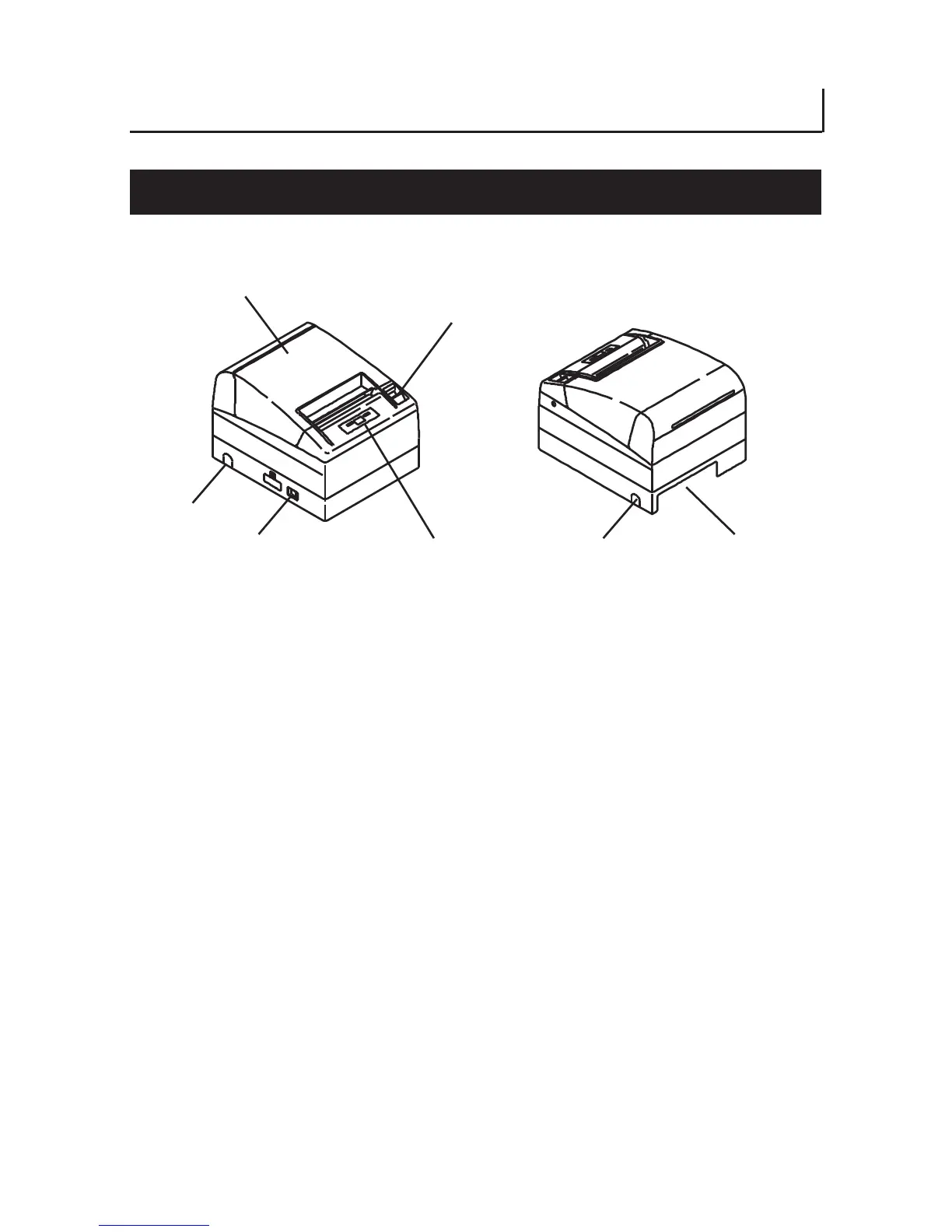
EXPLANATION OF PRINTER PARTS
EXPLANATION OF PRINTER PARTSEXPLANATION OF PRINTER PARTS
EXPLANATION OF PRINTER PARTS
2.1 Printer A
2.1 Printer A2.1 Printer A
2.1 Printer Appearance
ppearanceppearance
ppearance
Printer cover
Cover open button
Side opening
Power switch
Operation panel
Operation panelOperation panel
Operation panel
Side opening
Rear connector
Rear connectorRear connector
Rear connector
(Front view) (Rear view)
● Printer cover
Paper is loaded under this cover.
● Cover open button
To refill or replace paper, open the printer cover by pulling the cover open
button forward.
● Power switch
This switch turns the printer power ON/OFF.
● Side opening
The cables connected to the printer can be routed through this side opening.
(Before use, push the small plastic barrier on the cover until it brakes.)
— 12 —



 To Next Page