Paper-end Lights Lights
Paper near-end Lights Lights
Printer cover open Lights Lights
Printer cover open
error *1
Lights
Cutter lock error Lights
Head overheat error Lights
Paper jam error Lights
Memory check error Lights
Low voltage error Lights
High voltage error or
Power switch operation error
Lights
Macro execution
wait *2
Lights
Black Mark detection
error
OFF
Waiting for paper
(label) cutting*L, *M
OFF
Paper (label)
detection error*L, *M
OFF
Lighting and blinking status of each error including the above is shown below.
*1: When the printer is printing.
*2: The ERROR LED may blink even in the execution of macro function.
4.7
4.74.7
4.7
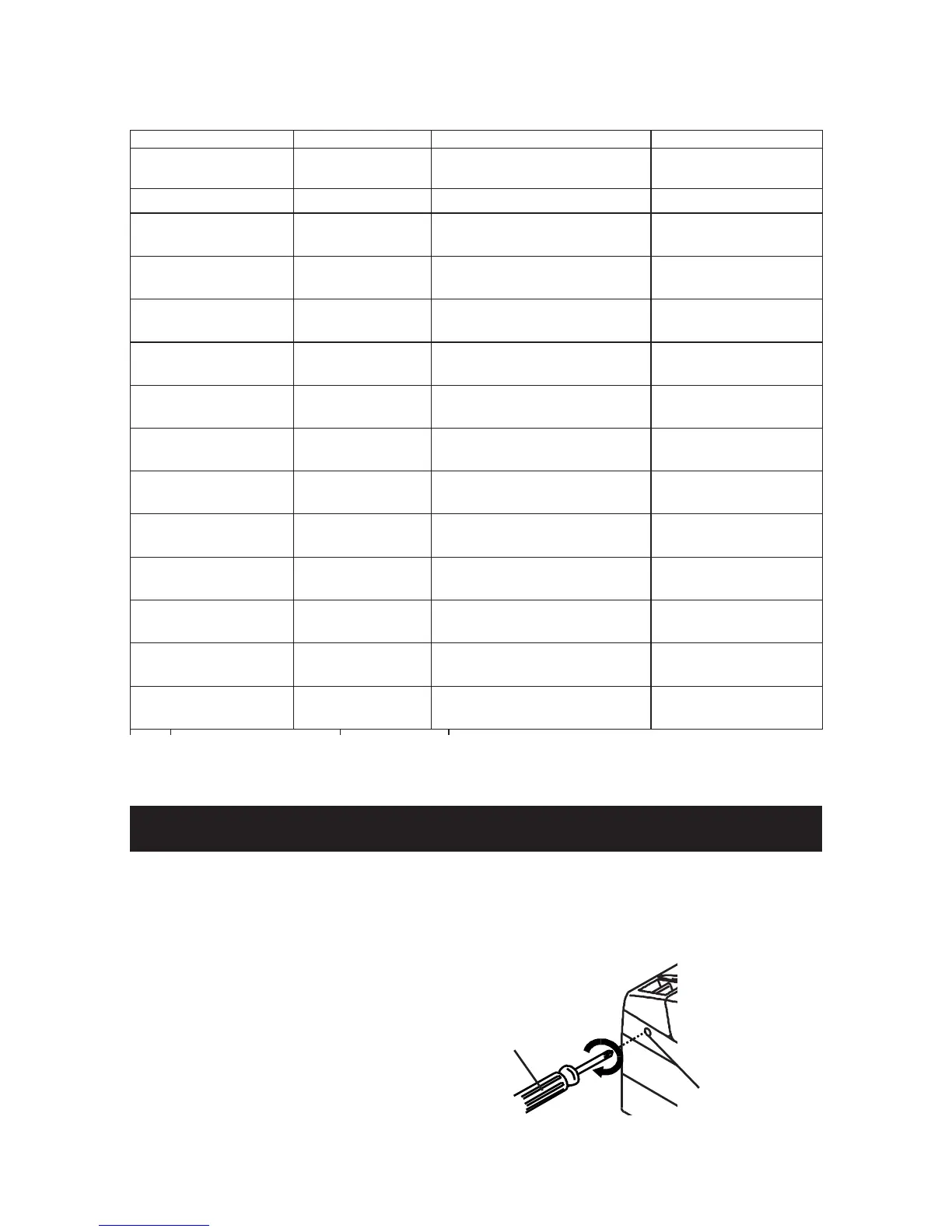
When the Paper Cover Cannot Be Opened
When the Paper Cover Cannot Be OpenedWhen the Paper Cover Cannot Be Opened
When the Paper Cover Cannot Be Opened
If the cutter blade remains protruded due to paper jam or for any abnormality,
opening the paper cover may be disabled. In this case, do not open the paper
cover forcibly. Insert a Phillips screwdriver (size #1) into the cutter lock releasing
feed hole and turn it in the direction of arrow (clockwise).
When you find that both ends
of the blade reached the lowest
position, stop turning the
screwdriver. Open the cover
and follow the procedure of
removing jam or other cause of
trouble.
Phillips screwdriver
— 25 —
Cutter lock
releasing feed hole



 To Next Page