CAUTION
CAUTIONCAUTION
CAUTION
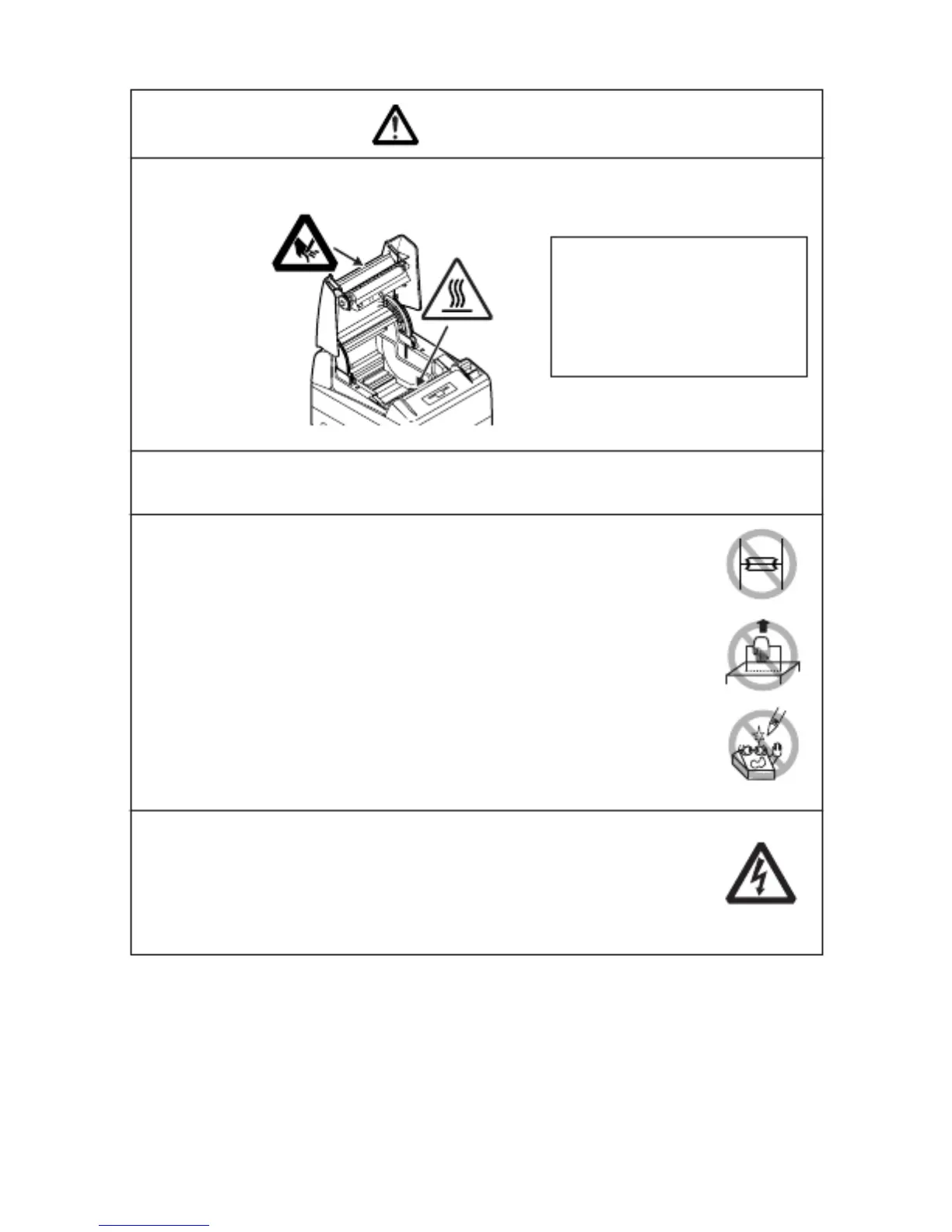
Caution label is attached on the position shown in the following figure. Carefully
read the precautions in handling before using the printer.
THESE LABELS INDICATE THE
THESE LABELS INDICATE THETHESE LABELS INDICATE THE
THESE LABELS INDICATE THE
RISK OF ANY INJURY DUE TO
RISK OF ANY INJURY DUE TORISK OF ANY INJURY DUE TO
RISK OF ANY INJURY DUE TO
"HIGH TEMPERATURE" OF
"HIGH TEMPERATURE" OF"HIGH TEMPERATURE" OF
"HIGH TEMPERATURE" OF
THE PRINT HEAD AND "SAW
THE PRINT HEAD AND "SAWTHE PRINT HEAD AND "SAW
THE PRINT HEAD AND "SAW-
--
-
TOOTHED EDGE" OF THE
TOOTHED EDGE" OF THETOOTHED EDGE" OF THE
TOOTHED EDGE" OF THE
MANUAL CUTTER.
MANUAL CUTTER.MANUAL CUTTER.
MANUAL CUTTER.
■ Do not transport this printer with the paper roll inside.
·
··
·
Printer failure or breakage may occur.
Printer failure or breakage may occur.Printer failure or breakage may occur.
Printer failure or breakage may occur.
To prevent possible malfunction or failure observe the following.
■ Avoid operating the printer without paper properly loaded.
■ Avoid the use of paper not complying with specifications.
·
··
·
May result in poor print quality.
May result in poor print quality.May result in poor print quality.
May result in poor print quality.
■ Avoid using torn pieces of paper or spliced with plastic adhesive
tapes.
■ Avoid forcibly pulling already loaded paper by hand.
■ Avoid wedging the paper into the printer.
·
··
·
May jam pap
May jam papMay jam pap
May jam paper. To release, refer to
er. To release, refer to er. To release, refer to
er. To release, refer to “
““
“ Removing Jammed Paper
Removing Jammed PaperRemoving Jammed Paper
Removing Jammed Paper”
””
”
in
inin
in
this manual.
this manual.this manual.
this manual.
■ Avoid using a sharp pointed device to operate panel keys.
■ Be sure to firmly insert the cable plug into its mating socket.
·
··
·
A cross connection may damage the printer
A cross connection may damage the printerA cross connection may damage the printer
A cross connection may damage the printer’
’’
’ s internal electro
s internal electros internal electro
s internal electronics or
nics ornics or
nics or
the host system
the host systemthe host system
the host system’
’’
’ s hardware.
s hardware.s hardware.
s hardware.
■ Only use the printer with devices that have designated solenoid
specifications for the cash drawer interface connector.
·
··
·
Neglecting this caution may result in malfunction or failure.
Neglecting this caution may result in malfunction or failure.Neglecting this caution may result in malfunction or failure.
Neglecting this caution may result in malfunction or failure.
—6—



 To Next Page