20
Always release the side stand to its full up position
before moving the vehicle.
Never sit on the vehicle when it is supported by side
stand. Always park the vehicle on a flat, firm surface.
Side stand can be operated by sitting on the vehicle
with your left foot by pushing it away from the vehicle
till it stops.
CENTRE STAND AND SIDE STAND
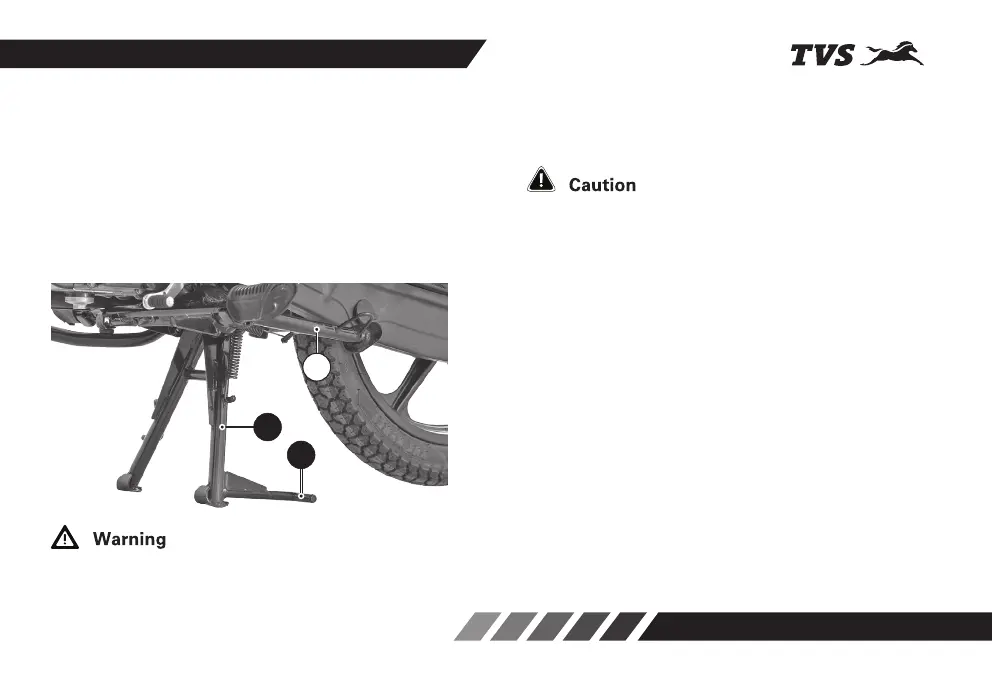
TVS Radeon is equipped with a centre (1) and side
stand (2). To place the vehicle on the centre stand,
hold the handle bar left grip with left hand and pillion
handle with right hand.
Place your foot firmly on the centre stand extension
(1a) and press with adequate effort. Ensure both the
legs of centre stand are touching the ground before
placing the vehicle on the stand.
1
1a
2














 To Next Page