46
Check, clean, lubricate and adjust the drive chain in
the following manner:
1. Place the vehicle on centre stand with the
transmission in neutral.
2. Remove the dust seal chain cover.
3. Inspect the drive chain slackness (vertical
movement) using the finger as shown in the
figure.
4. The slackness of the drive chain should not
exceed the limit (maximum 20 ~ 30 mm). Excess
slackness consumes more fuel.
5. If the slackness is found more, contact TVS Motor
Company Authorised Main Dealer / Authorised
Dealer for adjustment.
6. If the slackness found is within the limit, clean
the chain with dry cloth and lubricate using TRU
SPRAY / TRU4 oil.
7. Refit the dust seal chain cover.
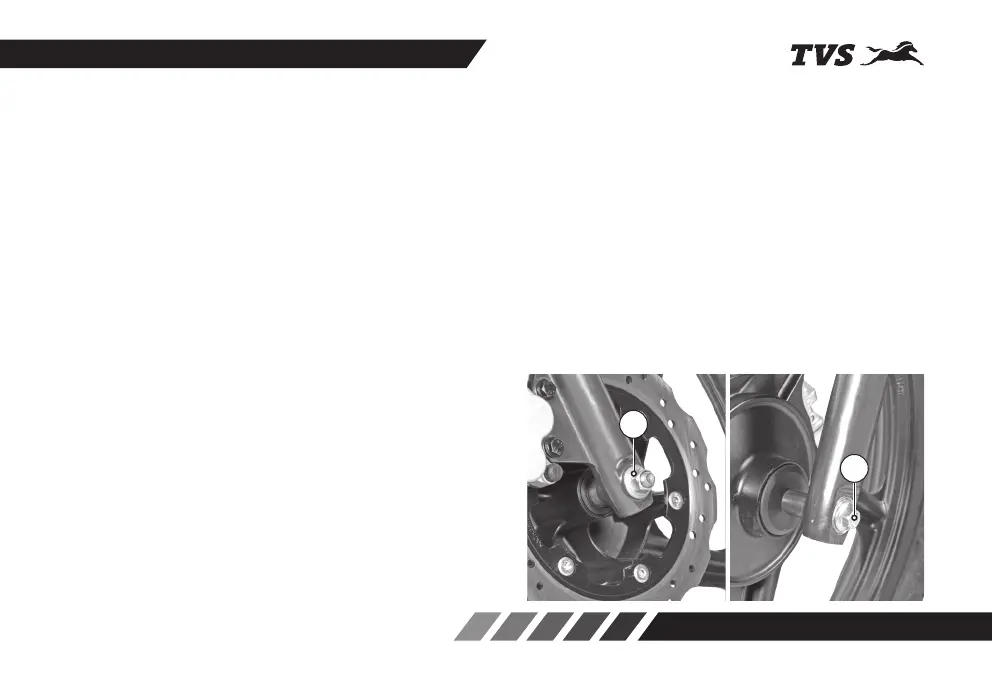
FRONT WHEEL REMOVAL AND REASSEMBLY
1. Remove the axle nut (1) along with a washer.
2. Pull out the axle (2) from the front wheel.
3. Incase of disc brake model, remove spacers from
both side of the wheel. Incase of drum brake
model remove a spacer from right side of the
wheel.
4. Place a support below the frame to prevent the
vehicle from falling and lift the vehicle up.
5. Incase of drum brake model, dislocate the wheel
assembly along with the brake panel. Separate
the brake panel from the wheel and take out the
wheel.
1
2














 To Next Page