EasyManua.ls Logo

TYAN S7106 - Page 32

TYAN S7106
143 pages
Print Icon
To Next Page IconTo Next Page
To Previous Page IconTo Previous Page
Loading...
http://www.tyan.com
32
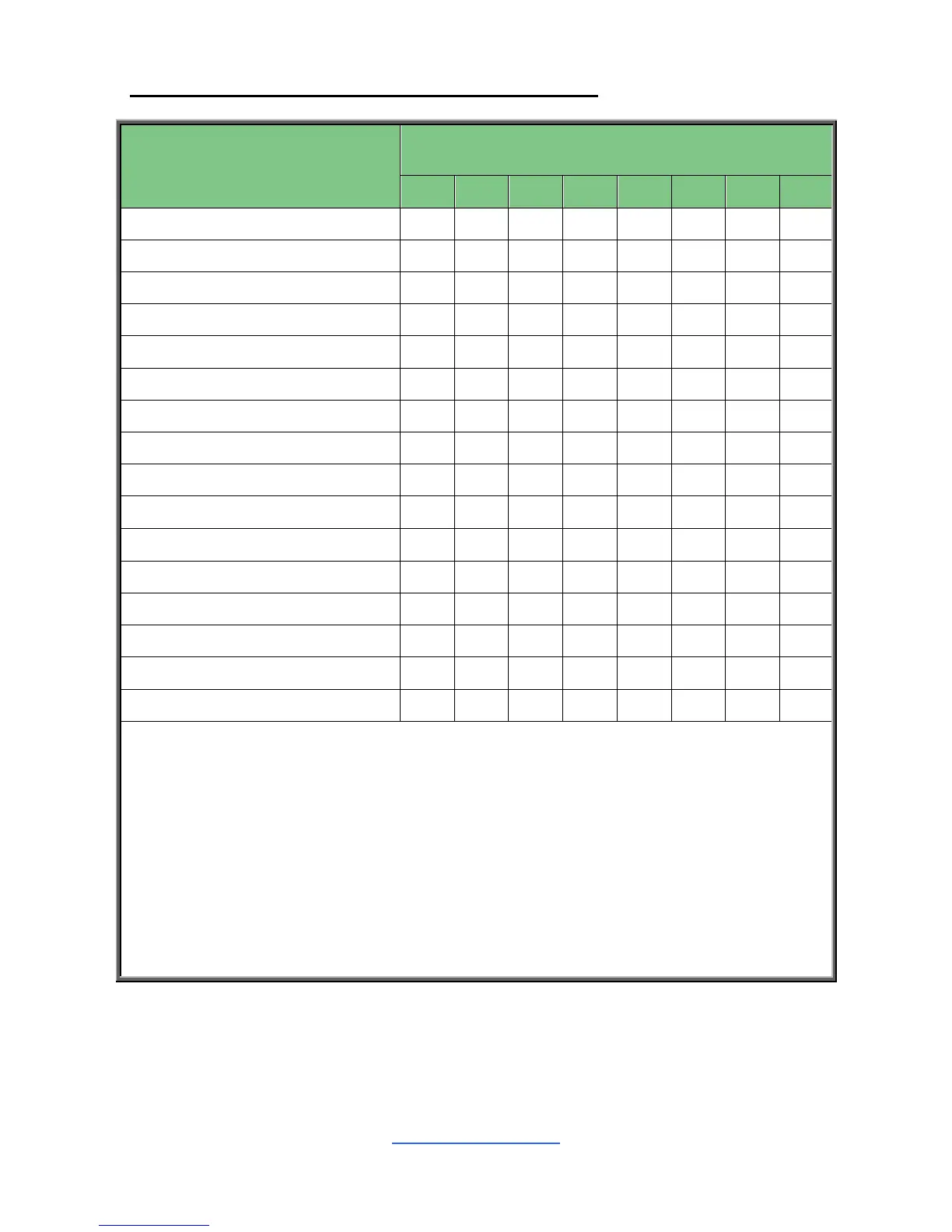
Recommended Memory Population Table (Dual CPU)
Dual CPU Installed
(CPU0 and CPU1)
Quantity of
memory installed
2
4
6
8
10
12
14
16
P0_MC0_DIM_CH_A0
P0_MC0_DIM_CH_B1
P0_MC0_DIM_CH_B0
P0_MC0_DIM_CH_C0
P0_MC1_DIM_CH_D0
P0_MC1_DIM_CH_E1
P0_MC1_DIM_CH_E0
P0_MC1_DIM_CH_F0
P1_MC0_DIM_CH_A0
P1_MC0_DIM_CH_B1
P1_MC0_DIM_CH_B0
P1_MC0_DIM_CH_C0
P1_MC1_DIM_CH_D0
P1_MC1_DIM_CH_E1
P1_MC1_DIM_CH_E0
P1_MC1_DIM_CH_F0
NOTE:
1. indicates a populated DIMM slot.
2. Use paired memory installation for max performance.
3. Populate the same DIMM type in each channel, specifically
- Use the same DIMM size
- Use the same # of ranks per DIMM
4. Dual-rank DIMMs are recommended over single-rank DIMMs.
5. Un-buffered DIMM can offer slightly better performance than registerd DIMM if
populating only a single DIMM per channel.
6. Always install with CPU0 Socket and DIMM_0 Slot first, following the alphabetical order.


Related product manuals