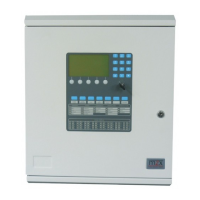
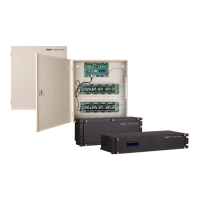
The TL880LE Dual Path Controller is a fixed, wall-mounted alarm communicator module designed for use with DSC PowerSeries Neo control panels (HS2128, HS2064, HS2032, HS2016 software versions 1.1 and above). Its primary function is to enable wireless reporting of alarms and other system events from the DSC Neo control panel using either an all-digital LTE wireless (cellular) network or an Ethernet network. This module can serve as the primary communication path for alarm signaling or as a backup to a telephone connection to a central monitoring station. The wireless alarm signaling and routing service is operated by Alarm.com. Additionally, the TL880LE features integrated support for Alarm.com's home automation solution with built-in Z-Wave capabilities.
Function Description:
The TL880LE facilitates secure and reliable alarm communication. It supports 128-bit AES encryption over both cellular and Internet paths, ensuring data integrity. Key communication features include backup or primary cellular alarm communication and Ethernet, full event reporting to a central station, and cellular periodic test transmissions. The module also incorporates integrated call routing and supports panel remote uploading/downloading via cellular or Internet. A PC-LINK connection is provided for local communication with the panel. It supports programmable labels and is compatible with SIA and Contact ID (CID) formats. For enhanced troubleshooting, the module includes signal strength and trouble display LEDs. A Subscriber Identity Module (SIM) card is included with the communicator. It supports supervision heartbeats over the Ethernet path or the cellular path when the Ethernet path is in a trouble condition. When used with the HSM2955(R) audio module, the TL880LE is 2-way audio capable.
Important Technical Specifications:
- Model: TL880LE
- Input Voltage: 11.3V - 12.5V DC (provided by DSC NEO compatible control panel)
- Current Consumption:
- Standby Current (Average Value): 150mA
- Alarm (Transmitting) Current (Peak Value): 400mA
- Cellular Network: LTE AT&T
- Operating Frequency: 1700/1900 AWS700/850 MHz
- Operating Temperature: 32°F to 120°F (0°C to 49°C)
- Storage Temperature: -34°C to 60°C
- Humidity: 93% RH non-condensing
- Dimensions: 6" x 8.9" x 1.3"
- Weight: 365g
- NIST Validation Certificate Number: 5100 (for Model TL880LE)
- Data Bus Cable Length: Maximum 100ft/30m
- Power Connection Cable Length: Maximum 100ft/30m
- Compatibility: Sur-Gard System I-IP Receiver (v1.13+), Sur-Gard System II Receiver (v2.10+), Sur-Gard SG-DRL3-IP (v2.30+), Sur-Gard SG-DRL4-IP (v1.20+), Sur-Gard SG-DRL5-IP (v1.00+). Compatible with DSC NEO Alarm Control Unit models HS2016, HS2032, HS2064, HS2128 (all v1.1+).
- Regional Variant (Australia and New Zealand): TL880LE-AU, operating on LTE Bands 1, 3, 5, 8, 9, 18(26), 19, 28; UMTS Bands 1, 5, 6, 19, 8; Z-wave: 921.4MHz, 919.8MHz; Image Sensor Radio: 916MHz, 918MHz, 920MHz, 922MHz, 924MHz.
Usage Features:
- Installation: Requires a skilled installer. The module must be installed indoors in a non-hazardous environment. All power sources to the alarm panel (mains, battery, telephone line) must be disconnected before installation. The equipment enclosure must be fully assembled, closed, and secured to a wall. It is crucial not to mount the TL880LE inside a metal alarm panel enclosure.
- Module Activation: Alarms and signals are not sent to Alarm.com until the installer code is verified. This involves entering installer programming and then the installer code. Remote activation is also possible via the Alarm.com dealer site.
- Dual-Path Test (Module Registration): A "Dual-Path phone test" is performed to initiate communication with Alarm.com and the cellular network. This test can be initiated by holding [3] for cellular path or [4] for broadband path for two seconds, or via the Interactive Services menu ([*][6] + master code + [04]). The panel indicates test completion by activating the siren output.
- Auto-Programming: After a successful dual-path test, the module auto-programs panel settings required for Alarm.com functionality. It is recommended to wait 2 minutes for this process to complete before entering Installer Programming menus.
- Panel Settings: Central station (CS) and telephone line settings are automatically configured via the Alarm.com Dealer Site and should not be manually configured in the panel. Certain panel settings are automatically changed by the module upon connection and should not be altered.
- Clock Synchronization: The TL880LE sets the panel clock when connected to Alarm.com and updates it every 18 hours. The correct panel time zone must be selected on the Alarm.com website for accuracy.
- Interactive Service Menu: Accessible via [*][8][Installer Code][851], this menu provides information about the module, allows Z-Wave device installation/removal, and configuration/troubleshooting of interactive features. Sub-menus provide details on Alarm.com Module Status (Radio, LTE Freq., SN, SIM card, Version, Advanced - Network), Z-Wave Setup (Number of Z-Wave Devices, Add Z-Wave Device, Remove Z-Wave Device, Z-Wave Home ID, Extended Range Option), and Communications Test.
- User Functions Menu: Accessible via [*][6][Master Code], this menu also provides access to Interactive Services, mirroring many of the installer programming options for user-level interaction.
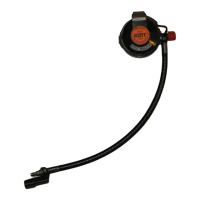
- External Antennas: Remote external antennas are available for locations with inadequate cellular reception. The module has two covered access ports for antenna connection.
Maintenance Features:
- Troubleshooting LEDs: The module features five status LEDs (L1-L5) that indicate network and module status, aiding in troubleshooting.
- L1 (red): General & Cellular Error LED. Flashes 1-8 times in an 8-second interval to indicate specific errors (e.g., module-panel communication, SIM card missing, LTE network registration, Alarm.com connection, radio malfunction, panel incompatibility, account setup issues).
- L2 (yellow): Broadband Errors & Panel Communication. Flashes 2-8 times for broadband errors or once per panel communication when no error. Normal pattern is quick flashes every two seconds in Idle mode or four seconds in PowerSave mode. Indicates issues like router connection, internet connection, or Alarm.com communication.
- L3 (yellow): Cellular Communication. Flashes with every cellular signal level check and Alarm.com packet exchange. In Idle mode, it flashes with radio unit communication; in Connected mode, with Alarm.com communication; in PowerSave mode, in unison with L2.
- L4 (green): Cellular Signal Strength Level. Flashes 0-5 times (representing bars) to indicate signal strength or toggles on/off slowly when communicating with Alarm.com servers. A steady signal level of 2 bars or higher is recommended for proper operation.
- L5 (yellow): Z-Wave Status & Error LED. Indicates Z-Wave state and errors (e.g., successfully added/removed node, delete mode, add node attempt failed, add mode, replicate mode, learn mode error, no node info, no other nodes in network).
- Module Status Information: The Interactive Services menus provide detailed module status information (Idle, Roaming, SIM Missing, PowerSave Mode, Registering..., Connection Error, Radio Error, Server Error, Connected, Connecting..., Updating...).
- Keypad Information Retrieval: Holding specific panel keys for 2 seconds displays various information on the panel display:
- 1 key: 10-digit module serial number.
- 2 key: Module firmware version.
- 3 key: Initiates cellular communication test (important for installation completion).
- 4 key: Initiates broadband communication test.
- 5 key: Wireless signal strength level (0-5 bars, 0-31 numerical value) and connection mode.
- 6 key: Battery voltage and AC power status.
- 7 key: For Alarm.com Technical Support use only.
- 8 key: LTE frequency used.
- Improving Wireless Signal Strength: Guidelines include installing the module above ground level, near an exterior-facing wall, avoiding metal structures or large metal objects/ducts, and using an external extension antenna if needed. Updated signal readings can be requested by holding the "5" key for 2 seconds.
- No User Serviceable Parts: Users are explicitly instructed that there are no user serviceable parts in this equipment, and all maintenance must be performed by a skilled person.

 Need help?
 General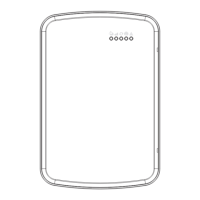

 To Next Page