ODIN-W2 series - System integration manual
UBX-14040040 - R20 Software Page 21 of 43
C1-Public
2.1.4 XMODEM protocol
The XMODEM protocol uses standard XMODEM-CRC16 protocol and 128 bytes packets.
For more information about XMODEM, see [7]. See XMODEM code example for a sample code in C#.
Complete source code is available on request.
2.2 Flashing the u-blox bootloader
If the module has been using Mbed software or for some other reason the bootloader must be
reflashed, how to flash a new u-blox bootloader on the ODIN-W2 module is described here.
There are two different ways to flash a new u-blox bootloader on the ODIN-W2 module, either using
ROM based bootloader in the STM32 or using a JTAG/SWD debugger.
2.2.1 ROM based bootloader
The module must be started in the ROM based bootloader. This is done by applying a high signal (1.8
V) on the SYS_BOOT pin during a reset.
The flash program stm32flash.exe [5] should then be used to flash the bootloader to the module.
• Start a command prompt in Windows and browse to the location of the stm32flash application.
• In the command line, write the following command.
o stm32flash -b 115200 -w <sw_bin-file> -S 0x8000000 <COMport>
• Restart the module to boot into the u-blox bootloader and continue to flash the correct software
as specified in section 2.1.1.
2.2.2 SWD/JTAG debugger
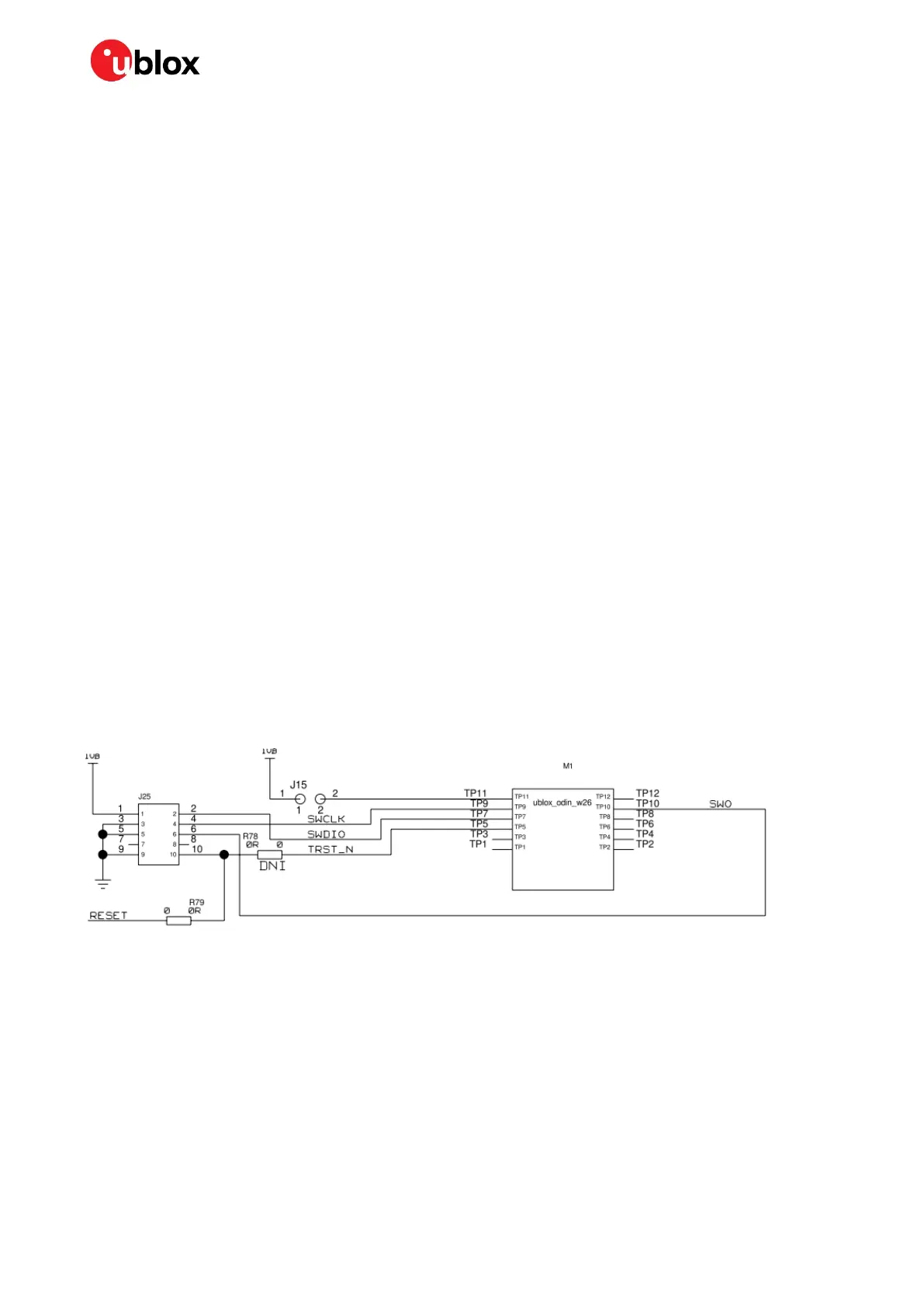
Flashing the u-blox bootloader with an external debugger is also possible.
• Connect a debugger to the SWD/JTAG interface as specified in the pinout section (section 1.2.2)
and Figure 7.
• Use the flash program provided by the debugger vendor to flash the u-blox bootloader to the
module.
Figure 7: Example of SWD/JTAG debugger connecting to ODIN-W2 module
2.3 Flashing an Arm Mbed application
You can flash an Arm Mbed application on the ODIN-W2 module in two ways - either using a ROM
based bootloader in the STM32 or using a JTAG/SWD debugger.
2.3.1 ROM based bootloader
The module must be started in the ROM based bootloader. This is done by applying a high signal (1.8
V) on the SYS_BOOT pin during a reset.
The flash program stm32flash.exe [5] should then be used to flash the Arm Mbed application to the
module.


 To Next Page
 Loading...