3. Operational method
(1) Basic operation
① Turning the power on.
② Slitter initial location movement (When turning the power on initially and after adjusting
the head location)
③ Format selection/free entry, user program retrieval, etc.
④ Slitter and table setting
⑤ Creaser adjustment (when using the creaser)
⑥ Perforator adjustment (when using the perforator)
⑦ Paper setting
⑧ Sample cutting
⑨ Input value correction and size correction
⑩ Start of operation
(2) Slitter initial location movement (When initially turning the power on
and after adjusting the head location)
① Turn the power on.
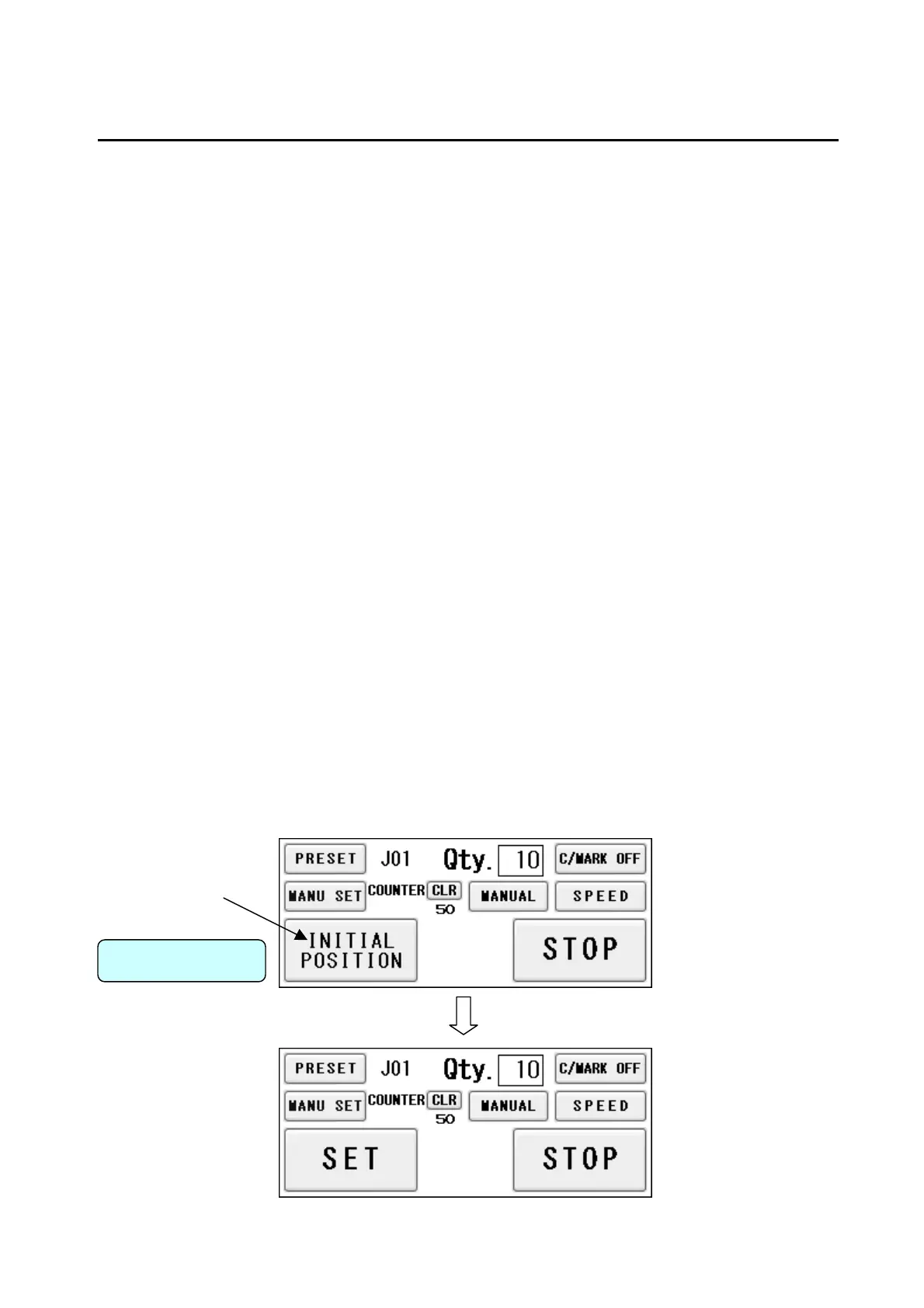
② Press INITIAL POSITION from the operation screen.
③ The slitter will move to the initial position.
④ The INITIAL POSITION sign will change to SET upon completion.
Operation Screen
18


 To Next Page