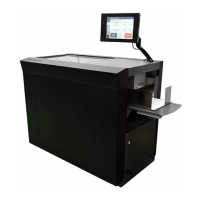
(4) If the cut measurement does not match the input value
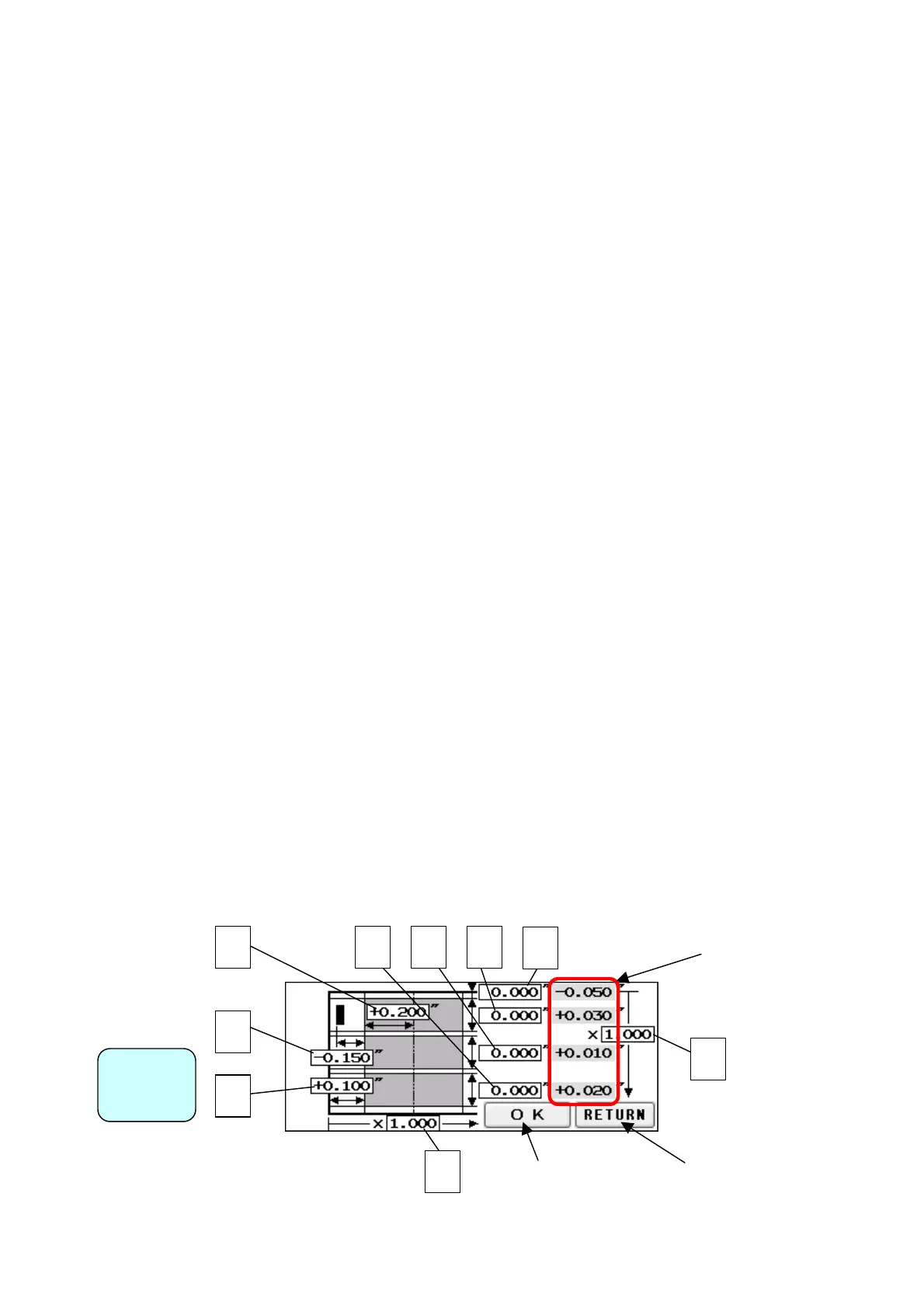
① If Measurement A is different: When the input value is 0.200” and the actual cut
measurement is 0.175”, input +0.025”; input -0.040” when the actual cut measurement is
0.240”. ※
② If Measurements B, C, or D are different: When the input value is 3.500” and the actual
cut measurement is 3.560”, input -0.060”; input +0.080” when the actual cut measurement
is 3.420”. ※
③ If Measurement E is different: When the input value is 0.600” and the actual cut
measurement is 0.620”, input -0.020”; input +0.050” when the actual cut measurement is
0.550”. (You can input ±0.400” at the most)
④ If Measurement F (crease location) is different: When the input value is 2.000” and the
actual crease measurement is 2.250”, input -0.250”; input +0.100” when the actual crease
measurement is 1.900”. (You can input ±0.400” at the most)
⑤ If Measurement G is different: When the input value is 0.400” and the actual cut
measurement is 0.450”, input –0.050”; input +0.100” when the actual cut measurement is
0.300”. (You can input ±0.400” at the most)
⑥ Use H and I for magnificent adjustment. If the printed image is bigger or smaller than the
one you designate, you can adjust cutting length to fit the printed measurement with this
magnificent adjustment.:
When the input value is 4.000” and the actual cut measurement is
4.080”, input 0.980 (4.000” ÷ 4.080”); input 1.010 (4.000” ÷ 3.960”) when the actual
cut measurement is 3.960”. When this measurement is corrected, Measurements E, F
and G will need to be corrected as well. Refer to ③–⑤above and make corrections. (H
must be from 0.500 times to 2.000 times and I must be from0.800 times to 1.200times)
※:If you press OK after you input values into A, B, C and D, those values will be added to
each total measurements which are circled on the image below. Then, A, B, C and D will
be reset to 0.000. You can change the measurement by 0.002”. Each adjustment should
be within±0.080” at one time. If the gap is more than±0.080”, repeat the process until
the desired measurement is reached.
34
Correct the
measurement and
Return to Manual
Operation Screen
BCDF
I
Total measurement that
has been changed A, B,
C, and D.
E
Screen
djust
H
Return to Manual
Operation Screen without
making corrections


 To Next Page