4. Instructions for use
(1) If the machine stops during operation
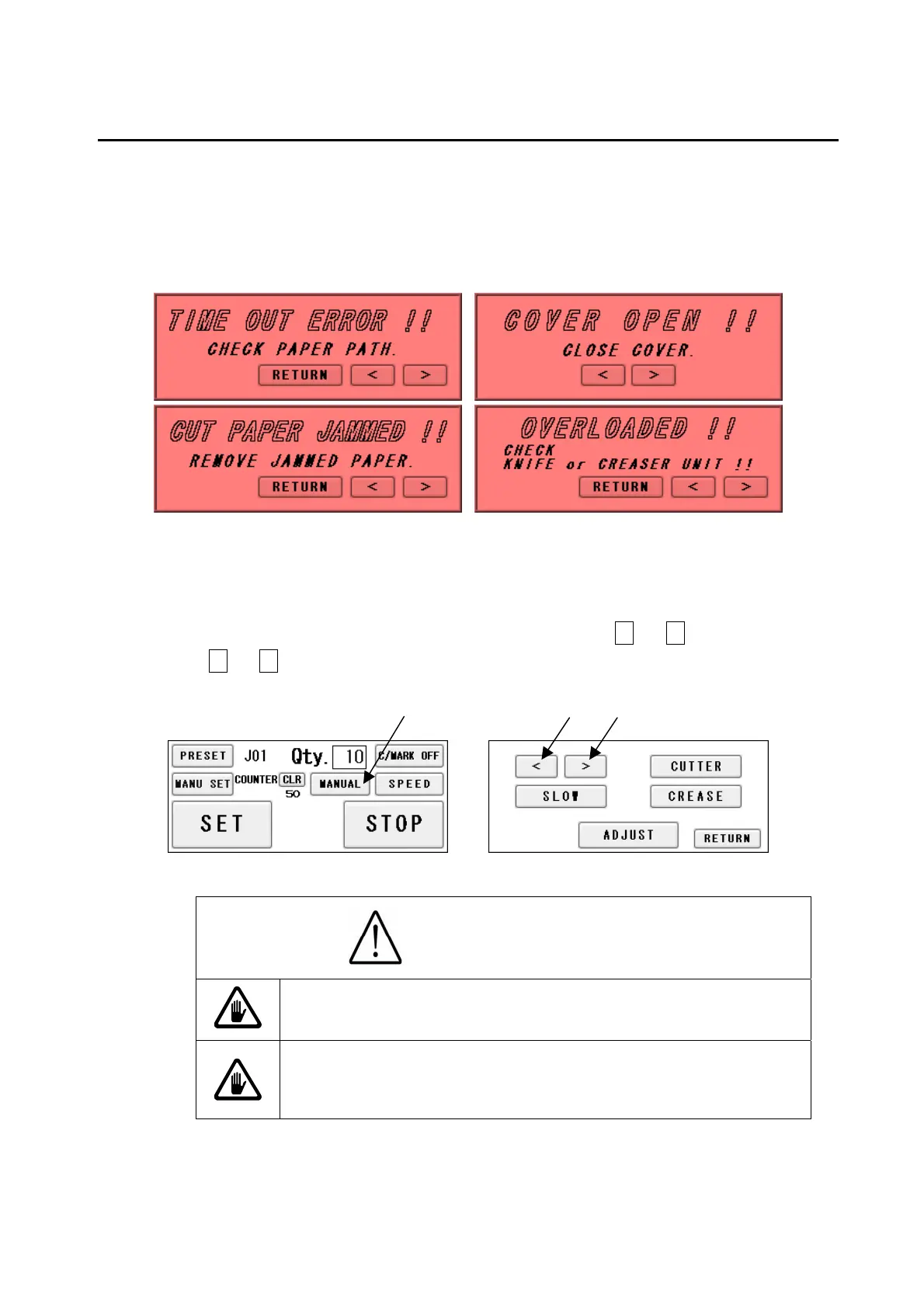
① If the machine stops during operation due to an error such as a paper jam and
overloading, paper may still be left in the machine.
② In such a case, the paper must be removed by manual operation, as continuing to operate
it may cause a mechanical failure
③ Press MANUAL from the Operation Screen, and then press < or > from the screen, or
press < or > from the error screens as shown above to move the feeder for paper
ejection.
Caution
Avoid contacting any rotating object.
Otherwise, injury could occur.
Don't bring a hand, face, hair, sleeves of clothes and
the like close to the rotating parts of the machine.
There is a danger of receiving an injury.
27


 To Next Page