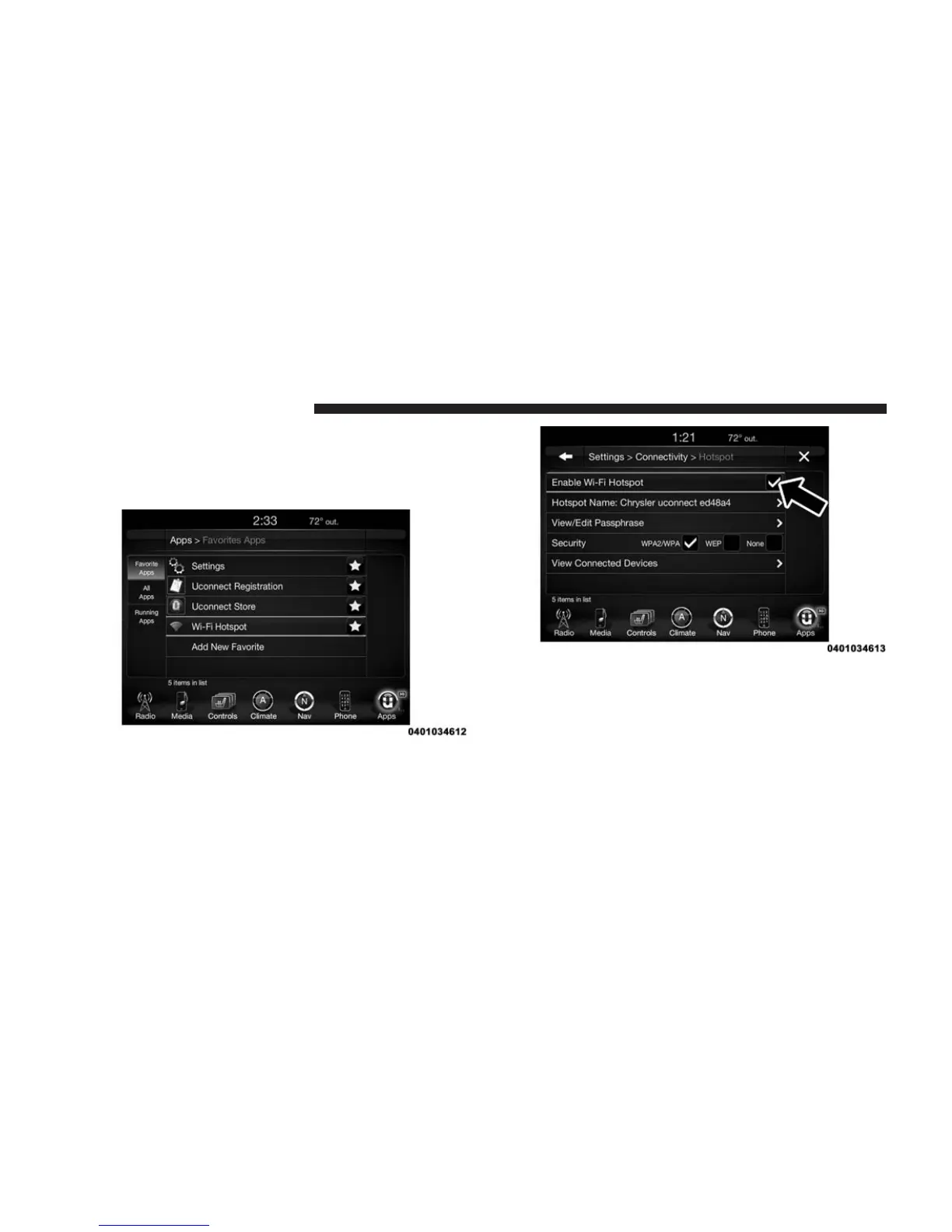
2. After purchasing WiFi Hotspot, it will be enabled/
turned on in your vehicle. The WiFi Hotspot App can
be found on your in-vehicle touchscreen by selecting
Apps > All Apps > WiFi Hotspot.
3. WiFi Hotspot should be turned on after purchasing a
subscription. To disable WiFi Hotspot, simply press to
uncheck the box to the right of the App (this feature is
available while the vehicle is in motion).
74 ALL ABOUT Uconnect® ACCESS



 To Next Page