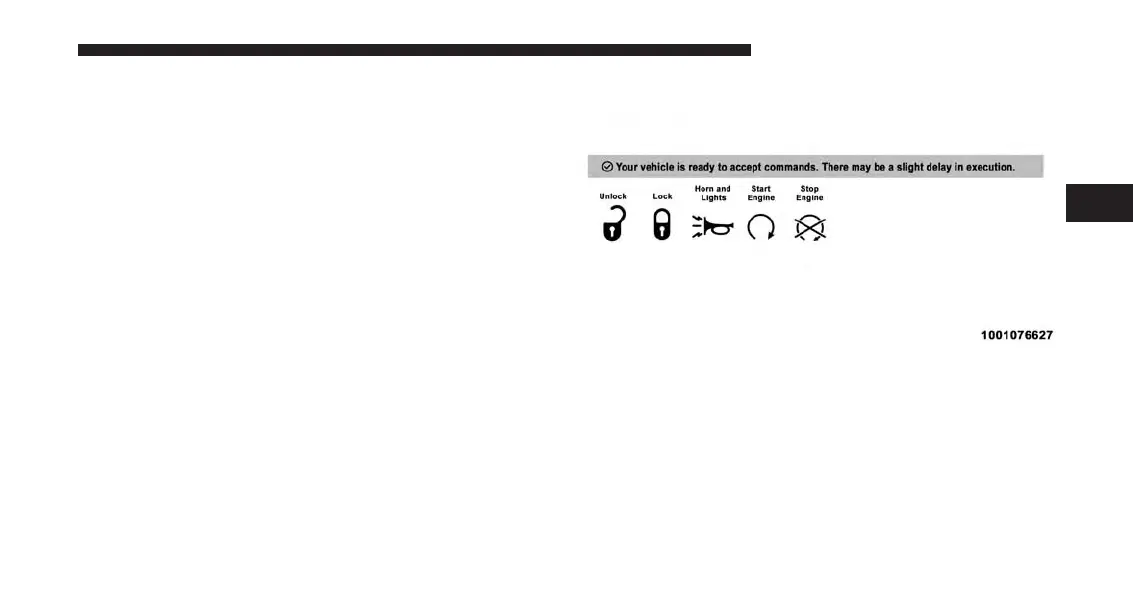
Mopar Owner Connect website:
1. Log on to the Mopar Owner Connect website
(
moparownerconnect.com
) using the username and
password you used when registering your Uconnect
Access system.
NOTE: If you forgot your username or password, links
are provided on the website to help you retrieve them.
2. If you have more than one vehicle registered into the
Mopar Owner Connect website
(
moparownerconnect.com
), select the vehicle you
want to send the command by clicking on its image
along the top.
3. Beneath the image of a vehicle like yours, you will see
a row of icons. To lock the doors, click on the closed
lock icon; to unlock the driver’s door click on the
“open lock icon.”
4. You will then be asked to enter your Uconnect Security
PIN (this is the same 4-digit code established when
your registered your Uconnect Access system). Please
enter your Uconnect Security PIN.
5. A message will appear on the screen to let you know
if the command was received by your vehicle.
3
ALL ABOUT UCONNECT ACCESS 57



 To Next Page