ULEAD VIDEOSTUDIO USER GUIDE
161
Appendix D: System tweaks
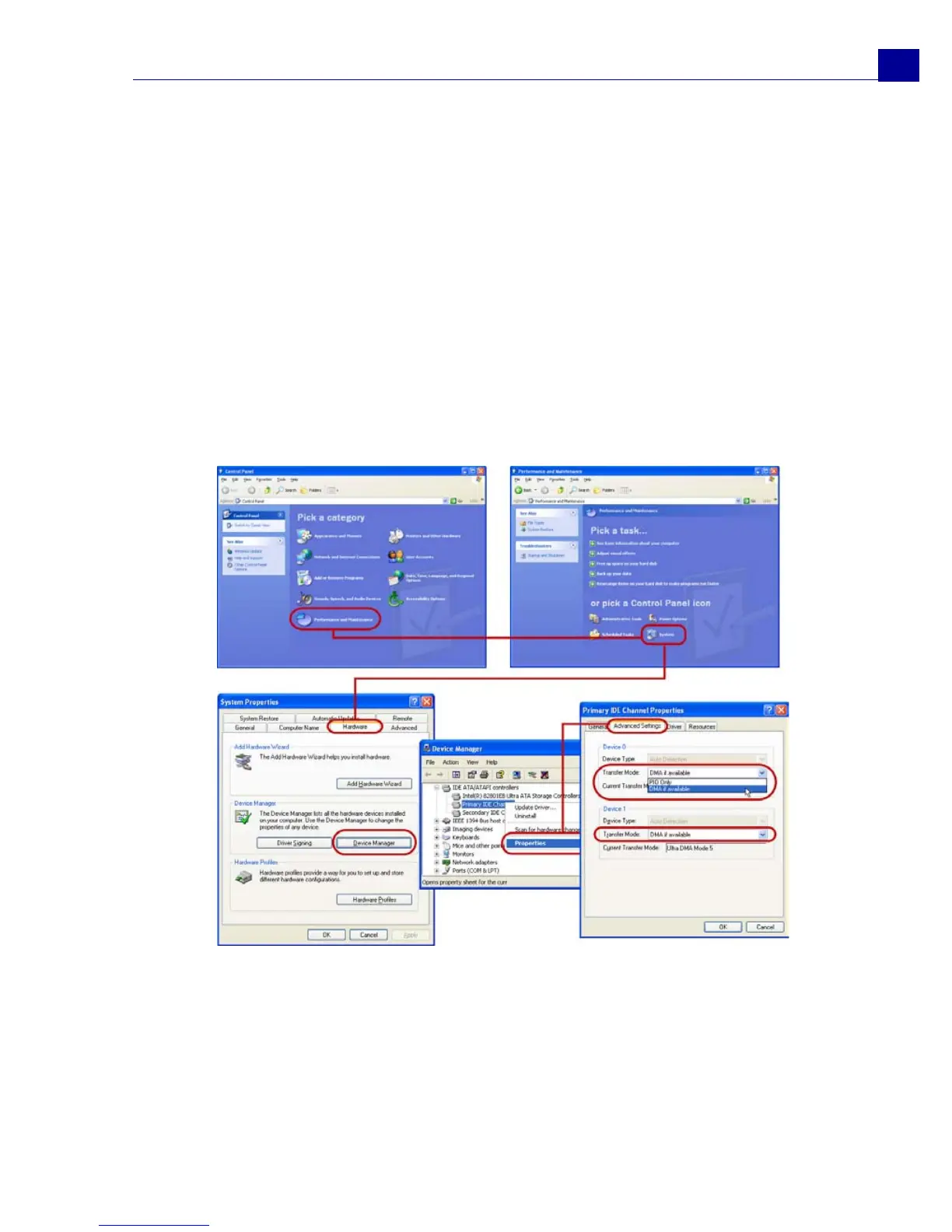
Enabling DMA for IDE disks
Direct Memory Access (DMA) is a method of transporting data from the system's
main memory without passing through the CPU. Open the Control Panel's System
program, and in the Device Manager, enable DMA (Direct Memory Access) for all
the hard disks (in the primary and secondary IDE channels) that will be used for
capturing video. DMA avoids possible drop frame problems when you are capturing
video.
In Windows XP:



 To Next Page