ULEAD VIDEOSTUDIO USER GUIDE
30
VideoStudio Editor
VideoStudio Editor provides a step-by-step workflow that makes creating movies
simple and easy.
This section introduces you to the VideoStudio Editor interface and briefly explains
the steps involved in creating a movie. Refer to the succeeding chapters for more
in-depth information on each step.
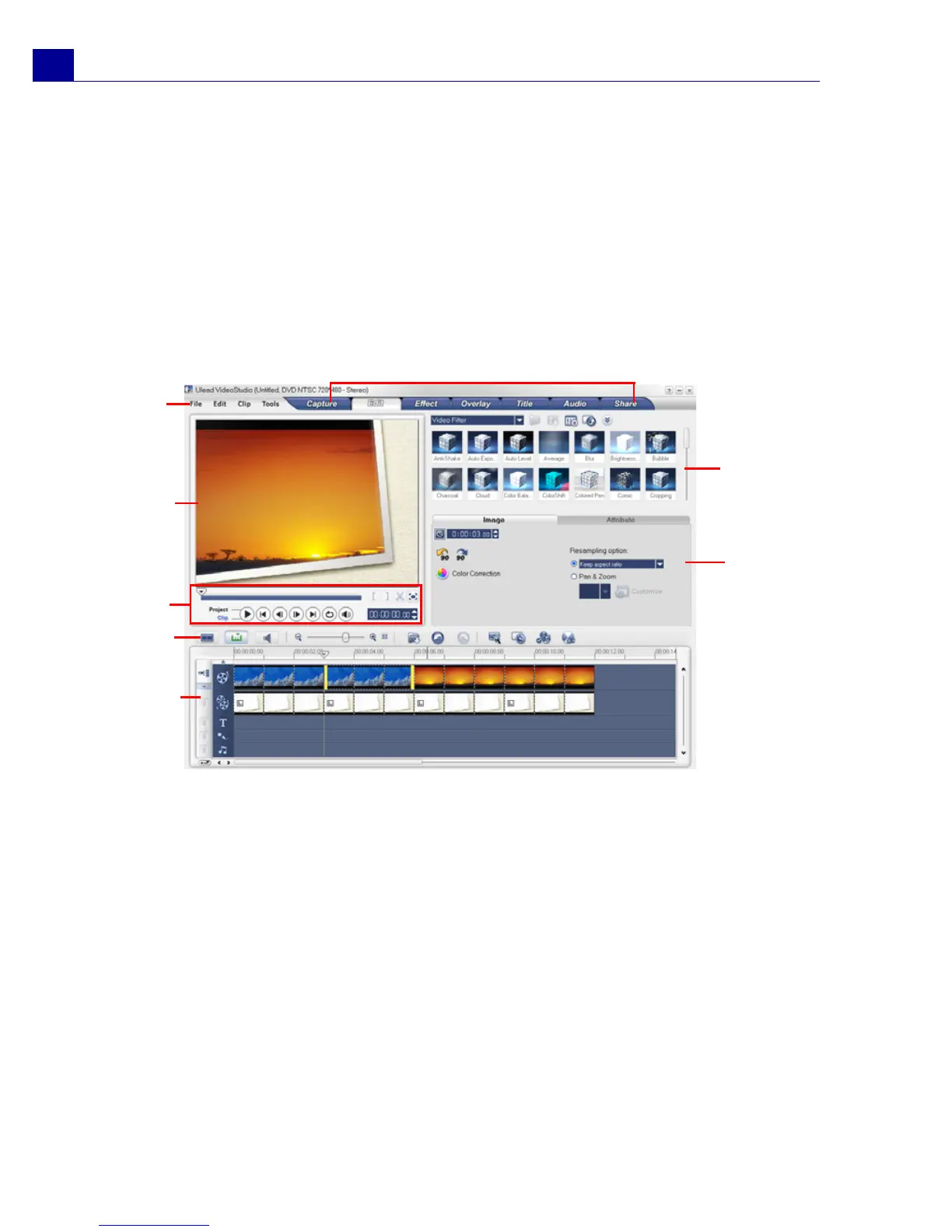
The user interface
1 Step Panel
Contains buttons that correspond to the different steps in video editing.
2 Menu Bar
Contains menus that provide different set of commands.
3Preview Window
Shows the current clip, video filter, effect, or title.
4 Navigation Panel
Provides buttons for playback and for precision trimming of clips. In the Capture Step,
this also acts as the device control for the DV or HDV camcorder.
1
2
3
4
5
6
7
8



 To Next Page