ULEAD VIDEOSTUDIO USER GUIDE
49
High Definition Videos
Once you have the HDV plug-in installed, you can import high definition video from
your HDV camcorder such as Sony HDR-HC1.
To capture from Sony’s HDR-HC1 HDV camcorder:
1. Connect your Sony HDV camcorder to your computer’s IEEE-1394 port using the
IEEE-1394 cable.
2. Turn on your camcorder and switch it to Play/Edit mode and make sure that your
Sony HDV camcorder is switched to HDV mode.
3. Click Capture on the Step Panel. In the Options Panel, click .
Note: To check that your Sony HDV camcorder is set to HDV mode, flip open the LCD
screen and see if HDVout I-Link is on the LCD screen. If you see DVout I-Link,
press P-MENU at the lower right of the screen. In the menu, press MENU>
STANDARD SET> VCR HDV/DV and press HDV.
Note: VideoStudio automatically detects your Sony HDV camcorder. The Source
should show Sony -- HDV.
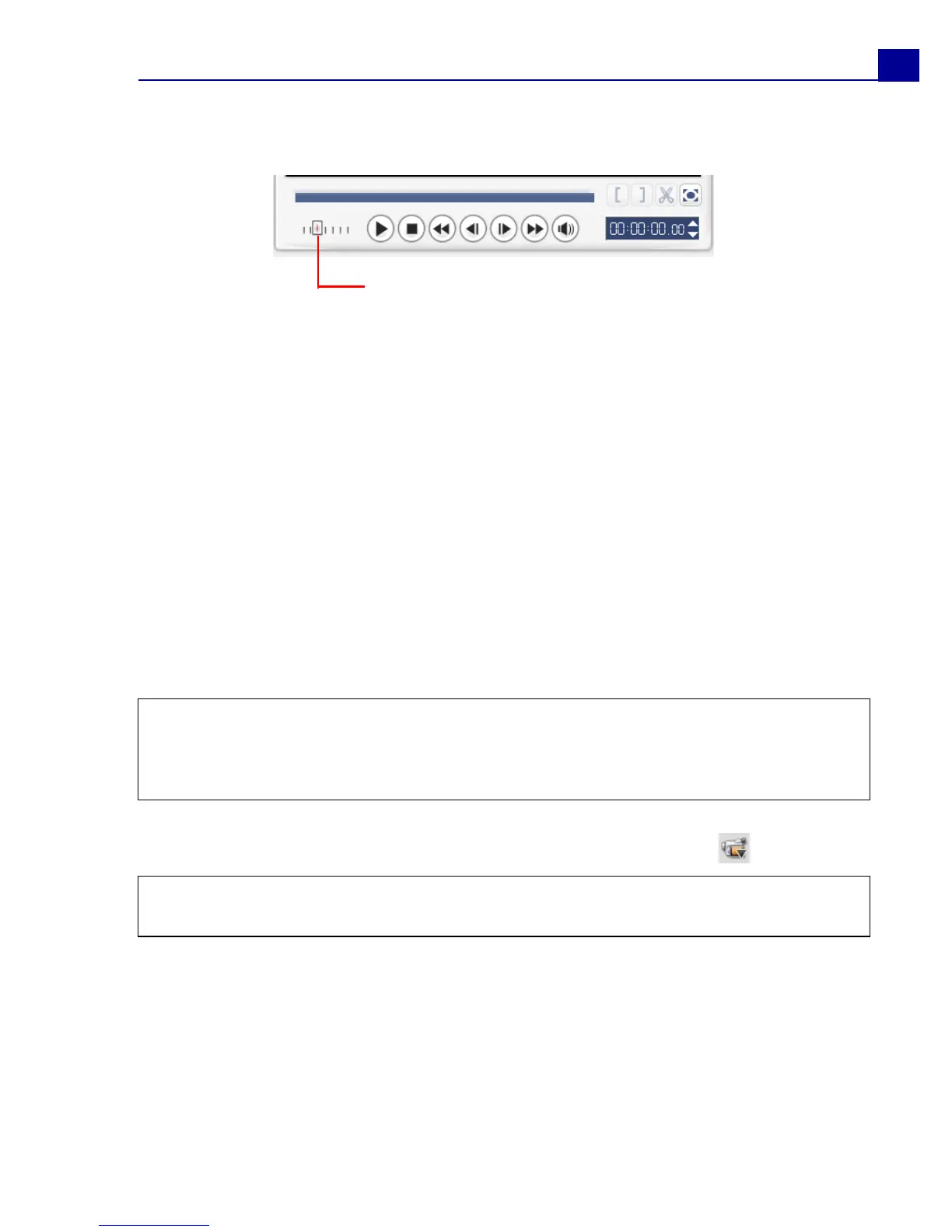
Shuttle Slider
Drag the Shuttle Slider to move forward and
back through the footage at variable speeds.
This is a quick way to find scenes you are
looking for in your video.



 To Next Page