ULEAD VIDEOSTUDIO USER GUIDE
24
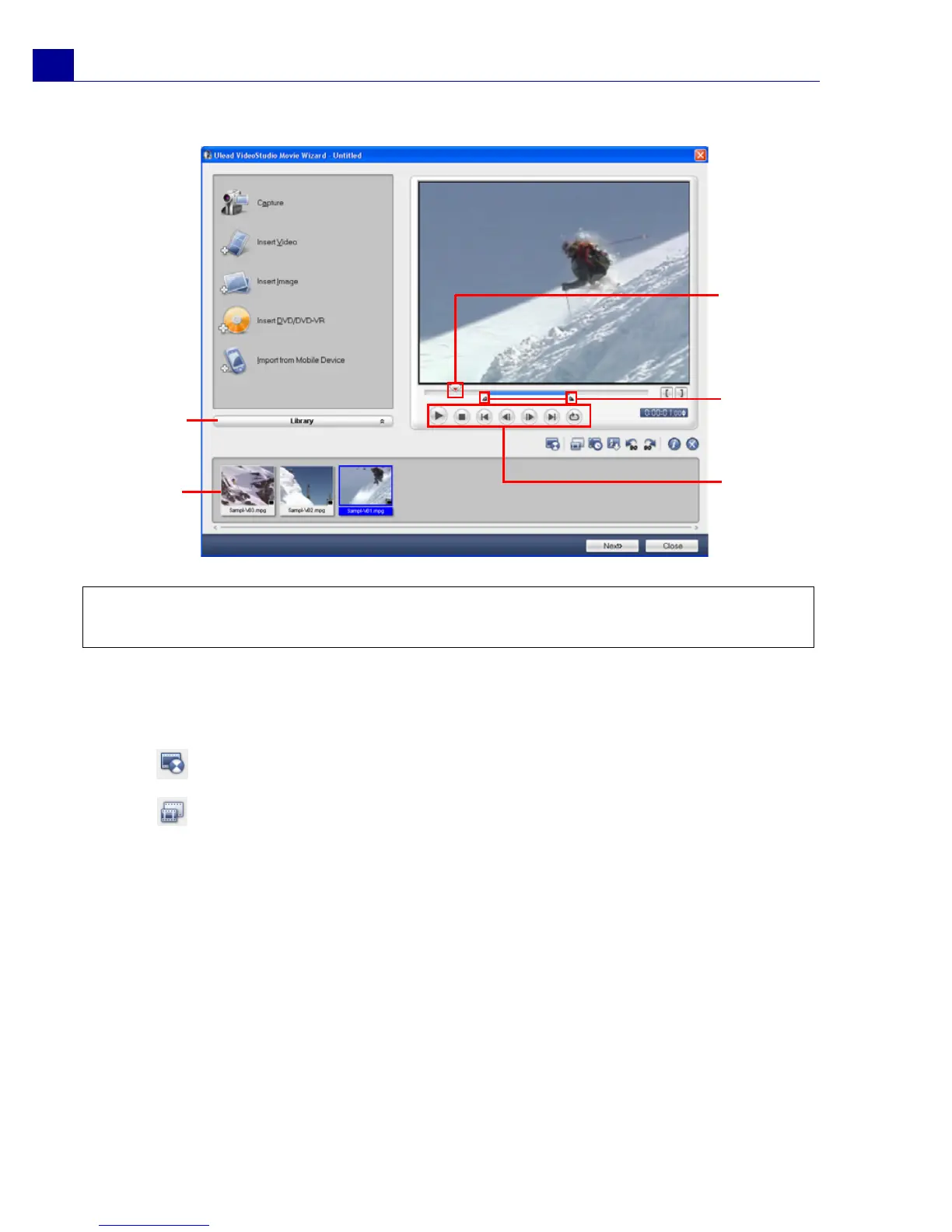
4. To preview the clips, select each clip in the Media Clip List and use the Jog
Slider and Navigation Panel buttons. When trimming a clip, drag the Mark-in
and Mark-out handles to select the desired start and end points of the clip.
5. Click to retrieve lost data from captured videos.
Click to choose desired segments from a video file and extract them to the
Media Clip List.
Tip: You can also arrange clips in the Media Clip List by dragging them to the
desired sequence.
Jog Slider
Mark-in/
Mark-out
handles
Navigation
Panel
Media
Clip
List
Library



 To Next Page