3
Page.
/ 8
Disassembly
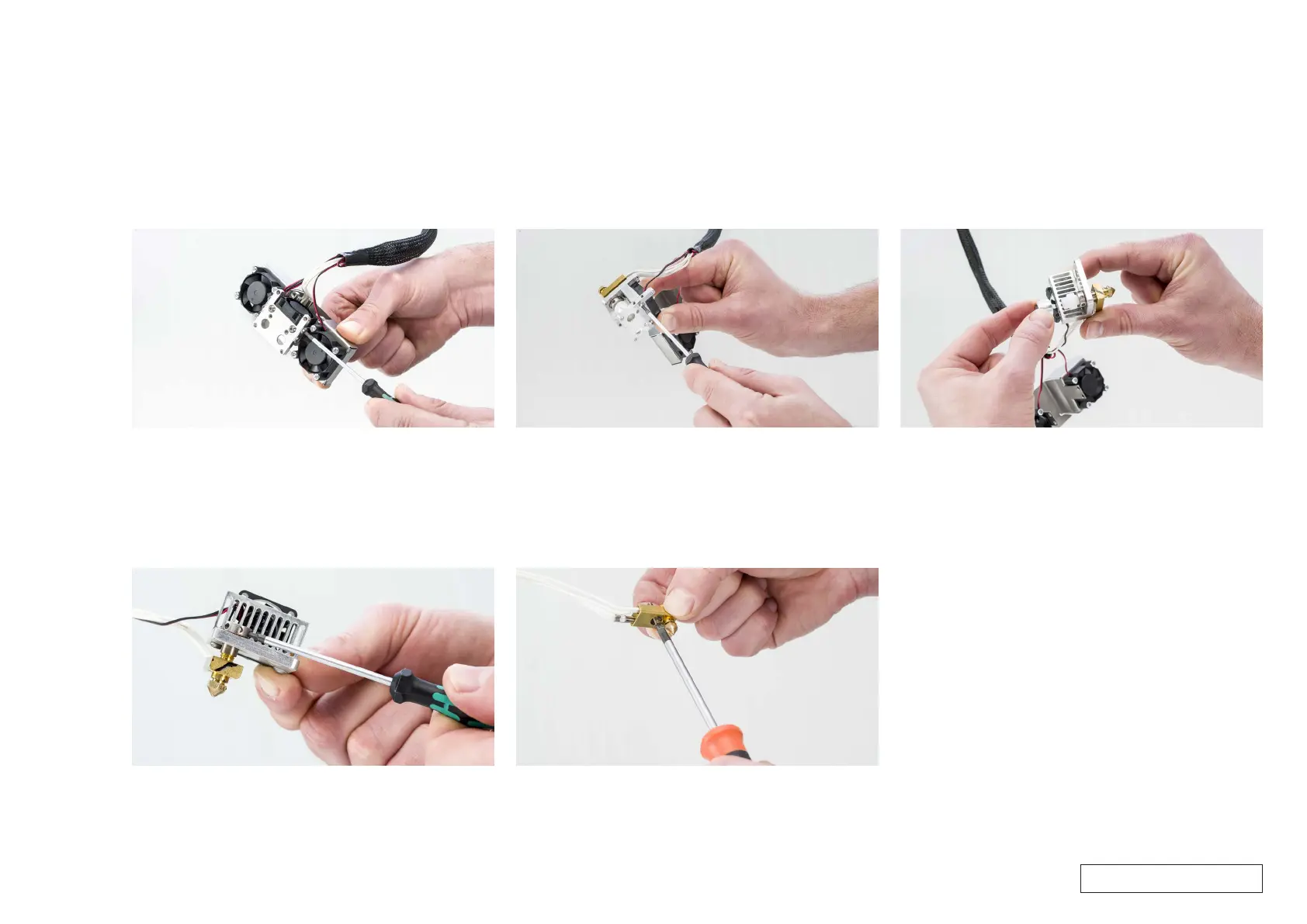
6. Remove the fan bracket
• The fan bracket is attached with two M3x4 bolts on either side of
the hot end.
• Use the 2.0 hex screwdriver to remove all four bolts.
7. Open the hot end holder
• Use the hex screwdriver to loosen the two M3x10 bolts that are in
the top aluminum plate.
• Remove this plate to access the hot end parts.
8. Remove the spacer and the TFM coupler
• Take the spacer from the TFM coupler.
• Pull the TFM coupler out of the hot end isolator.
Tip: The TFM coupler fits tightly in the hot end isolator. If necessary
use the hex screwdriver to push it out.
9. Remove the nozzle and hot end isolator
• Insert the 2.0 hex screwdriver into one of the holes of the hot end
isolator.
• Turn it counterclockwise to unscrew it from the nozzle and heater
block.
10. Remove the heater and sensor
• Use a Phillips screwdriver to loosen the screw at the bottom of the
heater block.
• Carefully pull out the heater cartridge and PT100 sensor.
Tip: If it is difficult to remove the heater cartridge and PT100 sensor,
do not pull at the wires too hard. Instead, take tweezers or a small
screwdriver (or any small tool with a diameter < 1.8 mm) and insert it
into the small holes in the bottom of the heater block. Push the heater
cartridge and PT100 sensor out of the Olsson block.
For internal use only



 To Next Page