18
Build plate leveling
To perform the setup steps, turn on the printer with the power switch at the back. The first run wizard appears on the
display. Rotate the button to navigate through the menus and press the button to confirm your selection.
Leveling the build plate
To get the correct distance between the build plate and the nozzle, you need to level the build plate. This must be done
before using the Ulitmaker 2+ for the first time and then periodically.
The first run wizard will automatically guide you through the steps to level the build plate:
1. Wait for the Ultimaker 2+ to do its homing procedure and continue when the print head is in the center at the back of
the build plate.
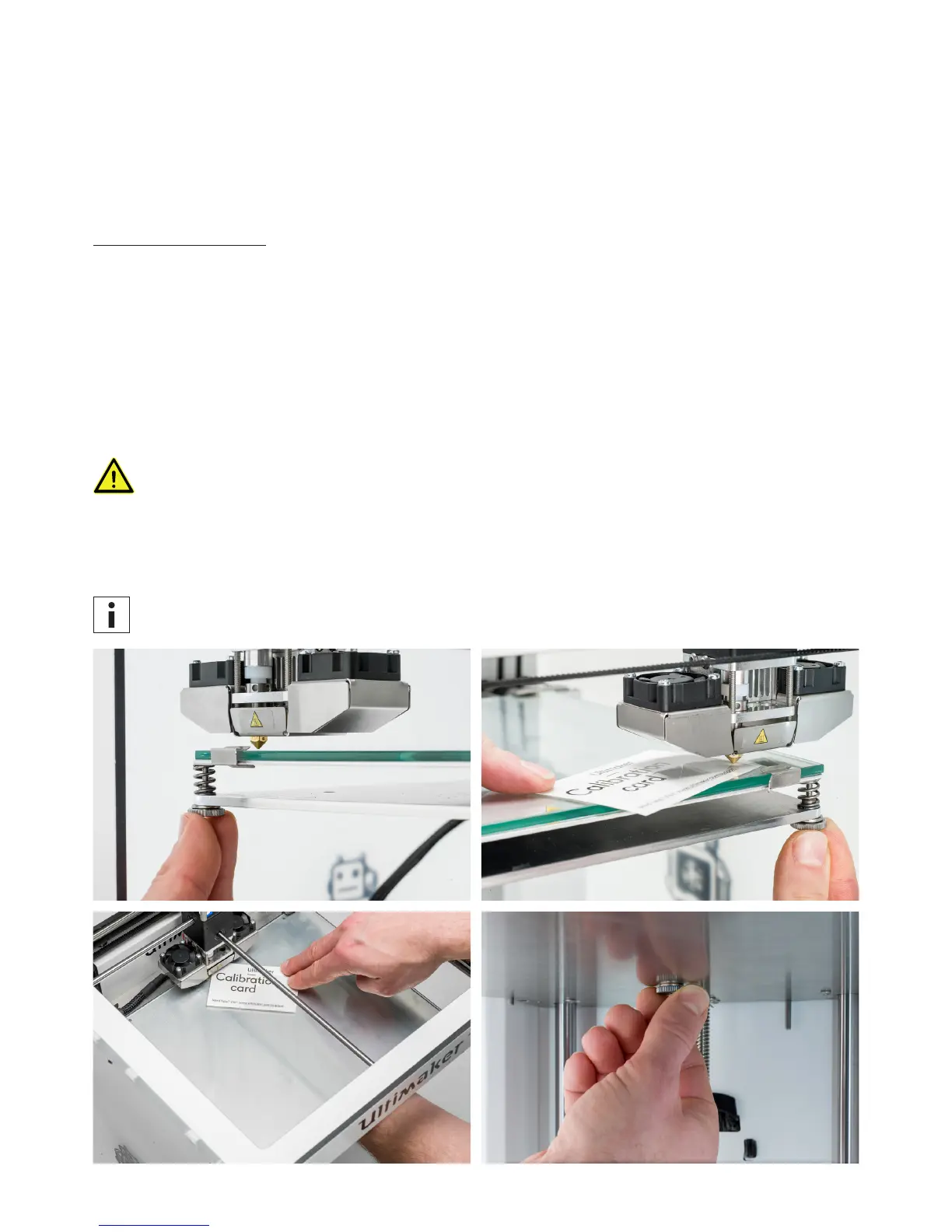
2. Rotate the button at the front until there is approximately 1 mm distance between the nozzle and the build plate. Make
sure that the nozzle is close to the build plate without touching it.
3. Adjust the front right and front left knurled nut to roughly level the build plate at the front side. Again there should be a
distance of approximately 1 mm between the nozzle and build plate.
4. Place the calibration card in between the nozzle and build plate when the print head is in the center back of the build
plate.
Do not push on the build plate while fine-tuning with the calibration card. This will lead to inaccuracies.
5. Adjust the knurled nut in the middle back until you feel slight friction when moving the card.
6. Press “Continue”. The print head moves to the second point.
7. Repeat step 5 “place the calibration card” and step 6 “adjust the build plate”.
8. Press “Continue” again. The print head moves to the third point.
9. Repeat step 5 “place the calibration card” and step 6 “adjust the build plate”.
You can always re-level the build plate by navigating to Maintenance g Build plate.



 To Next Page