33
Clean the printer
For the best print results, it is important to keep the Ultimaker 2+ clean while using it. It is not advised to use the Ultimaker
2+ in a room where it can easily be covered with dust. It is also important to regularly remove small pieces of material that
might be in the printer. Some parts of the Ultimaker 2+ might require more regular cleaning.
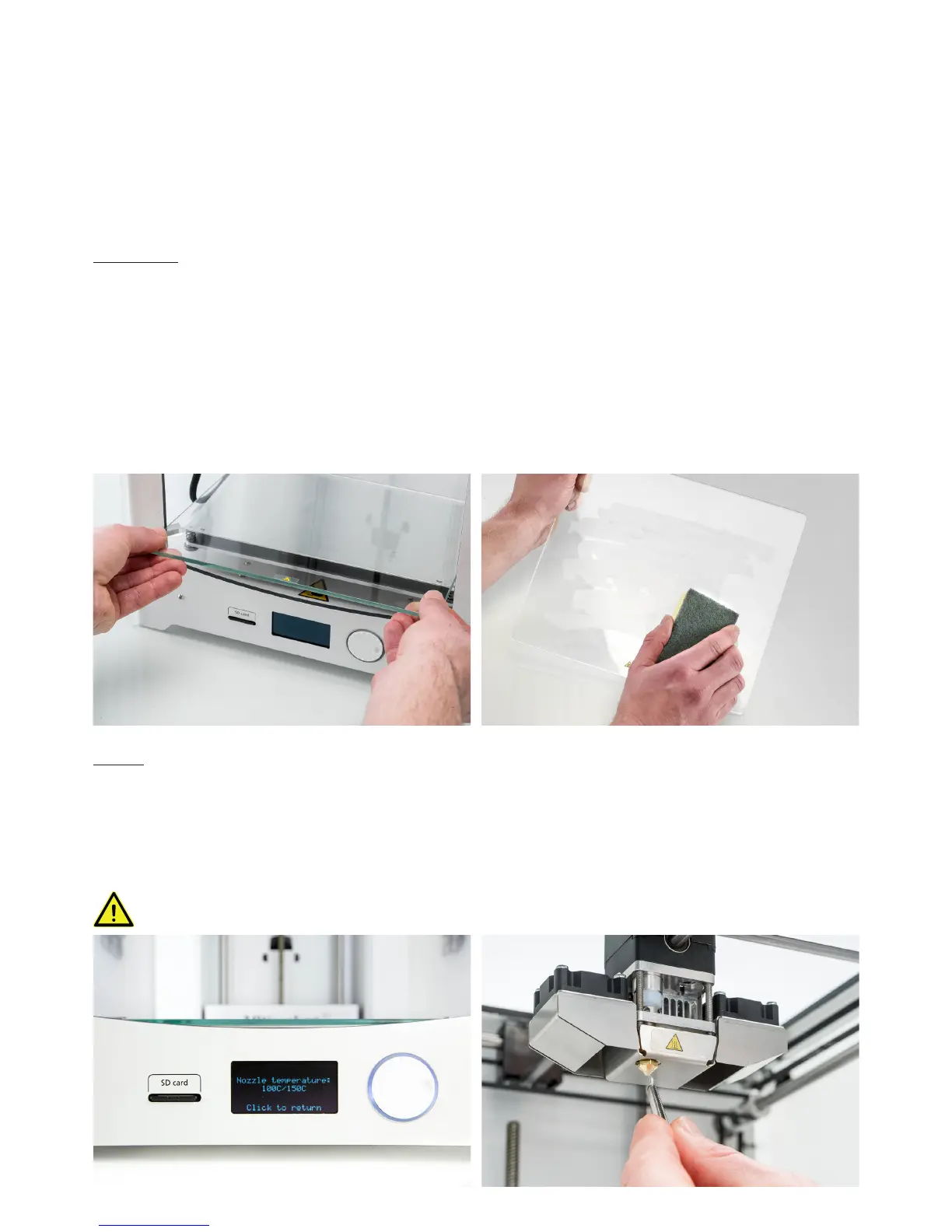
Glass plate
After printing, there might be excess glue stuck to the glass plate, which can cause an uneven print surface. Alternatively,
removing a print may reduce the adhesion quality of the layer of glue. Therefore it is advised to regularly clean the glass
plate and re-apply glue.
Before starting a new print, always check the surface of the glass plate. At least once a month, clean the plate thoroughly
by following these steps:
1. Manually position the build plate at the bottom Ultimaker 2+.
2. Remove the glass plate from the build plate.
3. Clean the glass plate using lukewarm water and a sponge to remove any glue layers. If necessary, you can also use
some soap or detergent.
4. Dry the glass plate with a clean cloth.
5. Place the glass plate back onto the build plate and close the build plate clamps at the front to secure it in place.
Nozzle
While using the Ultimaker 2+, material can accumulate around the nozzle. Although this will not damage your printer, it is
recommended to try keeping the nozzle clean, in order to achieve the best print results.
Before starting a new print, always check the nozzle. At least once a month, remove the plastic from the outside of the
nozzle by taking the following steps:
1. Navigate to Maintenance g Advanced g Heatup nozzle and rotate the button to set the temperature to 150 °C.
2. When the nozzle is hot, carefully remove the material with tweezers.
Do not touch the nozzle and be careful while cleaning it as it will become hot.



 To Next Page