UNPACKING THE METHOD XL
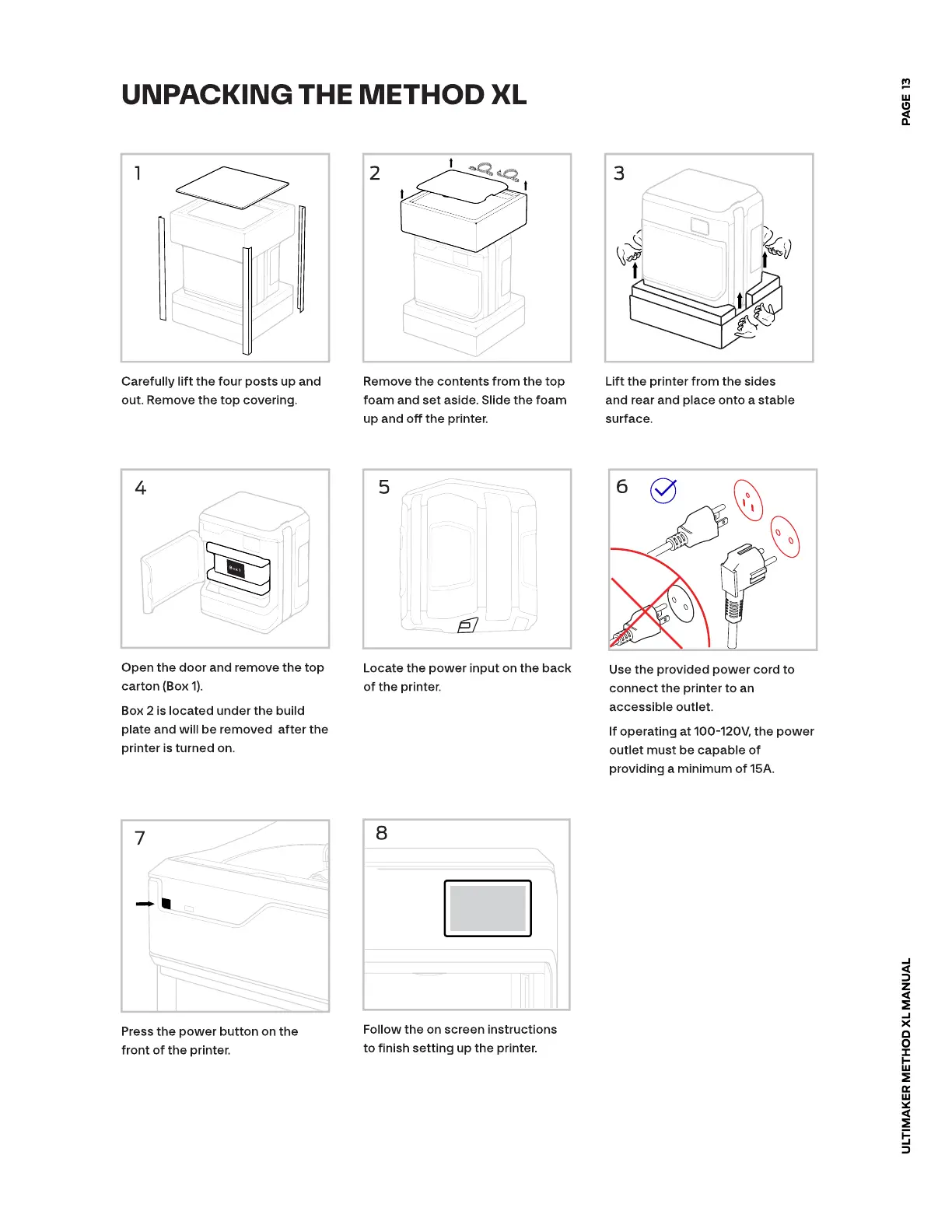
Carefully lift the four posts up and
out. Remove the top covering.
Remove the contents from the top
foam and set aside. Slide the foam
up and o the printer.
Lift the printer from the sides
andrear and place onto a stable
surface.
Open the door and remove the top
carton (Box 1).
Box 2 is located under the build
plate and will be removed after the
printer is turned on.
Locate the power input on the back
of the printer.
Use the provided power cord to
connect the printer to an
accessible outlet.
If operating at 100-120V, the power
outlet must be capable of
providing a minimum of 15A.
Press the power button on the
front of the printer.
Follow the on screen instructions
to nish setting up the printer.
ULTIMAKER METHOD XL MANUAL
PAGE 13













 To Next Page