1. From the Home screen, tap Apps> Twitter
•If you have the Twitter account ,you can enter the Email and Password ,and tap the sign in is ok.
• If you haven’t the Twitter account ,you must sign up for Twitter on the phone or on computer.
Tools
Clock
Opening the Clock
1. From the Home screen, tap Apps > Clock.
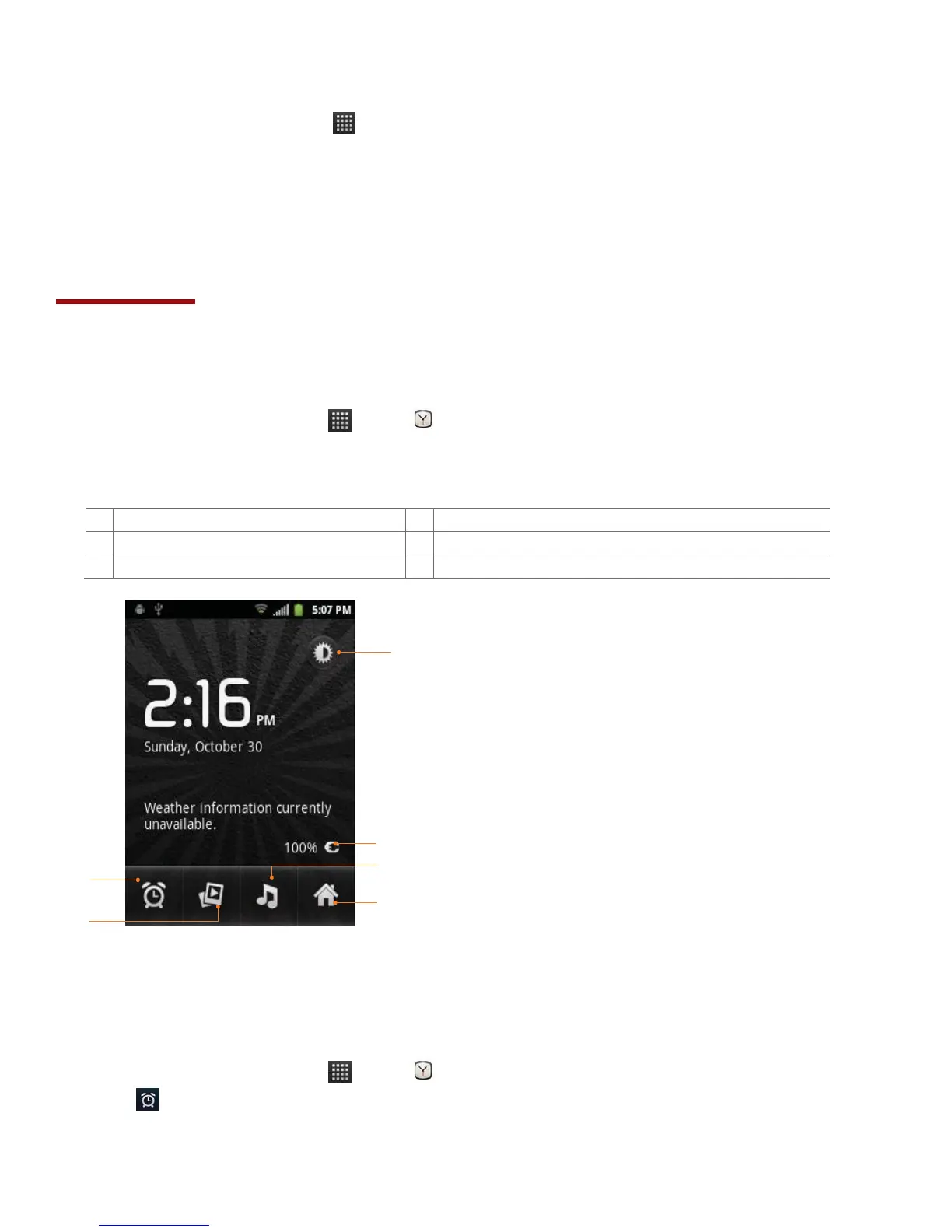
• The Clock application opens and displays the date, time, local weather and other useful
information.
The battery charge level, displayed only while the
phone is charging.
Set an alarm and check old alarms
Managing Alarms
Adding a new alarm
1. From the Home screen, tap Apps > Clock.
2. Tap >Add alarm.
3. To change the alarm time, tap +/- or type the number using the keyboard. Then toggle AM/PM
>Set.


 To Next Page