9. During the period of update, the target device will automatically reboot for TWO times. Please
don’t operate the device until the update is completed.
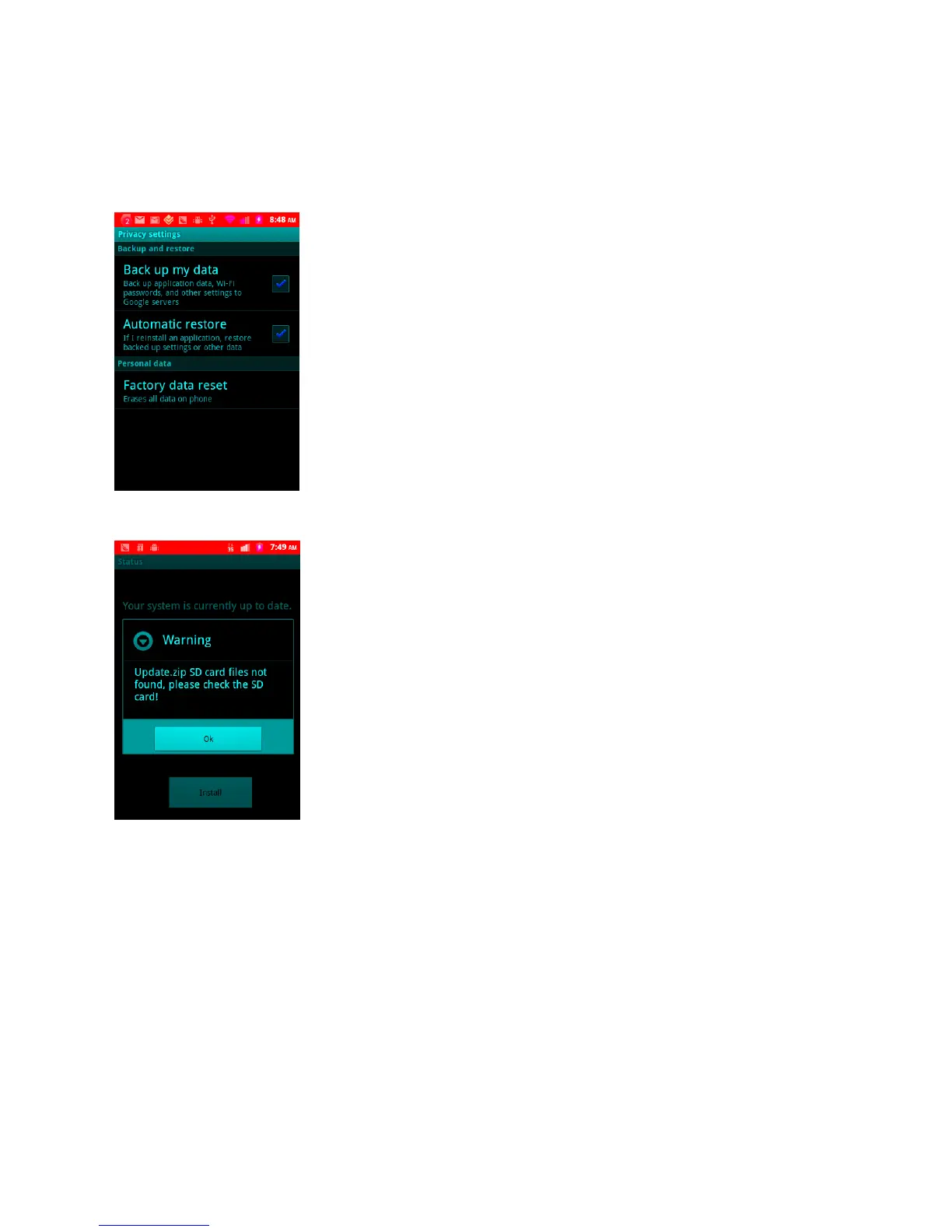
10. After the device fully rebooted, go to setting -> Privacy -> Factory data reset to reset to the
factory default mode. This step will not be needed when the device is launched to the market.
11. If there is no SD-card in the slot or the update.zip is not a right one, it will prompt an error
message.


 To Next Page