Service Manual UDP6900 Series Digital Control Power Supply
Instruments.uni-trend.com 21 / 29
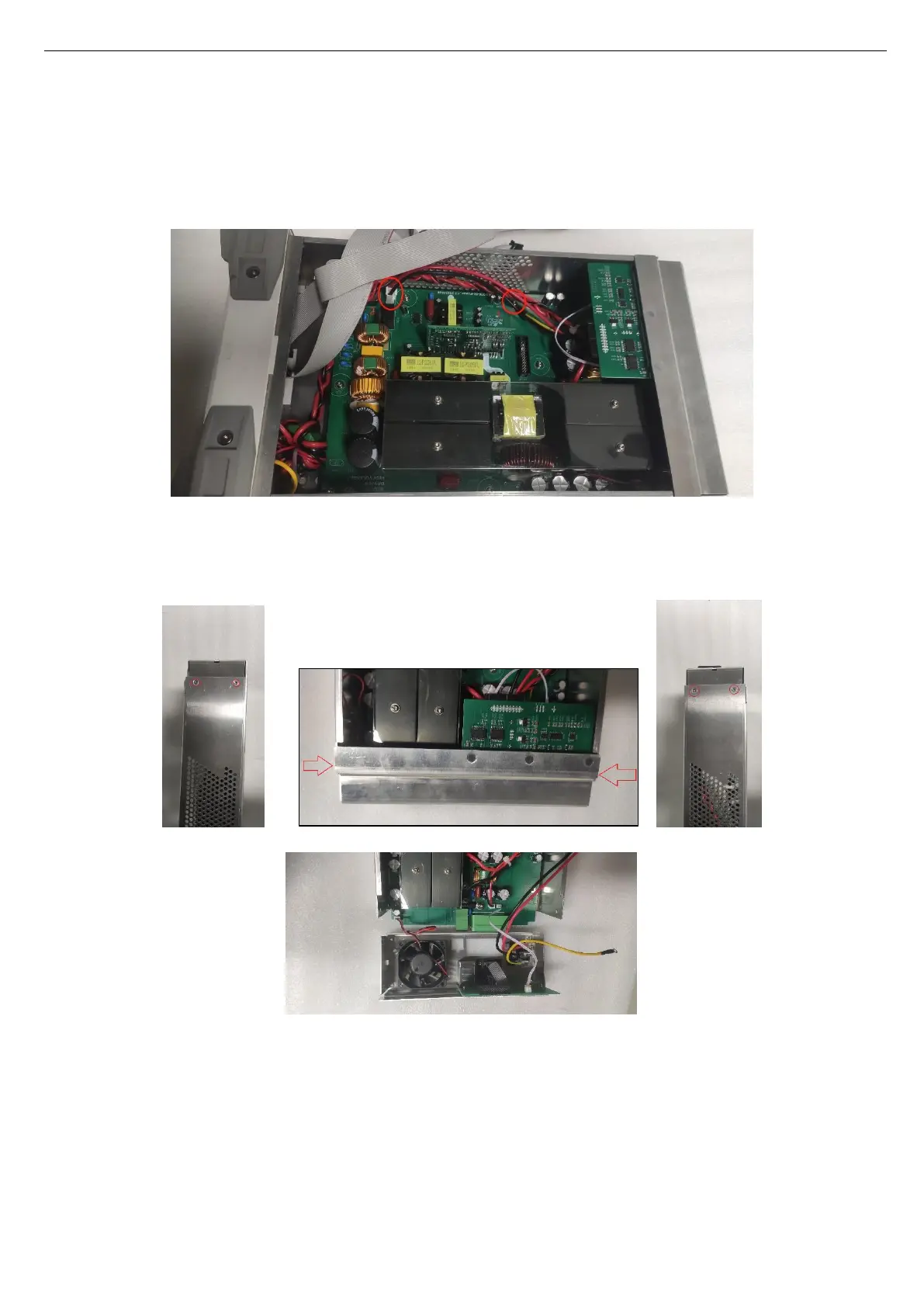
2. Use T10 quincunx screwdriver to remove the grounding screw on the rear panel, pull out the power wire
connected to the PCB (the ground wire of UDP6952 and UDP6953 are in the middle of the PCB), as
shown in the following figure.
3. Use T10 quincunx screwdriver to remove 4 screws on the edge of rear cover to open it, as shown in the
following figure.
Screw Position
Open Rear Cover



 To Next Page
 Loading...