41
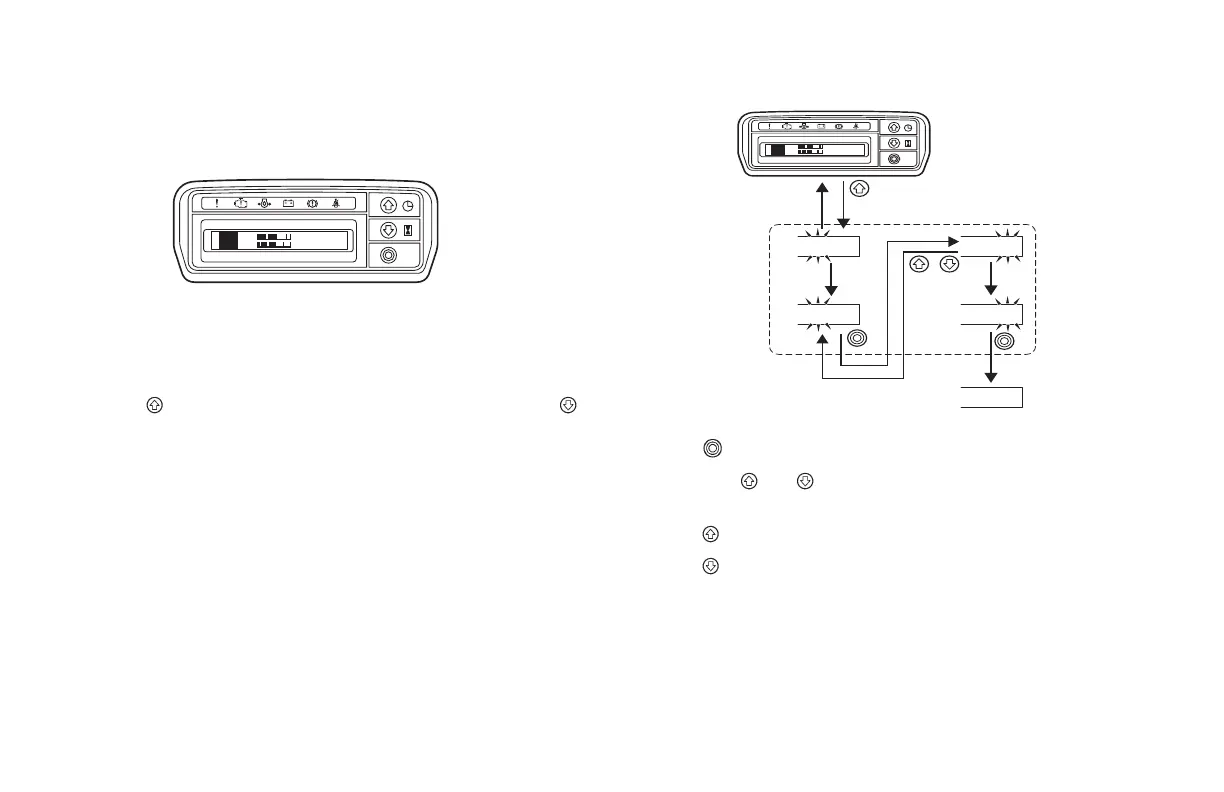
METER DISPLAY NOTE:
• The display time and date will be reset if the battery cable is
disconnected or the battery is replaced. If the display has been
reset, set the time and date again.
Clock
When the ignition switch is turned ON, the start display appears,
followed by the normal display (clock).
Press the
button to change the display to the date or press the
button to change the display to the hour meter.
Setting the Time
Press the
button to change from hoursminutesconrmed.
Press both the
and buttons at the same time to return to the
previous display.
Press the
button to change the number up.
Press the button to change the number down.
FR
C
E
H
F
N
10
:
25
FR
C
E
H
F
N
10
:
25
10
:
25
12
:
25
12
:
25
12
:
50
12
:
50
Number change
mode
Confirmed
Press and hold
+





 To Next Page