TROUBLESHOOTING GUIDETROUBLESHOOTING GUIDE
4-204-20
ERRORS AND ERROR CODESERRORS AND ERROR CODES
WARNINGWARNING
If an error occurs in the truck, excluding someIf an error occurs in the truck, excluding some
types of errors, consult your UniCarriers types of errors, consult your UniCarriers dealer. Ifdealer. If
troubleshooting of internal errors is tried withouttroubleshooting of internal errors is tried without
enough knowledge, special tools or equipment, aenough knowledge, special tools or equipment, a
serious personal injury might serious personal injury might occur.occur.
If an error occur s i n the truck, an error codeIf an err or occ urs in the truck, an error code
corresponding to the problem will be displayed on thecorresponding to the problem will be displayed on the
instrument panel. Diagnosis or repair of internal errorsinstrument panel. Diagnosis or repair of internal errors
may require a high level of skill and special tools.may require a high level of skill and special tools.
Excluding some types of errors, it is advisable to consultExcluding some types of errors, it is advisable to consult
your local your local UniCarriers dealer.UniCarriers dealer.
FIELD-SERVICEAFIELD-SERVICEABLE BLE ERRORSERRORS
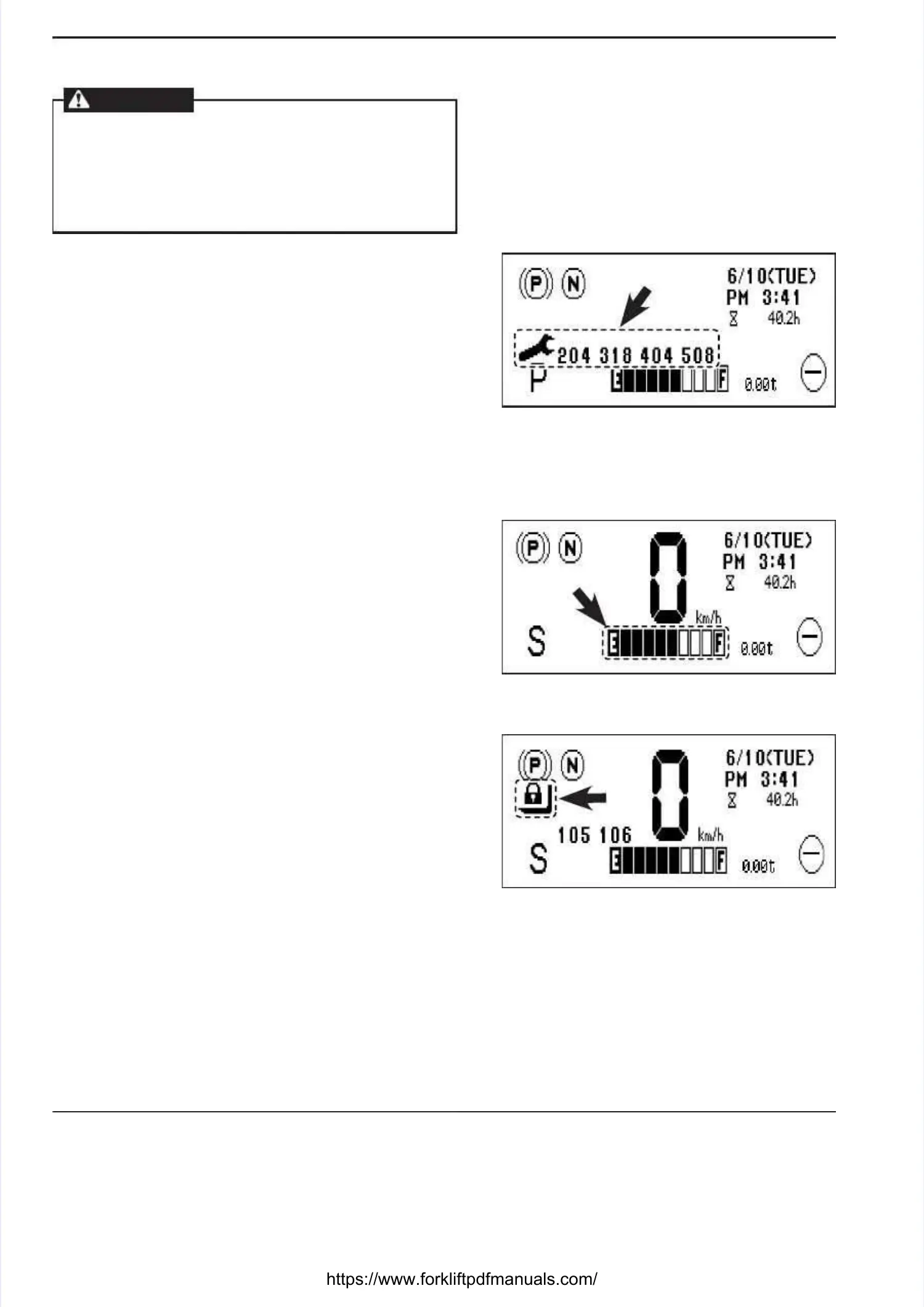
■■ Battery charge level indicator blinks: errorBattery charge level indicator blinks: error
codes 101, 102codes 101, 102
If the battery charge level drops to the overdischargeIf the battery charge level drops to the overdischarge
level, the indicators outlined by a dotted border willlevel, the indicators outlined by a dotted border will
blink and error codes “101” and “102” appear on theblink and error codes “101” and “102” appear on the
instrument panel.instrument panel.
Stop operation completely and charge the battery at theStop operation completely and charge the battery at the
designated charging station.designated charging station.
■■
Interlock warning light blinks: error codesInterlock warning light blinks: error codes
105, 106105, 106
If the key switch is turned from the “OFF” position to theIf the key switch is turned from the “OFF” position to the
“ON” position when the operator is not in the operator’s“ON” position when the operator is not in the operator’s
seat, the neutral status indicator blinks and the interlockseat, the neutral status indicator blinks and the interlock
warning light comes on. The truck won’t start and thewarning light comes on. The truck won’t start and the
load handling system is disabled. If an error code “105”load handling system is disabled. If an error code “105”
or “106” is displayed, it indicates that the interlock isor “106” is displayed, it indicates that the interlock is
activated. To release the interlock, refer page 2-24 inactivated. To release the interlock, refer page 2-24 in
the OPERATING CONTROLS section.the OPERATING CONTROLS section.
TROUBLESHOOTING GUIDETROUBLESHOOTING GUIDE





 To Next Page