Display Zoom
When this feature is enabled, the standard 4-line display is converted
to
a 2-line
display. The characters are enlarged vertically, increasing message readability.
To Enable Display Zoom:
.-.
1. From the Function menu, press
~
to
move
the
cursor
to~
... .
2. Press • Display zoom is now active.
All
new
and stored messages including notebook messages are displayed in a
two line format. Pager prompts are not enlarged in the zoom mode.
Setting
the
Time and Date
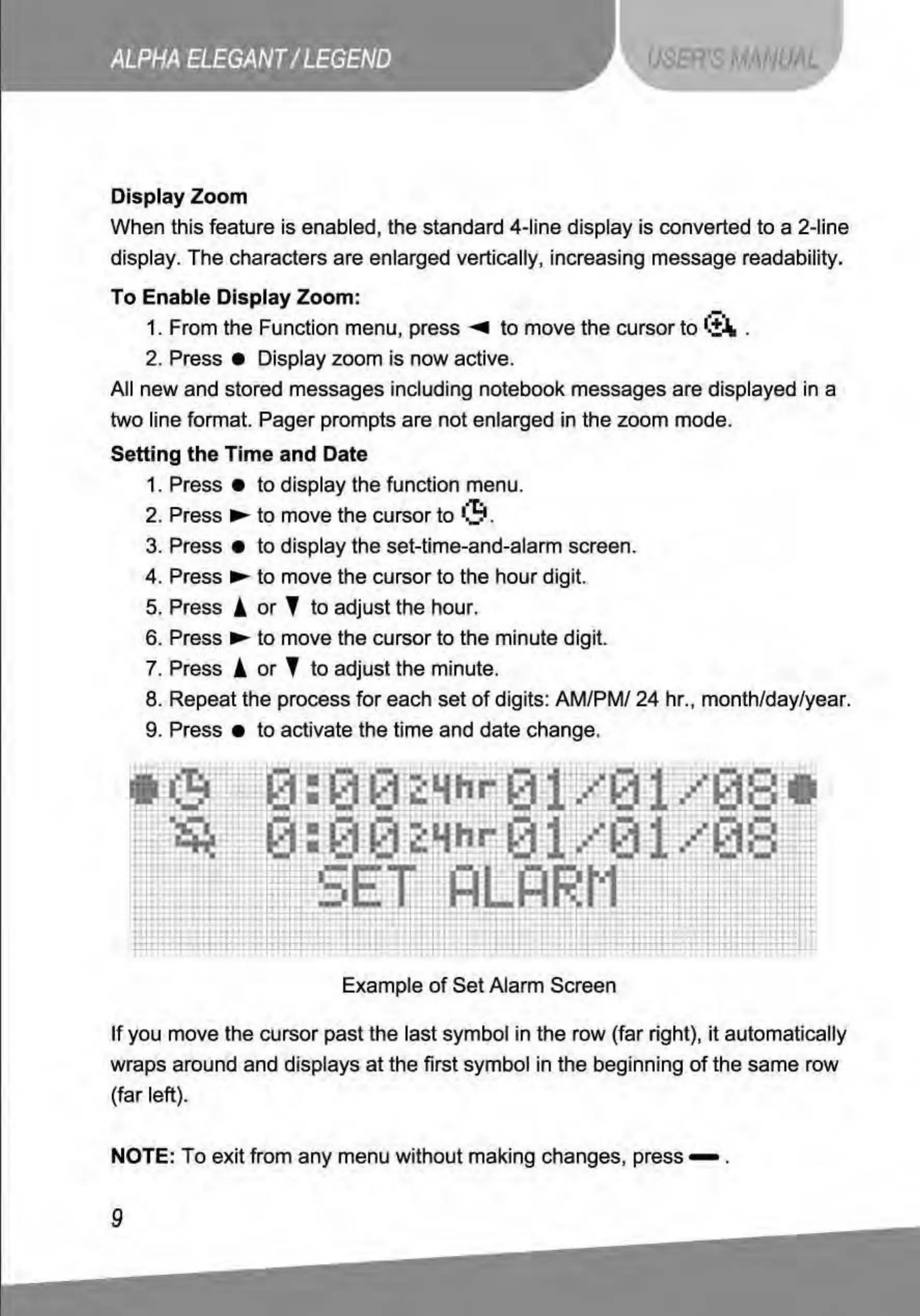
1. Press •
to
display the function menu.
2. Press
.....
to
move the cursor to
•:!:t
.
3. Press •
to
display the set-time-and-alarm screen.
4. Press
...,.
to
move the cursor to the hour digit.
5. Press A
or
l
to
adjust the hour.
6. Press...,.
to
move the cursor to the minute digit
7. Press A
or
l
to
adjust the minute.
8. Repeat the process
for
each set
of
digits: AM/PM/ 24 hr., month/day/yea
r.
9. Press •
to
activate the time and date change.
Example
of
Set Alarm Screen
If
you move the cursor
past
the last symbol in the row (far right},
it
automatically
wraps around and displays
at
the first symbol in the beginning
of
the same row
(far left).
NOTE: To exit from
any
menu without making changes, press - .



 To Next Page